<?xml version="1.0" encoding="utf-8"?>
<feed xmlns="http://www.w3.org/2005/Atom">

  <title><![CDATA[ Thorsten Ball ]]></title>
  <link href="http://thorstenball.com/atom.xml" rel="self"/>
  <link href="http://thorstenball.com/"/>
  <updated>2026-06-08T01:02:19+00:00</updated>
  <id>http://thorstenball.com/</id>
  <author>
    <name><![CDATA[ Thorsten Ball ]]></name>
    <email><![CDATA[ me@thorstenball.com ]]></email>
  </author>

  
  <entry>
    <title type="html"><![CDATA[Professional Programming: The First 10 Years]]></title>
    <link href="http://thorstenball.com/blog/2022/05/17/professional-programming-the-first-10-years/"/>
    <updated>2022-05-17T06:32:00+00:00</updated>
    <id>http://thorstenball.com/blog/2022/05/17/professional-programming-the-first-10-years</id>
    <content type="html"><![CDATA[<style>
.main h2 {
  margin-top: 2.5em;
}
</style>

<p>Last month, April 2022, marked the 10 year anniversary of my start as a
professional programmer.</p>

<p>I started programming earlier than that, but hadn’t been paid a salary. As a
teenager I built websites and IRC bots and wrote tiny Python scripts. Then I
stopped and played guitar for a few years. In my twenties, I rather
coincidentally rediscovered how much I enjoy programming when I was asked to
build another website and found out how much had changed about the web while I
was away (it’s HTML5 now!).</p>

<p>That made me wonder whether programming wouldn’t be the better career choice
than continuing to study philosophy at university. <a href="https://coding-robin.de/">Robin</a> answered that
question for me by generously offering me a paid internship.</p>

<p>Now it’s been 10 years, which is, to be honest, neither a significant marker of
my growth as a programmer nor my career, but realising that it’s been 10 years
made me pause and reflect.</p>

<p>The following is a loose, unordered collection of thoughts that come up when I
look back on the past 10 years. Things I’ve learned, things I’ve unlearned,
things I’ve changed my opinion on, things I never thought I’d believe in and now
do.</p>

<p>They’re very much products of the context in which I helped develop software: as
an intern for Robin, then as a junior developer for Robin, as a software
developer for <a href="https://de.wikipedia.org/wiki/Flinc">a small German startup</a>, as a senior software developer
for <a href="https://ioki.com/">a German startup inside a huge German corporation</a>, and now as a
staff engineer for <a href="https://about.sourcegraph.com/">a fully remote, asynchronous US startup</a>. Take
that as a disclaimer. I bet if I’d worked in a game studio, a hardware company,
and a big tech corporation instead, this text would be very different.</p>

<h2 id="fearlessness-is-undervalued">Fearlessness is undervalued</h2>

<p>Most of the programmers I look up to and learned from share one trait that is
rarely talked about: fearlessness.</p>

<p>They dive into an unknown codebase without fear. They open up the code of a
dependency that they suspect is misbehaving without fear. They start working on
something without knowing how they’ll finish.</p>

<p>It’s inspiring seeing someone being fearless, but becoming fearless yourself is
one of the best learning accelerators I’ve found.</p>

<h2 id="you-cant-predict-the-future-try-and-you-might-end-up-in-trouble">You can’t predict the future; try and you might end up in trouble</h2>

<p>We all know this. <em>Of course</em>, we can’t predict the future.</p>

<p>But it took me years to truly take it into account when programming.</p>

<p>In the first third of my career I’d think: we <em>will</em> need this, so let’s build
it now.</p>

<p>In the second third: we <em>might</em> need this, so let’s prepare for it.</p>

<p>Now: we <em>don’t know</em> whether we’ll need this, it’s <em>a</em> possibility, sure, and it
looks like we <em>might</em> need it, yes, but things change all the time, so let’s
build what <em>we know we need right now</em>.</p>

<h2 id="of-course-i-write-code-so-its-easy-to-test"><em>Of course</em> I write code so it’s easy to test</h2>

<p>I also write code so it’s easy to read and understand, or easy to delete, or
easy to modify, or easy to review. I don’t write code only for the computer to
execute.</p>

<h2 id="nothing-really-matters-except-bringing-value-to-the-customer">Nothing really matters, except bringing value to the customer</h2>

<p>Type safety, 100% test coverage, the ability to fluently express business logic
in code, perfect development tooling, an efficient system that wastes no
resources, using the best programming language for the job, an elegant API design,
a fast feedback loop, writing <em>great code</em> – these are <em>not</em> the goal.</p>

<p>Here’s the goal: providing value to your customers, by shipping software that
solves their problem, repeatedly.</p>

<p>The things above help you do that – faster, cheaper, more efficiently, safer,
with greater joy – but they’re not the goal. The goal is to provide value to
your customers.</p>

<p>The trap: it’s often easier to write software than to deliver it. But delivering
is what it’s all about.</p>

<h2 id="perfection-is-unachievable">Perfection is unachievable</h2>

<p>I’m not sure I ever thought it is, but now I’m certain it is not. Everything is
the result of trade-offs.</p>

<p>You will never reach 100% on every axis that you care about. Something has to
give. And when you think you <em>did</em> make it perfect, you’ll soon realise that you
forgot something.</p>

<p>My aesthetics have changed too. Instead of looking for the beauty that lies in
perfection I now think the program that succeeds despite its flaws is beautiful.
Look at that little program go, holding the internet together, despite the 17
TODOs in it.</p>

<h2 id="if-you-cant-connect-it-to-the-business-it-doesnt-matter">If you can’t connect it to the business, it doesn’t matter</h2>

<p>You can refactor a codebase and clean it up significantly, making it easier to
understand for everybody <em>and</em> easier to extend, but all of that won’t matter if
that codebase gets deleted four months later because the project didn’t help the
business.</p>

<p>You can spend weeks adding tracing and observability to all of the code you
write, only to realise that nobody will ever look at it, because that code runs
three times a day and never causes any problems.</p>

<p>You can tweak and optimize your code to run so efficiently that the company can
halve the number of machines required to run it and then see that the costs you
saved are nothing in comparison to the salary you were paid while optimizing.</p>

<p>You can spend your time doing fantastic technical work and still waste it.</p>

<h2 id="figure-out-what-the-rule-is-trying-to-prevent-then-consider-the-rule-optional">Figure out what the rule is trying to prevent, then consider the rule optional</h2>

<p>If you’d asked me 5 years ago whether TDD, Clean Code, Software Craftsmanship,
and other schools of thought are dogmatic, I would’ve said “no! Can’t you see?
Clean and good code is important!”</p>

<p>Now I look back at the time when I thought that a rule such as “a method should
not be longer than 5 lines” was useful and shake my head.</p>

<p>It’s not about the rules! It’s about the problems these rules are trying to
prevent. If you don’t have the problem they’re trying to prevent, or you can
prevent it another way, you don’t need the rule.</p>

<h2 id="write-tests-that-give-you-confidence-that-the-system-works-as-it-should">Write tests that give you confidence that the system works as it should</h2>

<p>Don’t worry too much about whether a test is an integration or an end-to-end
test, a unit test or a functional test. Don’t fight with others about whether
you should test private methods or not. Stop worrying about whether you should
hit the database in tests or not.</p>

<p>Instead write tests that tell you the system is working the way it should.
Ideally with 3 keystrokes and in less than 1 second.</p>

<p>This one took me a long time, a lot of ultimately useless discussions, and bugs
in my code to learn.</p>

<h2 id="best-practices-are-often-based-on-the-assumption-that-you-know-what-the-code-should-do">Best practices are often based on the assumption that you know what the code should do</h2>

<p>If you know exactly what you want to build then best practices and patterns can
help you, by giving advice on <em>how</em> to build it.</p>

<p>But if you don’t know yet what the program should do, or what it will look like
in four weeks, then some best practices can make things even harder.</p>

<p>Some practices are the best when applied to a rewrite, but the worst when you’re
still exploring.</p>

<h2 id="using-other-peoples-code-is-not-as-good-as-i-thought">Using other people’s code is not as good as I thought</h2>

<p>I started my career writing Ruby and JavaScript, with package managers being
available and the question “isn’t there a package that does that?” always
hanging in the air.</p>

<p>Common sense dictated: if you can, try to use a library instead of writing it
yourself. Reuse code as much as you can. Don’t reinvent the wheel. Don’t copy &amp;
paste. That was what I believed for years.</p>

<p>But there are downsides to that. <em>Sometimes</em> writing that one function yourself
might actually be better than adding a dependency.</p>

<p>Dependencies aren’t free. You have to keep them up to date. They increase your
compile or loading times. They add strange things to your stack traces. And
<em>very often</em> they do more than what you need them to do, which means you’re
paying for more than you’re getting.</p>

<p>When you’re glueing other people’s code together, there’s a very real danger
that the <em>glue</em> is where complexity will accumulate. But glue code is the last
place where you want your complexity to live. It <em>hides</em> complexity. What you
want is to make complexity as visible as you can, shining a light on it with the
hope that it turns into dust and disappears.</p>

<p><em>Sometimes</em> it’s better to write it yourself than to use other people’s code.</p>

<h2 id="some-companies-get-it-others-dont-but-nobodys-perfect">Some companies get it, others don’t. But nobody’s perfect</h2>

<p>There is a big difference between developing software for a software company and
developing software for a company that employs software developers because it
has to. It’s a joy to work for a company in which leadership <em>gets</em> software and
how it’s made.</p>

<p>That being said: I don’t think any company has it all figured out. Everybody’s
winging it to some degree.</p>

<h2 id="investing-in-feedback-loops-is-never-wasted-effort">Investing in feedback loops is never wasted effort</h2>

<p>I’ve never regretted improving a feedback loop. Faster tests, better test
output, faster deploys, turning a manual feedback loop into something that gives
me a signal with one keybinding.</p>

<p>Watch out, though: once you’ve seen the light of developing software with a
really fast and high-signal feedback loop, you’ll long for it forever.</p>

<h2 id="always-leave-something-unfinished-at-the-end-of-the-day">Always leave something unfinished at the end of the day</h2>

<p>A failing test, a compiler error, a half-finished sentence – end your day with
one of these and the next morning you can sit down and continue where you left
off, skipping “hmm, what should I do today…” entirely.</p>

<p>There’s nothing that gets me started as fast as a failing test that needs to
pass.</p>

<h2 id="perfectionism-is-a-trap">Perfectionism is a trap</h2>

<p>Perfectionism is based on a lie. You’ll never get to the point where you’re
<em>done</em> and sit and rest and say “ah, <em>now</em> it’s perfect”. There’ll always be
something. You know it, I know it. There’s no <em>perfect</em> (see above). Accept it
and ship and continue building.</p>

<p>Aim for 80% and consider the other 20% optional. It’s freeing and gives you room
to breath. You might end up at 99%, who knows?</p>

<h2 id="sharpen-the-axe">Sharpen the axe</h2>

<p>I’ve gotten a lot out of investing in my tools: Vim, git, shells, the Unix
environment, testing frameworks. I truly enjoy spending a Sunday morning with my
Vim configuration.</p>

<p>But it’s possible to overdo it and get stuck in the configuration phase, doing
endless tinkering. You have to <em>use your tools</em> to get feedback on how to best
configure and use them.</p>

<h2 id="hiring-is-hard">Hiring is hard</h2>

<p>I’ve done hundreds of interviews now and the most important insight I’ve gained
is that hiring is really, really hard. The verdict on an interview has so many
random inputs that it makes everything between a <strong>Strong Yes</strong> and <strong>Strong
No</strong> wobbly.</p>

<p>Often I wish there was a way to find out whether people have the get-shit-done
gene.</p>

<h2 id="the-most-important-trait-in-developers-rolling-up-their-sleeves-because-it-has-to-get-done">The most important trait in developers: rolling up their sleeves because it has to get done</h2>

<p>Here’s something that all the people I enjoyed working with have in common: they
do the work. They know that some tasks aren’t fun or glamorous or interesting.
But someone has to do them, so they do them.</p>

<h2 id="work-on-a-codebase-with-other-people-over-a-longer-period-of-time">Work on a codebase with other people over a longer period of time</h2>

<p>Nothing has helped me get better at software <em>engineering</em> as much as working
with a group of other people on the same codebase over multiple years.</p>

<p>You’ll see how decisions play out.</p>

<p>You’ll see what ended up mattering and what didn’t.</p>

<p>You’ll see how extensible your code truly is when your colleague tries to modify
it 3 years after you wrote it.</p>

<p>You’ll see whether your prediction of “we have 2 of these now, but I’m sure
there’ll be 5 in the future” will come true or not and can take the outcome into
account when doing other predictions.</p>

<p>You’ll regret writing some code and you’ll be happy that you wrote some other
code. You’ll learn from reflecting on the difference between the two.</p>

<p>You’ll see tooling break down just because something somewhere changed and you
had nothing to do with it but you still have to fix it.</p>

<p>You’ll say “I’ve never had to think about this in 3 years” about some pieces of
software and cherish them.</p>

<p>You’ll see what parts of the codebase new colleagues struggle to understand and
which parts they immediately get productive in.</p>

<p>You’ll see what the code you wrote looks like 4 years later.</p>

<h2 id="knowing-the-full-stack">Knowing the full stack</h2>

<p>There’s few things as motivating to me as hearing “you don’t really need to know
how it works…”</p>

<p>Sure, I might not <em>need</em> to, but I wouldn’t do the work I do today if I hadn’t
tried to find out how a GC works, or how Unix works, or how multi-threading
works, or how a database stores data, or how interpreters and compilers work.</p>

<p>It benefits the work I do, too. I can make better technical decisions by being
able to weigh trade-offs more accurately, knowing what goes on under the hood.</p>

<h2 id="typing-can-be-the-bottleneck">Typing can be the bottleneck</h2>

<p>I’ve <a href="https://thorstenball.com/blog/2020/09/01/typing-can-be-the-bottleneck/">said it before</a>. Don’t let typing be the bottleneck.</p>

<h2 id="code-reviews-arent-waterproof">Code reviews aren’t waterproof</h2>

<p>For the longest time I assumed it’s my fault when a bug made it through one of
my code reviews. <em>I missed that! How could I have missed that? It’s so
obvious!</em></p>

<p>Later I found out that it’s not just me: other people miss bugs in code reviews
too. In fact, they accept and freely talk about how code reviews aren’t
infallible. I was relieved.</p>

<p>It changed how I see code reviews: as something imperfect, something that needs
to be combined with other ways to verify the code.</p>

<h2 id="not-every-code-review-is-worth-the-effort">Not every code review is worth the effort</h2>

<p>Not every code needs a really thorough review. Sometimes, if the risk is
acceptable, it’s fine to drop a quick “LGTM!”. It unblocks your colleagues,
keeps momentum and, somehow, builds trust.</p>

<h2 id="negativity-begets-negativity">Negativity begets negativity</h2>

<p>The more you give in to negativity, the more you get. Always much more than you
wanted.</p>

<p>It’s viral. It starts with snark, it turns into cynicism, it then morphs into
“everything sucks”. Soon after, the question of “why even bother?” starts to
attach itself to everything. It ends with people hiding excitement and joy and
ideas from you.</p>

<p>Being negative is <em>too easy</em>. At a certain point I realised that pointing at
things and saying what’s bad about them and shrugging because, well, didn’t I
expect this to be bad (everything’s bad, right?) - that’s easy. Easy to do and
easy to mistake for an engineering mindset that can spot deficiencies and worst
cases (which it is not).</p>

<p>What’s hard is seeing things for what they <em>could be</em>, what’s beautiful about
them. Encouraging ideas even when they’re barely something to talk about.
Creating and fostering joy. That’s <em>challenging</em>.</p>

<p>So at some point I decided I had enough and tried to do the challenging thing.
So far it’s served me well.</p>

<h2 id="every-dial-at-100-all-the-time-doesnt-work">Every dial at 100% all the time doesn’t work</h2>

<p>I can’t do everything equally well all the time. I can’t write a book <em>and</em> make
progress in my career <em>and</em> be a great father <em>and</em> set PRs in the gym <em>and</em>
read two books. It won’t work for more than one or two weeks. It’s not
sustainable.</p>

<p>Now I let my interests take turns: when I want to make progress on a specific
thing, I focus on that for a while and accept that the other things have to go
into maintenance mode.</p>

<h2 id="code-has-mass">Code has mass</h2>

<p>Code has mass. Every additional line of code you don’t need is ballast. It
weighs your codebase down, making it harder to steer and change direction if you
need to. The less code you need, the better.</p>

<p>Code has to be read, it has to be tested, it has to be kept compatible, it has
to stay secure, it has to keep working. Even if it’s not doing any useful work.
<em>It doesn’t hurt having it around, does it?</em> Yes, it does. Delete it and move
on. If necessary, restore from version control.</p>

<p>The same is true for tests, which I’ve only learned too late.</p>

<h2 id="programming-as-a-part-of-my-life">Programming as a part of my life</h2>

<p>Ever since I started as an intern I spent a considerable amount of time outside
of work on programming: reading technical books, <em>writing</em> books, working on
sideprojects, writing blog posts, giving talks, traveling to conferences,
learning new languages and tools.</p>

<p>That some companies don’t care about your college degree if you can demonstrate
that you’re really good at programming was <em>fuel</em> for me for years.</p>

<p>I enjoy spending time on programming outside of work, but not all the time. Some
of it feels like work. It takes effort to read some technical books. But some
things don’t have to feel good while you’re doing them.</p>

<p>My career would be completely different if I had only programmed and learned
about programming at my day job.</p>

<h2 id="computers-are-fast">Computers are fast</h2>

<p>Building web applications made me think that 100ms is fast and that 50ms is
<em>really fast</em>. Writing a compiler has taught me that 1ms is an eternity for a
modern computer.</p>

<h2 id="i-still-love-programming-very-much">I still love programming very much</h2>

<p>Some of what I wrote can be interpreted as me having grown cynical over the
years. I mean: <em>nothing matters</em> and <em>perfection is unachievable</em>? Come on.</p>

<p>But it’s the opposite. I still care. I care very much. But I care about fewer
things and I still love programming very much.</p>

<!-- References -->

]]></content>
  </entry>
  
  <entry>
    <title type="html"><![CDATA[The context in which we build software]]></title>
    <link href="http://thorstenball.com/blog/2020/09/15/the-context-in-which-we-build-software/"/>
    <updated>2020-09-15T18:32:00+00:00</updated>
    <id>http://thorstenball.com/blog/2020/09/15/the-context-in-which-we-build-software</id>
    <content type="html"><![CDATA[<p>I grew up in a what I now know people to consider a <em>really small</em> town. There
wasn’t a lot, but even in that small town we had 2-3 lawyers. And to make a
point about technology and how we develop software I want to paint you a picture
of these German small-town lawyers with a very broad brush.</p>

<p>They often have their office in their own house, a little sign in front of it
says so. Sometimes it’s a separate room, sometimes the downstairs apartment.
They help the local <a href="https://en.wikipedia.org/wiki/Mittelstand">Mittelstand</a> companies with their contracts,
or they’re specialised in traffic law and can help you when you had a car crash.
They know possibly everyone in the notary’s office on a first-name basis, use
their telephone as the primary means of communication and their suits aren’t
tailor-made. There’s a fax number on the business card, since this is Germany.</p>

<p>If you leave this town, drive for 45 minutes and then take a plane for another
45 minutes and 7 hours you end up in New York City, where they also have
lawyers. Let me dip my broad brush into some cheap paint I got from movies and
TV shows and paint you one of these New York lawyers from one of New York’s <em>big
law firms</em>: big office in a skyscraper, expensive suit, expensive apartment,
large corporations as clients, lots of money being paid every hour, hundreds of
colleagues that worry about all the things a lawyer shouldn’t need to worry
about so they can concentrate on high-level decisions.</p>

<p>I’m fully aware that these paintings are not masterpieces. But try to imagine: my
small-town lawyer takes the car and the plane and ended up in New York in an
office with his New York equivalent — what would they talk about? Probably how
different things are. <em>You have how many cases a month?</em> <em>That’s your client?
Okay, wow.</em> <em>No, my wife does the bookkeeping, no, it’s absolutely fine.</em>
<em>Repeat that:</em> how long <em>have you been working on this single case?</em></p>

<p>Two more paintings: a portrait of our small-town doctor and one of the head of
neurology in Singapore’s General Hospital. Another pair: small-town architect
and one of those architects that designs the new conference center in a large
city, or its opera house, or a whole district.</p>

<p>Each pair shows the same profession — lawyer, doctor, architect — but there’s
not much in the daily lives of the portrayed they have in common. In fact, a day
in the life of a small-town lawyer looks probably nothing like the typical day a
big law firm lawyer in New York has.</p>

<p>And that is 100% fine, because their goals and problems are different.</p>

<p>If I were to paint you two pictures of software developers, one of a developer
working for a big tech company in Silicon Valley and one working for the IT
department of a 200 year old publishing house in Germany with 150 employees,
they would also look completely different, because here too, the goals and
problems are completely different.</p>

<p>But you know what these two software developers do? They go online and they
write about their day-to-day and what they’re doing. And they don’t mention
their needs and wants and what their goals and problems are and how they’re
highly specific to their environment and how that does and should shape their
work. They wouldn’t even mention that they only have three colleagues and that
they only work on a single software project that’s critical to the survival of
the company. Not a single word would they write about the fact that they work in
a research team in a research department that has, effectively, no deadlines.
And no paying customers.</p>

<p>Yet their equivalent on the other side of the world would read it and say: “we
need to do what they’re doing! It’s working for them! Let’s use the technology
they are using. The programming language, the database, the deployment system —
if they are using it, why shouldn’t we?”</p>

]]></content>
  </entry>
  
  <entry>
    <title type="html"><![CDATA[How can you not be romantic about programming?]]></title>
    <link href="http://thorstenball.com/blog/2020/09/08/how-can-you-not-be-romantic-about-programming/"/>
    <updated>2020-09-08T18:07:00+00:00</updated>
    <id>http://thorstenball.com/blog/2020/09/08/how-can-you-not-be-romantic-about-programming</id>
    <content type="html"><![CDATA[<p>There’s <a href="https://www.youtube.com/watch?v=9rrAbLNePxU">a scene in Moneyball</a> in which Brad Pitt’s character, the
manager of the <a href="https://en.wikipedia.org/wiki/Oakland_Athletics">Oakland A’s</a>, is watching a recording of one of his
players trying so hard to run fast that he stumbles and falls. Lying on the
ground he’s angry at himself, because he doesn’t realize that right before he
started his run he hit a home run and scored the game-winning points. Watching
the scene, Pitt leans back, smiles a Brad Pitt smile and says: “how can you not
be romantic about baseball?”</p>

<p>There are moments in which I ask myself the same thing about programming.</p>

<p>We’re programming computers. We spend large parts of our days writing down
instructions for machines. Other parts of the day are spent making sure that we
chose the right instructions. Then we talk about those instructions: why and how
we picked the ones we picked, which ones we will consider in the future, what
those should do and why and how long it will probably take to write those down.</p>

<p>It can sound very serious and dry; a bureaucracy of computer instructions. And
yet.</p>

<p>And yet we, the ostensible bureaucrats, talk about magic as something that
exists — the good <em>and</em> the bad kind. There are <a href="https://dl.acm.org/doi/book/10.5555/547625">wizards</a>. Instructions
are <a href="https://mitp-content-server.mit.edu/books/content/sectbyfn/books_pres_0/6515/sicp.zip/full-text/book/book-Z-H-9.html#:~:text=The%20programs%20we%20use%20to%20conjure%20processes%20are%20like%20a%20sorcerer%27s%20spells">“like a sorcerer’s spells”</a>.</p>

<p>We don’t call them instructions, though, not when talking about what we produce
each day anyway. It’s code we write. Emotions are involved. Code, we say, can
be: neat, nice, clean, crafted, baroque, minimal, solid, defensive, hacky, <em>a
hack</em>, art, a piece of shit, the stupidest thing I’ve ever read, beautiful, like
a poem.</p>

<p>Some lines of code are a riddle to anyone but their author and the name code
serves as a warning. Other times, strangely, it’s a badge of honor.</p>

<p>Fantastic amounts of code have been written, from beginning to end, by a single
person, typing away night after night after night, for years, until one day the
code is fed to a machine and, <em>abracadabra</em>, a brightly coloured <a href="https://en.wikipedia.org/wiki/RollerCoaster_Tycoon_(video_game)#Development">amusement
park</a> appears on screen. Other code has been written, re-written, torn
apart and stitched back together across time zones, country borders and decades,
not by a single person, but by hundreds or even thousands of different people.</p>

<p>This world of programming is held together by code. Millions and millions of
lines of code. Nobody knows how much there is. Some of it is more than 30 years
old, some less than a week, and chances are you used parts of both yesterday.
There are lines of code floating around on our computers that haven’t been
executed by a machine in years and probably won’t be for another lifetime.
Others are the golden threads of this world, holding it together at the seams
with no more than a dozen people knowing about it. Remove one of these and it
all comes crashing down.</p>

<p>If you haven’t been here long enough and try to guess how much there is and how
many generations are layered on top of each other — you won’t even come close.
But stay around. After a while, more and more, you’ll find yourself in moments
of awe, stunned by the size and fragility of it all; the mountains of work and
talent and creativity and foresight and intelligence and luck that went into it.
And you’ll reach for the word “magic” because you won’t know how else to
describe it and then you lean back and smile, wondering how someone could not.</p>

]]></content>
  </entry>
  
  <entry>
    <title type="html"><![CDATA[No, typing can be the bottleneck]]></title>
    <link href="http://thorstenball.com/blog/2020/09/01/typing-can-be-the-bottleneck/"/>
    <updated>2020-09-01T08:00:00+00:00</updated>
    <id>http://thorstenball.com/blog/2020/09/01/typing-can-be-the-bottleneck</id>
    <content type="html"><![CDATA[<p>One of the eternal laws of the internet dictates that as soon as one person says
they have a new thing that lets them type faster — a keyboard, a keyboard
layout, an editor configuration, etc. — somebody else must say: “but typing is
not the bottleneck!”</p>

<p>What the second person means is that the first person is wasting their time.
They’re optimizing something that’s not slowing them down. Typing is not the
bottleneck, because <a href="https://news.ycombinator.com/item?id=9715810">“typing is perhaps 0.5-1% of my programming
time”</a>. Programming is <em>thinking</em>, talking to people, planning,
researching, is what incarnations of person #2 are saying. And if you think your
keyboard is holding you back from thinking, well, you’re wrong.</p>

<p>I get that. I don’t write code the whole day either.</p>

<p>But here’s what I need to write and type besides code: commit messages, pull
request descriptions, emails, tickets, comments on tickets, code reviews,
documentation, Slack messages, notes, journal entries, RFCs, design documents,
requirements.</p>

<p>And being able to type fast and without much effort sure as hell helps. It lets
me get back to the thinking.</p>

<p>Effort, that’s the important one, not raw speed. It doesn’t matter if you can
type 90 words per minutes or 130, but if it takes you <em>effort</em> to type something
and, if given the choice, you’d rather not do it, then we have a problem.</p>

<p>Take me on my phone, for example. It takes me a lot of effort to type on it.
It’s not only that I’m slow because I can’t use more than two fingers, but every
third word is a typo. Or, even more infuriating, it’s the wrong word and I need
to correct autocorrect. Or I switched from English to German while typing and my
phone doesn’t know what an umlaut is anymore.</p>

<p>If you see me typing on my phone chances are you can also hear me producing an
angry growl-like sound.</p>

<p>Which is exactly why I don’t do it a lot. I barely use the note taking apps I
have, because I’d rather type on my computer, with a proper keyboard. I often
refrain from replying to messages if I don’t have to, because, yep, I’d have to
type those replies.</p>

<p>In other words: typing <em>is</em> a bottleneck for me.</p>

<p>And it’s not just me on my phone. Ever had a chat conversation with somebody who
wasn’t comfortable typing? Here’s what you get: short messages, acronyms, typos,
missing sentences. You can <em>read</em> how they struggled to type. I once had a
colleague who had the habit of walking to my desk saying “Ah, before I type all
that up, I thought I’d quickly tell you in person” where “all that” was three to
four paragraphs, at the most.</p>

<p>And that’s what this is about. If you’re not comfortable typing a lot and you’d
rather not write something down then typing <em>is</em> the bottleneck and you need to
fix it. Typing is not something you should need to think about.</p>

<p>Because wouldn’t it be a waste of time if you spend 99% of your time lying in a
hammock, thinking, but then choose not to write all of your ideas down, because
typing <em>is</em> the bottleneck?</p>

]]></content>
  </entry>
  
  <entry>
    <title type="html"><![CDATA[But does it help you ship?]]></title>
    <link href="http://thorstenball.com/blog/2020/08/25/but-does-it-help-you-ship/"/>
    <updated>2020-08-25T07:30:00+00:00</updated>
    <id>http://thorstenball.com/blog/2020/08/25/but-does-it-help-you-ship</id>
    <content type="html"><![CDATA[<p>Whenever I’m not sure whether I’m spending my time on the right thing I ask
myself: <em>does it help me ship?</em></p>

<p>If what I consider working on is not the thing we want to ship itself, but lies
in the vast grey area of software projects where I could write code all day long
without the user ever noticing, this question helps me decide whether to drop it
or invest some time in it.</p>

<p>Let me illustrate.</p>

<p>One imaginary Friday afternoon I notice that we have a few <code class="language-plaintext highlighter-rouge">// TODO</code> comments in our
codebase. Hmm, I could create a bot that looks for those comments whenever a new
commit is pushed. It could use <code class="language-plaintext highlighter-rouge">git blame</code> to see who the author is and create a
ticket assigned to them, saying that they should fix their TODO in line X in
file Y, please. And, cherry on top, when a pull request that touches a TODO is
opened, the bot would mark the corresponding ticket as work-in-progress. And
when the pull request is merged, the bot closes the ticket. And when a pull
request merely changes the <code class="language-plaintext highlighter-rouge">TODO:</code> into a <code class="language-plaintext highlighter-rouge">TODO(poorsoul):</code> then it assigns the
ticket to <code class="language-plaintext highlighter-rouge">poorsoul</code>.</p>

<p>Sounds pretty good, right? Turn those TODOs into tickets and never lose a TODO
again.</p>

<p>The problem is: it’s not free. It looks like it is, because the code is quickly
written and it runs as a GitHub action we don’t have to pay for, but it’s not.</p>

<p>It’s <em>another</em> process, <em>another</em> tool, <em>another</em> automated piece in our
machinery. Another thing that needs to be fixed when it ultimately breaks
down, another bit of automation that works 99% of the time, but starts making
funny noises when you slip into the 1% and, say, moved a TODO down five lines by
accident and don’t want the bot to close and re-open tickets, kicking off
another wave of notifications.</p>

<p><em>That’s</em> the actual cost of adding that bot.</p>

<p>The question is do we want to pay it? Does it help me ship? Does it help me ship
<em>more</em>? Or does it help me ship <em>faster</em>, or with less friction, more safely?</p>

<p>If our imaginary codebase has more TODOs than test cases, for example, and these
TODOs are holding us back from shipping because we can’t make a change without
having to ask colleagues what this TODO we just discovered means, then it might
be a good idea to add the bot. Even if we don’t intend to fix all of the TODOs,
but only to finally get an overview and a peek at hidden part of the iceberg. It
helps us ship.</p>

<p>If the code contains more than one <code class="language-plaintext highlighter-rouge">TODO: make sure this works</code> and we can’t
ship because changing the code is playing a game of Russian roulette, where
every change could kick off an avalanche of bugs, then yes, this bot would
probably help us ship.</p>

<p>But what if we’re <em>not</em> held back by TODOs? What if we have a total of 18 of them,
and 12 of those have been in the codebase longer than you and I have been at the
company, and, generally speaking, our codebase is in an okay state — is the cost
worth it?</p>

<p>If what’s holding you back from shipping is, say, getting more customer input,
or a brittle release process, or flaky monitoring, or missing tests, then all
the bot does is to add noise. It doesn’t help you ship.</p>
]]></content>
  </entry>
  
  <entry>
    <title type="html"><![CDATA[What you think is bad about remote work, can, well, actually be good.]]></title>
    <link href="http://thorstenball.com/blog/2020/05/22/what-you-think-is-bad-about-remote-work-can-actually-be-good/"/>
    <updated>2020-05-22T09:30:00+00:00</updated>
    <id>http://thorstenball.com/blog/2020/05/22/what-you-think-is-bad-about-remote-work-can-actually-be-good</id>
    <content type="html"><![CDATA[<p>I’ve been working remotely full-time at <a href="https://sourcegraph.com">Sourcegraph</a> for slightly over a year now and, in the five years before that, had 2-3 home office days a week at flinc and ioki.</p>

<p>There are a lot of different blog posts I could write about remote working: about its upsides and downsides, what works and doesn’t, when it makes sense and when not, what it requires and why I enjoy it.</p>

<p>But here I want to share my thoughts on a single, specific point that often comes up in discussions about remote work: the <em>obvious downsides of remote work</em>. Put in a sentence: “Of course remote work has advantages, but we all agree that it’s a trade-off; it’s better to have a chance to interact with real people, to have face-to-face time and to be able to quickly talk things through in person. Obviously.”</p>

<p>I’m here to tell you that these <em>obvious</em> downsides of remote work can be (and for me are) upsides.</p>

<h3 id="social-interactions">Social Interactions</h3>

<p>Let’s start with social interactions. Having other people around, as you would in an office, is good. I agree. I like spending time with other people and some of my best friends started out as colleagues.</p>

<p>But here’s the rub: I’m also a sensitive person. That has its advantages (I’m good at “reading a room” and can empathize with others), but to me it can also mean that I’m easily and involuntarily influenced by other people’s mood.</p>

<p>Working remotely, social interactions lost a lot of their negative influence on me. In other words: the less I see my colleagues face-to-face, the less I worry about their face.</p>

<p>Less “oh, he didn’t seem enthused when I pitched them my idea”.</p>

<p>Less “they rolled their eyes in the company meeting when the CEO announced the new strategy, now I’m not so sure anymore about that strategy myself”.</p>

<p>Less “my manager sighed when I mentioned this problem I have. I’m sure it didn’t mean anything, but… maybe it did?”.</p>

<p>Less “I sent them a message to review my code 5 hours ago, I know they’ve checked their email, I saw it, so why didn’t they review my code?”</p>

<p>Less over-analyzing, less being influenced by things that range from “irrelevant to me” to “so random that it’s ridiculous I even think about it again”.</p>

<h3 id="a-different-playing-field">A different playing field</h3>

<p>Here’s another angle: when you meet and discuss things in person — as opposed to in written, virtual form — it’s easy for the loudest person in the room to own the discussion.</p>

<p>I myself can be a pretty loud person (if I spot a chance to crack a joke, you can bet I’ll try to use it) and I have trouble not talking over other people, especially when I get excited about something. I try to work on it, but it’s hard to shut off what often feels like a reflex.</p>

<p>But when the main communication channels are asynchronous text and video calls (as would be the case in a remote work setup) the influence of the loudest person in the room wanes. It’s transferred to the best communicators.</p>

<p>Let me illustrate with an anecdote. When I joined Sourcegraph I spent one week in San Francisco for onboarding. Back then we still had an office and weren’t all-remote. But some of my colleagues were already working remotely and I didn’t meet them in that first week, only afterwards through Slack/GitHub/Zoom.</p>

<p>And you know what? I was highly impressed. Incredible technical knowledge, great writing, fantastic communication skills (proactive, mindful of the recipient, always providing enough context for the message to work asynchronously). All of that was clearly visible when I saw their messages and ideas on Slack, their code, their code reviews and when we jumped on calls to pair.</p>

<p>The twist is that when I finally met some of them in person I realized that they’re really shy and quiet and that if we were put together in a meeting room or an open office I never would’ve gotten the same impression I now had of them. I was actually happy that I met them online first.</p>

<h3 id="face-to-face-meetings">Face-to-face meetings</h3>

<p>We’ve all heard a variation of this: “You just can’t argue that things are much faster when you can have face-to-face meetings and get everyone around a table.”</p>

<p>A friend of mine said this a few years ago: “The Linux kernel is being developed by thousands of people, all over the globe, through email. <em>Email</em>! And you’re telling me we need to meet for two hours to decide when this button shows up or not?”</p>

<p>Two points here.</p>

<p>First, face-to-face meetings are not inherently better. They can be time wasters just like anything else. They can be inefficient without an agenda and clear goals, they can have the wrong people in them, they can end without any results, without notes, without something to show to others.</p>

<p>Second point: I’d argue that if you often need to get everyone in the same room to discuss and decide on something, you probably have too many people discussing and deciding things.</p>

<p>Why do five people have to sit around a table? Are all of them giving their input? If not and just one person is talking, couldn’t that have been an email? Or a video call where the other participants can just listen? Or just a document that took the writer slightly longer to prepare but the other participants less time to read than it would’ve taken them to attend the meeting?</p>

<p>At Sourcegraph I’ve learned what it means to truly work <em>autonomously</em> and the most important ingredients to that are trust and responsibility. What that enables is that you often don’t need five people in a room to make a decision. You need two, maybe three, and even then you often don’t need a meeting, since these two or three people are often on the same page anyway.</p>

<p>Don’t get me wrong, I don’t hate meetings. I actually roll my eyes when I hear things like “ugh, I wish I had no meetings at all and could just code.” Communication and coordination are important. But are face-to-face meetings really the most efficient way to achieve that? No, I don’t think so.</p>

<p>I think if it’s harder to have face-to-face meetings, as it is in a remote company, you start to work around them and can end up with something that has a lot of upsides: less people necessary to make decisions, more decisions being documented, better preparation, clear goals. More trust, more autonomy.</p>

<h3 id="surprise-surprise-theres-nuance-to-it">Surprise, surprise: there’s nuance to it</h3>

<p>If there’s one overarching point to what I’m writing here, and I’m not sure there is, it could be this: there’s more nuance to all the <em>obvious</em> upsides and downsides of remote and in-office work than tweet-sized insights on the future of work in times of a global pandemic would make you think there are.</p>
]]></content>
  </entry>
  
  <entry>
    <title type="html"><![CDATA[How much do we bend to the will of our tools?]]></title>
    <link href="http://thorstenball.com/blog/2020/02/04/how-much-do-we-bend-to-the-will-of-our-tools/"/>
    <updated>2020-02-04T07:30:00+00:00</updated>
    <id>http://thorstenball.com/blog/2020/02/04/how-much-do-we-bend-to-the-will-of-our-tools</id>
    <content type="html"><![CDATA[<p>A few months ago, while looking at some code, a little light bulb that I didn’t
even know existed went off in my head: “This was only written in this way,
because the tools allow it to be written in this way.” Maybe it was a question
mark, not a light bulb.</p>

<p>All of us agree, of course, that, yes, with a sufficiently generous definition
of tool, the tools we use when programming influence the programs. Programming
languages, type systems, testing frameworks, linters, etc. – they’re all tools,
in one sense or another and they all leave their mark.</p>

<p>But that’s not what kept me staring. This was different, this code wasn’t just
shaped by the language it’s written in, posture-corrected by a linter. No, this
code was written by another type of tool.</p>

<p>There are tools that help you write <em>better programs</em> and then there are tools
that help you <em>better write</em> programs: auto-formatters, auto-complete,
jump-to-definition, documentation lookup, search. The latter is what engraved
the code I was looking at.</p>

<p>And I freely admit, even though it might be shocking: I’m not a code savant, I
can’t close my eyes, put my hand on a screen and whisper when code was written
with which editor (I sincerely wish I could, but don’t tell my parents I said
that). Yet I think it’s possible to spot an auto-formatter’s imprint.</p>

<p>Because when you look at the code you simply realize: there’s no other way. We
programmers are too lazy. Only with these tools would we write a program in
such shape and form.</p>

<p>Here’s <a href="https://github.com/microsoft/vscode-pull-request-github/blob/63de6e6ca92dc1700f461291940adfba59c4ee3a/preview-src/header.tsx#L45-L73">a snippet</a> that’s similar in its peculiarities to the one
that got me here, take a look:</p>

<div class="language-jsx highlighter-rouge"><div class="highlight"><pre class="highlight"><code>  <span class="kd">const</span> <span class="nx">editableTitle</span> <span class="o">=</span>
  	<span class="nx">inEditMode</span>
  		<span class="p">?</span>
  		<span class="p">&lt;</span><span class="nt">form</span>
  			<span class="na">className</span><span class="p">=</span><span class="s">'editing-form title-editing-form'</span>
  			<span class="na">onSubmit</span><span class="p">=</span><span class="si">{</span>
  				<span class="k">async</span> <span class="nx">evt</span> <span class="o">=&gt;</span> <span class="p">{</span>
  					<span class="nx">evt</span><span class="p">.</span><span class="nx">preventDefault</span><span class="p">();</span>
  					<span class="k">try</span> <span class="p">{</span>
  						<span class="kd">const</span> <span class="nx">txt</span> <span class="o">=</span> <span class="p">(</span><span class="nx">evt</span><span class="p">.</span><span class="nx">target</span> <span class="k">as</span> <span class="nx">any</span><span class="p">).</span><span class="nx">text</span><span class="p">.</span><span class="nx">value</span><span class="p">;</span>
  						<span class="k">await</span> <span class="nx">setTitle</span><span class="p">(</span><span class="nx">txt</span><span class="p">);</span>
  						<span class="nx">setCurrentTitle</span><span class="p">(</span><span class="nx">txt</span><span class="p">);</span>
  					<span class="p">}</span> <span class="k">finally</span> <span class="p">{</span>
  						<span class="nx">setEditMode</span><span class="p">(</span><span class="kc">false</span><span class="p">);</span>
  					<span class="p">}</span>
  				<span class="p">}</span>
  			<span class="si">}</span>
  		<span class="p">&gt;</span>
  			<span class="p">&lt;</span><span class="nt">textarea</span> <span class="na">name</span><span class="p">=</span><span class="s">'text'</span> <span class="na">defaultValue</span><span class="p">=</span><span class="si">{</span><span class="nx">currentTitle</span><span class="si">}</span><span class="p">&gt;&lt;/</span><span class="nt">textarea</span><span class="p">&gt;</span>
  			<span class="p">&lt;</span><span class="nt">div</span> <span class="na">className</span><span class="p">=</span><span class="s">'form-actions'</span><span class="p">&gt;</span>
  				<span class="p">&lt;</span><span class="nt">button</span> <span class="na">className</span><span class="p">=</span><span class="s">'secondary'</span>
  					<span class="na">onClick</span><span class="p">=</span><span class="si">{</span><span class="p">()</span> <span class="o">=&gt;</span> <span class="nx">setEditMode</span><span class="p">(</span><span class="kc">false</span><span class="p">)</span><span class="si">}</span><span class="p">&gt;</span>Cancel<span class="p">&lt;/</span><span class="nt">button</span><span class="p">&gt;</span>
  				<span class="p">&lt;</span><span class="nt">input</span> <span class="na">type</span><span class="p">=</span><span class="s">'submit'</span> <span class="na">value</span><span class="p">=</span><span class="s">'Update'</span> <span class="p">/&gt;</span>
  			<span class="p">&lt;/</span><span class="nt">div</span><span class="p">&gt;</span>
  		<span class="p">&lt;/</span><span class="nt">form</span><span class="p">&gt;</span>
  		<span class="p">:</span>
  		<span class="p">&lt;</span><span class="nt">h2</span><span class="p">&gt;</span>
  			<span class="si">{</span><span class="nx">currentTitle</span><span class="si">}</span> (<span class="p">&lt;</span><span class="nt">a</span> <span class="na">href</span><span class="p">=</span><span class="si">{</span><span class="nx">url</span><span class="si">}</span><span class="p">&gt;</span>#<span class="si">{</span><span class="nx">number</span><span class="si">}</span><span class="p">&lt;/</span><span class="nt">a</span><span class="p">&gt;</span>)
  		<span class="p">&lt;/</span><span class="nt">h2</span><span class="p">&gt;;</span>
</code></pre></div></div>

<p>A ternary operator spanning 26 lines, in JSX, covering multiple inline
functions, one of them using <code class="language-plaintext highlighter-rouge">async</code>/<code class="language-plaintext highlighter-rouge">await</code> and <code class="language-plaintext highlighter-rouge">try</code>/<code class="language-plaintext highlighter-rouge">finally</code>. There is <em>a
lot</em> going on.</p>

<p>Now let me make it clear: this is <em>not</em> about this particular piece of code. And
it’s not about JavaScript, TypeScript, React, TSX or JSX either. As far as I
know most developers that work with these tools recommend <em>against</em> this style.
You could replace the snippet with a lot of other code written in completely
different languages. This particular piece is not even <em>that</em> bad.</p>

<p>It’s merely an example to illustrate my point: I bet you wouldn’t write your
code like this if all you had was <code class="language-plaintext highlighter-rouge">nano</code> or <code class="language-plaintext highlighter-rouge">Notepad.exe</code>. Yes, I bet that long
before you would indent a lone <code class="language-plaintext highlighter-rouge">?</code> for 12, 14, 16  or <a href="https://github.com/microsoft/nni/blob/049634f73e6165dc1c48c0657ade46b21c3d89d2/src/webui/src/components/public-child/PaiTrialLog.tsx#L36">40</a> spaces inside
another ternary operator, wrapping an inline function, you’d restructure your
code.</p>

<p>“Yeah, and if I had to write it with pen and paper, I would’ve quit a long time
ago, dude.” Of course. I hear you. And I don’t want to argue that we should go
back to punch cards, but this code and all the tools involved in its creation
made me wonder: what if the tools we use to write code make us so much better at
writing code that we end up unable to work on it <em>without the tools</em>?</p>

<p>If you write text under a microscope, it’s going to end up so tiny that you
would only be able to read it while looking through the microscope. What if
these tools shape how we write code to such an extent that the code becomes
illegible when we approach it without the tools in hand?</p>

<p>They make writing code so much easier by formatting it, moving it around,
creating, suggesting and explaining it, but I wonder: do they also help us when
we’re <em>not</em> writing new code? Because arguably the majority of our time working on
software is not spent writing it: we’re <em>reading</em> code, trying to understand it,
slightly tweaking and editing it.</p>

<p>Or did we end up with the programming version of the <a href="https://en.wikipedia.org/wiki/Omnipotence_paradox">Omnipotence
paradox</a>, writing code that’s so hard to write that we
ourselves cannot read it?</p>

<p>Or what if these writing tools only make writing a certain kind of code easier?
It’s often said that the actual act of writing the code is the easiest part
(“typing is not the bottleneck”) of the whole thing, as if it’s just the manual
work, the typing it up, that comes after we made deliberate, concious decisions
about a design and its trade-offs. But what if there is a feedback loop between
our design choices and what our tools would make easy to type, biasing us
against solutions that would require more manual typing?</p>

<p>In concrete terms: would our Java code look different if “Create new class”
wasn’t bound to a keyboard shortcut, but instead we’d have a “Show me whether
this function is pure or not” key (if such functionality were available)? Can we
explain the differences in identifier length preferences between language
communities by pointing to the availability of reliable auto-complete in one and
lack thereof in another?</p>

<p>Or imagine a far more powerful tool chain than the one we have now, one that
would allow us to run multiple analysis passes over our code while we’re still
writing it: would we start to write longer functions if we had the ability to
hide and show their sub-parts depending on the results of a data-flow analysis,
revealing only the parts of the function that relate to the identifier under the
cursor in the analysis?</p>

<p>How much of our design and architecture thinking is still bound by what’s easy
to type? How much do we bend to the will of our tools? And, maybe most
importantly, are we even aware of it?</p>

]]></content>
  </entry>
  
  <entry>
    <title type="html"><![CDATA[Learn more programming languages, even if you won't use them]]></title>
    <link href="http://thorstenball.com/blog/2019/04/09/learn-more-programming-languages/"/>
    <updated>2019-04-09T08:30:00+00:00</updated>
    <id>http://thorstenball.com/blog/2019/04/09/learn-more-programming-languages</id>
    <content type="html"><![CDATA[<p><em>This article has been translated into Spanish: <a href="https://www.campusmvp.es/recursos/post/por-que-debes-aprender-mas-lenguajes-de-programacion-incluso-si-no-los-vas-a-utilizar.aspx">Por qué debes aprender más lenguajes de programación (incluso si no los vas a utilizar)</a></em></p>

<p>Imagine we’ve been handed a task and we’re free to choose the
programming language. The assignment involves all sorts of string
manipulation: reading strings, splitting strings, trimming, joining
and running regular expressions over strings, everything in UTF-8 and,
of course, emojis need to work. Which language do we choose? C? Oh,
please no.</p>

<p>Another job, this time at a financial institution. We need to do tens
of thousands of concurrent calculations. High performance is a hard
requirement. Should we use… Ruby? Come on. Next up: a one-off script
that renames a bunch of files… written in Java? A web browser… in
Python? Programming a controller for a medical device with… C#?
Swift? Lua? You get the point.</p>

<p>Different programming languages are good at different things and bad
at others. Each one makes certain things easier and in turn others
harder. Depending on what we want to do we can save ourselves a lot of
work by choosing the language that makes solving the type of problem
we’re facing the easiest.</p>

<p>That’s one of the tangible, no-nonsense benefits of learning more languages. You
put another tool in your toolbox and when the time comes you’re able to choose
the best one. But I would go one step further.</p>

<p>I think it’s valuable to learn new programming languages even if
— here it comes — you never take them out of the box.</p>

<p>Languages <a href="https://www.ted.com/talks/lera_boroditsky_how_language_shapes_the_way_we_think">shape the way we think</a>*, each in their own
peculiar way. That’s true for programming languages as well. Each
language contains a different mental model, a different perspective
for thinking about computation and how to write programs.</p>

<p>Take SQL, for example, and how it shapes your thoughts about the flow
and the form of data in your program.  Now consider what that would
look like in an imperative, object-oriented language like Java, or a
functional language like Haskell. Or in C. Imagine what a multi-player
game server looks like in Python, in Haskell, in Erlang; streaming and
processing terabytes of data in C, in Go, in Clojure; a user
interface in Tcl, in Lua, in JavaScript.</p>

<p>Every programming language is a lens through which we can look at the
problem we’re trying to solve. Through some of them the problem
appears convoluted, exhausting. Through others it doesn’t even look
like a problem at all, it looks barely different from any other
mundane thing one does in this language.</p>

<p>By learning a new language, even if it stays in your toolbox for all
eternity, you gain a new perspective and a different way of thinking
about problems. Once you’ve implemented a game server in Erlang,
you’re going to see game servers in a different light. After you’ve
processed data in a Lisp by thinking of the data as a series of lists
that you can mold by sending it through a series of tiny functions
that can be composed to form pipelines of functions, you’ll see
shadows of this pattern appear everywhere. As soon as you’ve had your
first real taste of memory management in C, you’ll start to appreciate
what Python, Ruby and Go are doing for you — while seeing the cost of
their labour. And if you ever built a UI in JavaScript with React.js,
you know that you’re thinking about UI components shifted, in a
fundamental way.</p>

<p>These new perspectives, these ideas and patterns — they linger, they
stay with you, even if you end up in another language. And that is
powerful enough to keep on learning new languages, because one of the
best things that can happen to you when you’re trying to solve a
problem is a change of perspective.</p>

<p><em>* This is known as <a href="https://en.wikipedia.org/wiki/Linguistic_relativity">linguistic relativity</a> or the
Sapir–Whorf hypothesis. In the context of this article I support the thesis in
certain ways, but you should know that in the scientific community it’s validity
is still very much open for debate. See <a href="https://www.linguisticsociety.org/resource/language-and-thought">this article</a> for
an introduction to the problems with the thesis.</em></p>

]]></content>
  </entry>
  
  <entry>
    <title type="html"><![CDATA[The Tools I Use To Write Books]]></title>
    <link href="http://thorstenball.com/blog/2018/09/04/the-tools-i-use-to-write-books/"/>
    <updated>2018-09-04T17:30:00+00:00</updated>
    <id>http://thorstenball.com/blog/2018/09/04/the-tools-i-use-to-write-books</id>
    <content type="html"><![CDATA[<p><em>This article has been translated into Russian: <a href="https://web.archive.org/web/20201201172538/https://softdroid.net/instrumenty-kotorye-ya-ispolzuyu-dlya-napisaniya-knig">Полезные инструменты для написания книг</a> Thank you Vlad!</em></p>

<p>In the beginning, there is always a single text file, nothing more. It’s called
<code class="language-plaintext highlighter-rouge">ideas.md</code> or <code class="language-plaintext highlighter-rouge">book.md</code>. It contains a list of thoughts and ideas, an outline.
Everything else grows from there. It only makes sense that we start by talking
about files.</p>

<h2 id="the-files">The Files</h2>

<p>Both of my books, <a href="https://interpreterbook.com">Writing An Interpreter In Go</a> and <a href="https://compilerbook.com">Writing A Compiler
In Go</a>, are written in <a href="https://github.github.com/gfm/">GitHub Flavored Markdown (GFM)</a>. One file
per chapter and all files under version control using git.</p>

<p>I only use a basic set of Markdown features in my texts: headings, emphasis,
lists, links, images, quotes. And fenced code blocks. This last one is the most
important one to mention here, because every piece of code presented in the
books is contained in the Markdown files in the form of fenced code blocks.</p>

<p>Yes, that has all the drawbacks you imagine it to have. While I have <a href="https://github.com/plasticboy/vim-markdown#fenced-code-block-languages">syntax
highlighting for fenced code blocks</a>, editing them is
not as comfortable as if they were their own files. But, most importantly, the
code is also duplicated: one version lives in a Markdown file and one (or more)
lives in the code folder that comes with the book. If I want to update a snippet
of code presented in the book, I have to manually update every copy of it. Yes,
cumbersome.</p>

<p>But there is one undeniable advantage to this approach: it works and it works
exactly like I want it to. There are quite a few tools out there to embed code
in Markdown files but none of them allow me to present a <em>change to a piece of
code</em>.</p>

<p>Since we – you, the reader, and me, the writer – work on a single codebase in
both books, we often have to extend or modify existing code. To show these
changes I comment out the already existing parts of a method and just show
what’s been added or changed. Like this:</p>

<div class="language-go highlighter-rouge"><div class="highlight"><pre class="highlight"><code><span class="c">// compiler/compiler.go</span>

<span class="k">func</span> <span class="p">(</span><span class="n">c</span> <span class="o">*</span><span class="n">Compiler</span><span class="p">)</span> <span class="n">emit</span><span class="p">(</span><span class="n">op</span> <span class="n">code</span><span class="o">.</span><span class="n">Opcode</span><span class="p">,</span> <span class="n">operands</span> <span class="o">...</span><span class="kt">int</span><span class="p">)</span> <span class="kt">int</span> <span class="p">{</span>
  <span class="c">// [...]</span>

  <span class="n">pos</span> <span class="o">:=</span> <span class="n">c</span><span class="o">.</span><span class="n">addInstruction</span><span class="p">(</span><span class="n">ins</span><span class="p">)</span>
  <span class="k">return</span> <span class="n">pos</span>
<span class="p">}</span>
</code></pre></div></div>

<p>I don’t know of an existing tool that can do that. They either embed portions of
or a complete file. And, yes, that file could be a <code class="language-plaintext highlighter-rouge">*.diff</code>, but even that would
have to be generated separately and beforehand. So I went with fenced code
blocks.</p>

<p>And believe me, I was <em>this close</em> to writing my own tool. A preprocessor that
would not only allow me to embed auto-generated diffs into Markdown but also to
run commands on a set of changes and embed the generated output, too.</p>

<p>What kept me from doing that was a calm voice in my head telling me that I’m
here to write a book, not a preprocessor. And since copying code into Markdown
files is only cumbersome once you have to go back and edit the code, but
actually quite comfortable while writing, I just kept on doing that, ignoring
the other voices.</p>

<p>Now I have written two books and zero tools. I consider that a success.</p>

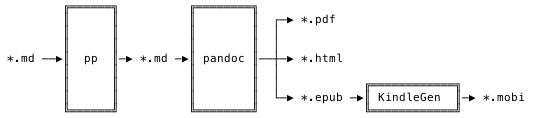
<h2 id="the-pipeline">The Pipeline</h2>

<p>Of course I do not send plain text files out to readers. Instead, they receive
nicely formatted PDF, ePub, Mobi and HTML files, which I create with only a tiny
number of tools: <a href="https://github.com/CDSoft/pp">pp</a>, <a href="http://pandoc.org/">pandoc</a> and <a href="https://www.amazon.com/gp/feature.html?ie=UTF8&amp;docId=1000765211">KindleGen</a>. Together
they form a pipeline:</p>

<p style="text-align: center;">
<img src="/images/book_tool_pipeline.svg" />
</p>

<p>First, the Markdown files are piped through <a href="https://github.com/CDSoft/pp">pp</a>, a generic preprocessor for
text files that can do a lot of things, but which I only use to replace two
variables in the text: the URL of the zipped code folder readers can download
and the current version of the book.</p>

<p>After that, the resulting Markdown is handed over to <a href="http://pandoc.org/">pandoc</a>, the most
important part of this pipeline.</p>

<p>Here’s the shortest possible description of what Pandoc does: it takes text in
one format and outputs it in another format. Markdown goes in, HTML comes out.
Or turn it around and put in HTML and get Markdown back. Or feed it Markdown and
get DOCX, or ODT, or PDF, or AsciiDoc, or any other of the myriad of supported
formats.</p>

<p>In my pipeline, Pandoc takes the Markdown files of the book and, with a little
bit of YAML containing meta data, turns them into PDF, HTML and ePub files. The
default output is already nice to look at, but I have a custom template for each
of these three formats, all of which are based on Pandoc’s default templates.</p>

<p>Since the HTML output is a single file with CSS in the <code class="language-plaintext highlighter-rouge">&lt;head&gt;</code> it’s easy to
style. The same goes for ePub, which is really just a ZIP archive containing
HTML files and is probably the one I styled the less, because I think it looks
pretty good by default.</p>

<p>PDF generation, though, is done using LaTeX and requires a template written in
LaTeX. I’ve stitched mine together from Pandoc’s default template and what Stack
Overflow, hours of trial and error and the enlightenment and horror that was
“holy shit, did you know LaTeX has its <a href="https://www.tug.org/texlive/tlmgr.html">own package manager</a>?” have given
me. I like to touch it only when absolutely necessary. In the end, though, that
doesn’t matter much.</p>

<p>What comes out looks beautiful to me and Pandoc is, without any doubt and
exaggeration, one of the best tools I’ve ever used. It does exactly what it
promises to, its documentation is stellar, it’s actively and carefully
maintained and never once let me down. If I would have to shorten this post to
one word, it would be “Pandoc”.</p>

<p>The only thing Pandoc can’t do is produce Mobi files, which is what Amazon uses
for their Kindle eBook readers and store. For that, I use Amazon’s own command
line tool <a href="https://www.amazon.com/gp/feature.html?ie=UTF8&amp;docId=1000765211">KindleGen</a>, which turns the ePub produced by Pandoc into a
Mobi file. No styling or templates required.</p>

<p>Once the final files fall out of the pipeline I bundle them in a ZIP file,
together with a folder that contains all of the code presented in the books.
Ready to be published.</p>

<h2 id="publishing">Publishing</h2>

<p>I self-publish both books in both editions, eBook and paperback. Self-publishing
means that instead of a publisher I have to take care of selling, printing and
distributing the books to readers.</p>

<p>While I could theoretically run my own shop on which I sell the books, I don’t
want to. I want to write books, not a web application for selling books,
especially not one that involves the handling of taxes for an international
audience. So instead I use two services to take care of that for me.</p>

<p>The first one is <a href="https://gumroad.com">Gumroad</a>, which I use to sell and distribute the
eBook editions. I upload my ZIP, Gumroad accepts payment via PayPal or credit
card and then sends the file to the reader – <a href="https://help.gumroad.com/article/66-gumroads-fees">in exchange for a rather small
fee</a>. It also takes care of collecting taxes for me and I can set
the price without any limitations, refund customers, send out free updates and
create promo codes. After nearly two years, I’m still a happy customer and the
only two features I’d love to have are more payment methods and pricing per
country, so I can set a lower price for readers in India, for example.</p>

<p>The paperback editions are sold, printed on demand and shipped by <a href="https://kdp.amazon.com/en_US/">Amazon Kindle
Direct Publishing</a> (KDP). I upload a print-ready cover and PDF version of a
book and Amazon turns it into a paperback that you can purchase in seven
different Amazon stores. <a href="https://www.createspace.com/">Createspace</a> is what I previously used
for that, but after Amazon bought Createspace, they started to move the
Createspace functionality over to KDP. By now, I’ve completely switched over and
only use KDP. One less tool to worry about, since I was using KDP anyway to
publish the Kindle version of the books on the Kindle stores.</p>

<p>For someone like me, a person who starts to sweat when we he hears “CMYK”, “RGB”
and “you need to change your file” in one sentence, creating print-ready
artifacts can be a bit of a hassle, but using LaTeX for the PDF generation comes
in quite handy here. In a separate LaTeX template I use with Pandoc I can set
the dimensions and margins of the document to exactly what I need and LaTeX
takes care of the rest.</p>

<p>Readers can then purchase my books just like any other product on Amazon,
including Prime shipping, refunds and all the payment methods accepted by
Amazon. The downside of all this is a loss of control for me. I can’t, for
example, offer personalized coupon codes nor can I bundle the paperback with the
eBook edition.</p>

<p>I still think it’s worth it. When you upload a PDF file on Friday and then hold
the paperback version of that file in your hands on Wednesday, you quickly
forget about wrestling with color models of PDFs and start to grow convinced
that we’re living in the future.</p>

<h2 id="the-most-important-bit">The Most Important Bit</h2>

<p>That’s it. That’s the complete journey, from bytes in a text file to ink on
paper or a ZIP in your inbox.</p>

<p>But here’s the most important bit, saved for last: none of this matters if you
want to write a book. Quite a few people have told me that they want to write a
book, but they’re not sure about which tools to use. My advice: all you need to
write a book is a program that allows you to write text into a file.</p>

<p>Tools are only important to the process of writing a book in that they should
get out of your way. You shouldn’t have to worry about <em>how</em> to put text in a
file, only <em>what</em> text. Once you can do that comfortably – you know, with
autosaving and the ability to edit effortlessly – keep on doing it. And then,
keep doing it. Once you have something you’d be happy to publish, you can start
to worry about tools.</p>

]]></content>
  </entry>
  
  <entry>
    <title type="html"><![CDATA[The Paperback Edition of Writing A Compiler In Go]]></title>
    <link href="http://thorstenball.com/blog/2018/08/14/paperback-writing-a-compiler-in-go/"/>
    <updated>2018-08-14T17:30:00+00:00</updated>
    <id>http://thorstenball.com/blog/2018/08/14/paperback-writing-a-compiler-in-go</id>
    <content type="html"><![CDATA[<p>Well, that certainly went quicker than I planned.</p>

<p>I knew from releasing the paperback edition of <a href="https://interpreterbook.com">Writing An Interpreter In
Go</a> that a lot of people still prefer paper over eBooks. So it didn’t
come as a big surprise when, right after the release of <a href="https://compilerbook.com">Writing A Compiler In
Go</a>, people started asking me about a paperback edition.</p>

<p>But I replied that before I start working on a paperback edition, I first need
to take a break. I’ve worked on this book for close to a year and I wanted to
sit back and take a big breath. I knew that I’ll eventually release a paperback,
but that could wait a few weeks, or months even.</p>

<p>As it turns out, I’m pretty bad a taking big breaths when there’s something I
can and want to do. So, here we are. Exactly two weeks after the release of the
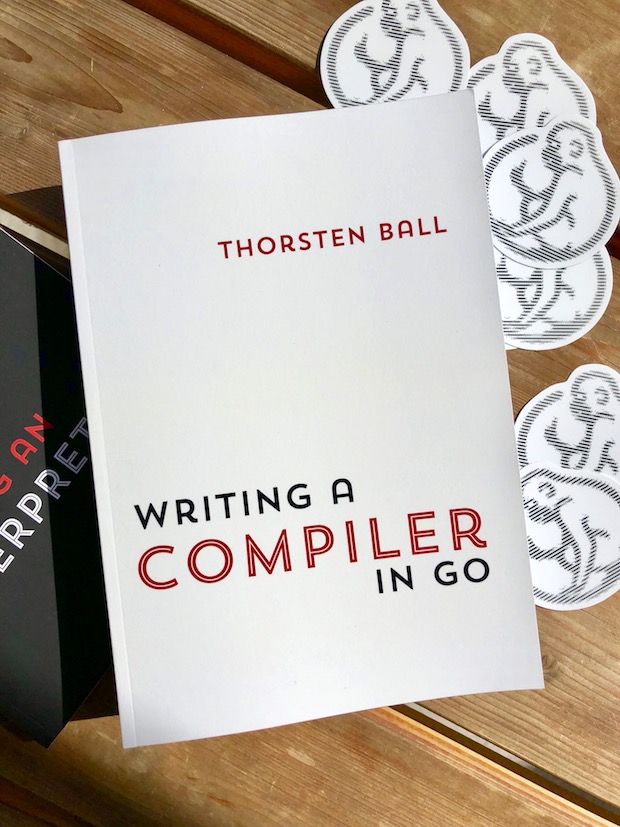
eBook, <em>Writing A Compiler In Go</em> is now available as a paperback:</p>

<ul>
  <li><a href="https://www.amazon.com/dp/398201610X">Amazon.com</a></li>
  <li><a href="https://www.amazon.ca/dp/398201610X">Amazon.ca</a></li>
  <li><a href="https://www.amazon.co.uk/dp/398201610X">Amazon.co.uk</a></li>
  <li><a href="https://www.amazon.de/dp/398201610X">Amazon.de</a></li>
  <li><a href="https://www.amazon.es/dp/398201610X">Amazon.es</a></li>
  <li><a href="https://www.amazon.fr/dp/398201610X">Amazon.fr</a></li>
  <li><a href="https://www.amazon.it/dp/398201610X">Amazon.it</a></li>
</ul>

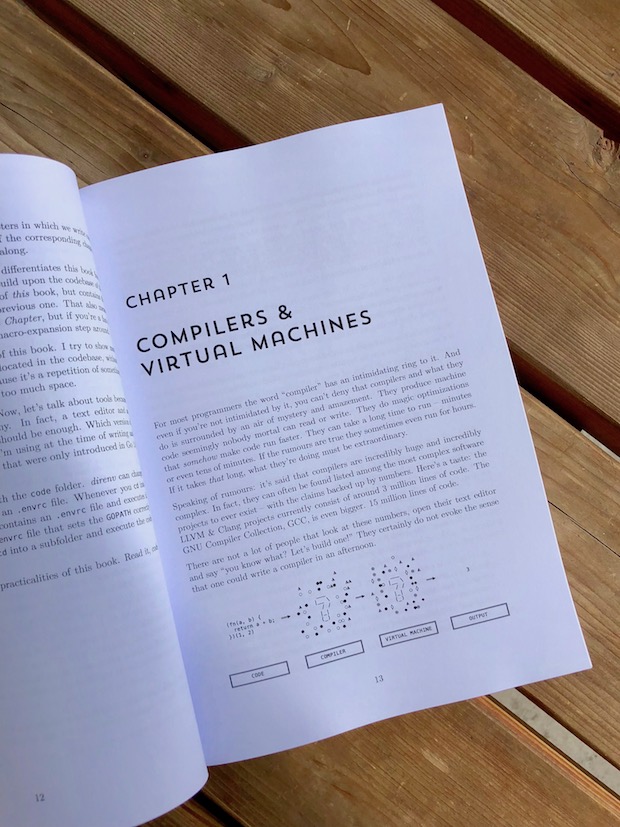
<p>It’s 18cm wide and 26cm long, exactly like its predecessor. They look good when
put next to each other on a shelf. This one is thicker, though, with 338 pages —
roughly 60 more than the first one.</p>

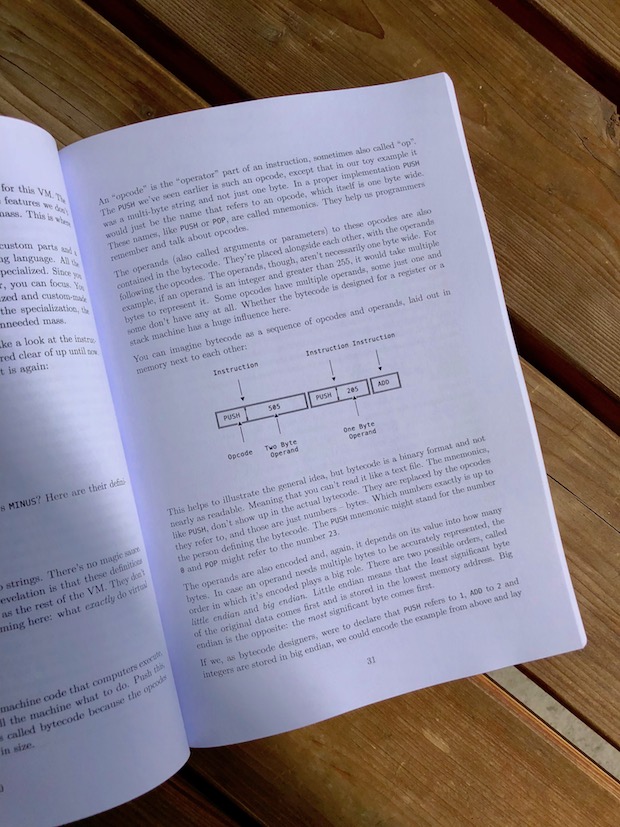
<p>The other notable change is that this book doesn’t have full-color but
monochrome syntax highlighting. When <a href="https://thorstenball.com/blog/2017/02/22/writing-an-interpreter-in-go-the-paperback-edition/">I released the first paperback edition of
Writing An Interpreter In Go</a> I did not yet realize how
expensive full-color printing really is. Now I do and know why nobody else does
it, which is also why the current paperback edition of <a href="https://interpreterbook.com">Writing An Interpreter
In Go</a> is black &amp; white, too.</p>

<p>I’m pretty happy with how it turned out:</p>

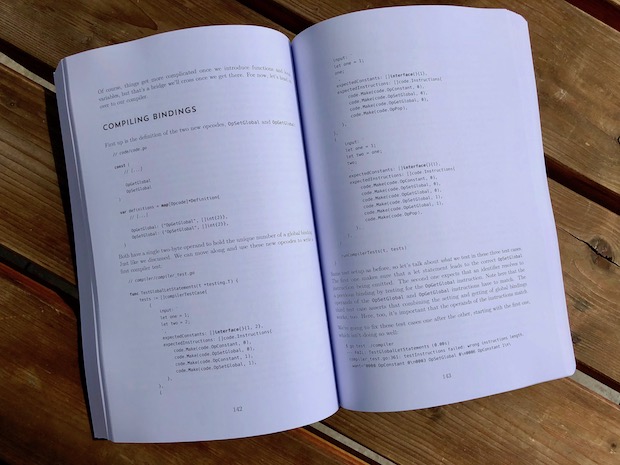
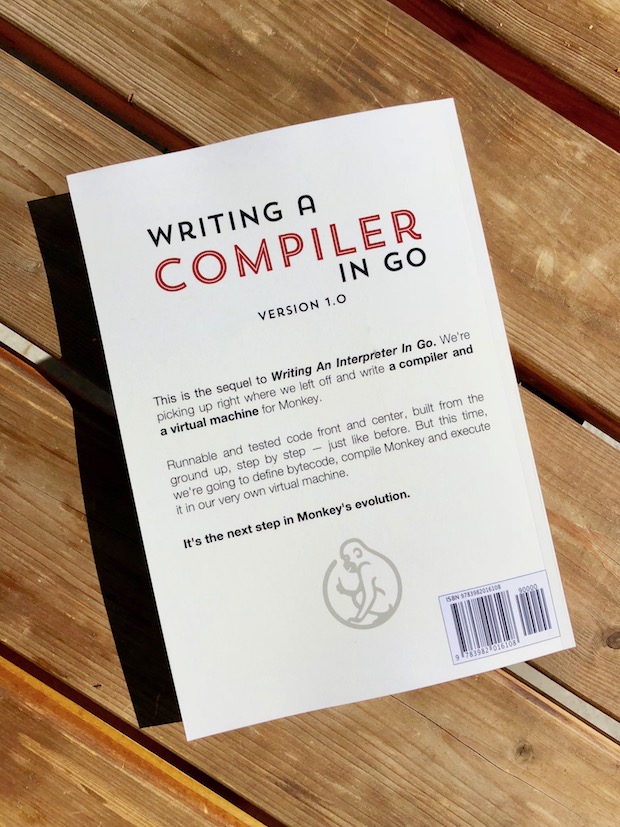
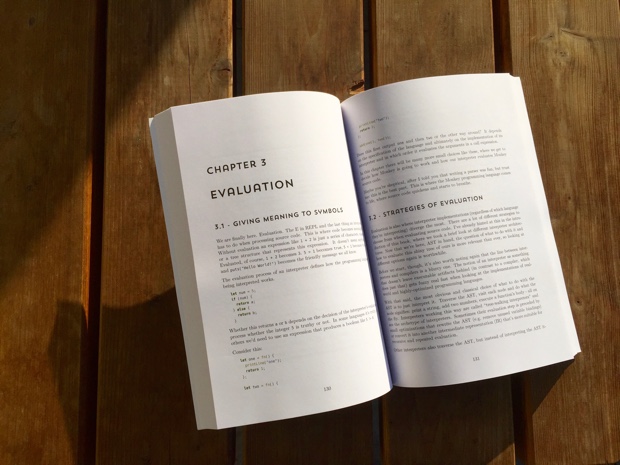
<p><img class="paperback-image" src="/images/wacig_paperback/wacig_paperback_1.jpg" />
<img class="paperback-image" src="/images/wacig_paperback/wacig_paperback_2.jpg" />
<img class="paperback-image" src="/images/wacig_paperback/wacig_paperback_3.jpg" />
<img class="paperback-image" src="/images/wacig_paperback/wacig_paperback_4.jpg" />
<img class="paperback-image" src="/images/wacig_paperback/wacig_paperback_5.jpg" /></p>

]]></content>
  </entry>
  
  <entry>
    <title type="html"><![CDATA[The Lost Chapter: A Macro System For Monkey]]></title>
    <link href="http://thorstenball.com/blog/2017/06/28/the-lost-chapter-a-macro-system-for-monkey/"/>
    <updated>2017-06-28T17:30:00+00:00</updated>
    <id>http://thorstenball.com/blog/2017/06/28/the-lost-chapter-a-macro-system-for-monkey</id>
    <content type="html"><![CDATA[<p><em>If you don’t care about the Who, Where, When, Why, How and the Why Is It A Lost
Chapter? and want to skip to the What: I wrote a new chapter for <a href="https://interpreterbook.com">Writing An
Interpreter In Go</a> and you can read it for free at
<a href="https://interpreterbook.com/lost">interpreterbook.com/lost</a>. Otherwise, read on…</em></p>

<p><strong>The pages you are about to read were found amidst the rubble of a collapsed
ruin. Wedged between the scratched and battered cases of old machines once
called “computers”. Bearing, in faint white and barely readable, the title
“Writing An Interpreter In Go. Chapter 5: A Macro System For Monkey.” …</strong></p>

<p>Alright, I’ll admit it: that was a lie. What I want to show you is not really a
lost chapter, preserved through the eons, found in the ruins of a long-gone
civilization. I just needed a good intro.</p>

<p>You see, I couldn’t sit still. In the first couple of months after publishing
<a href="https://interpreterbook.com">Writing An Interpreter In Go</a> I took some time off from
<a href="https://interpreterbook.com/#the-monkey-programming-language">Monkey</a>, the programming language we built in the book. “The book is
done. Take a breath and play around with something else. After working on it for
a year you deserve it”, I told myself, only to grow more anxious by the week
about all the features, optimizations and tweaks I could try and add to Monkey.
In the end, the temptation of everything Monkey could still be won. I gave in
and restarted work on Monkey again.</p>

<p>This resulted in two things: a project <a href="https://www.ted.com/talks/derek_sivers_keep_your_goals_to_yourself">I’m not ready to talk about
yet</a> and a new, additional chapter for <em>Writing An Interpreter
In Go</em> called <em>The Lost Chapter: A Macro System For Monkey</em>, which I want to
tell you all about.</p>

<p>It started with me getting sidetracked while working on said <em>secret project</em> by
discovering how <a href="http://www.greghendershott.com/fear-of-macros/">elegant and beautiful</a> macros in Racket are. I
guess, I just can’t stop myself from ushering an impressed “nice” when hearing
about “code that writes code”. Next thing I know I was digging through various
implementations of macros in different languages and getting more and more
fascinated. It’s code that writes code! It’s <a href="https://en.wikipedia.org/wiki/Drawing_Hands">a hand that draws
itself</a>! How could I <em>not</em> be fascinated by that?</p>

<p>A few “Huh, interesting…” followed by more “Well, I guess, it wouldn’t be
<em>too</em> hard to just…” later I successfully added macros to Monkey. Macros that
are able to modify and generate Monkey source code and are evaluated in their
own macro expansion phase. A real, Lisp-style macro system. I was elated.</p>

<p>In fact, the whole journey from learning about how macros are implemented and
why they’re so powerful to implementing them myself was so mind-blowing and fun
that I had to write about it.</p>

<p>At first I thought I was writing a blog post or a tiny addition to the book and
gave it the working title “The Lost Appendix”, thinking of a few pages hidden at
the end of a book.</p>

<p>It ended up with the title <em>The Lost Chapter: A Macro System For Monkey</em>,
because what we have here is not a small addition. It’s a complete chapter,
close to 50 pages in PDF format, that shows you how to implement a fully-working
macro system for Monkey - step by step, all code shown, fully tested, just like
the book. You can think of it as the fifth chapter of <em>Writing An Interpreter In
Go</em>, since it seamlessly continues the previous four. It’s just being delivered
a few months later than the rest of the book.</p>

<p>But why “The Lost Chapter”? Because a text about macros deserves a touch of
mystery, don’t you think? It’s code that writes code, come on! It’s snakes
eating their own tail and surgeons operating on themselves! If that isn’t worthy
of title that’s a little bit out there, I don’t know what is.</p>

<p>I also didn’t want to make it an addition to the book itself. On the practical
side there’s the hurdle of extending a paperback edition by around 50 pages and
not being able to send the update to readers who already bought the paperback.
But then there were also, let’s say, “conceptual” considerations.</p>

<p>While I consider learning to build your own programming language a worthwhile
endeavor that can teach you a lot of valuable things about programming, I’ll
concede that it looks pretty disconnected from the realities of one’s day job.
But adding a macro system? Writing code that lets you write code that writes
code? That doesn’t just look unrealistic, but rather … Let me put it this way:
totally and completely nuts and, oh, incredible fun!</p>

<p>I wanted this chapter to be exactly that: a fun addition to <em>Writing An
Interpreter In Go</em>, not quite <em>Monkey canon</em>, but a bizarro expansion pack; a
curious and accidental supernova in the same universe.</p>

<p>Oh, and did I mention it’s available for free? Well, it’s available for free.
Read it online or download it as PDF/HTML/Mobi/ePub here:</p>

<div id="lost-chapter-post-cta">
  <a href="https://interpreterbook.com/lost">interpreterbook.com/lost</a>
</div>

<p>The downloadable version also includes all the runnable, tested code shown in
the chapter and the complete Monkey interpreter from <em>Writing An Interpreter In
Go</em>.</p>

<p>I hope it’ll get you to usher a “nice”, too.</p>

]]></content>
  </entry>
  
  <entry>
    <title type="html"><![CDATA[Writing An Interpreter In Go: The Paperback Edition]]></title>
    <link href="http://thorstenball.com/blog/2017/02/22/writing-an-interpreter-in-go-the-paperback-edition/"/>
    <updated>2017-02-22T17:45:00+00:00</updated>
    <id>http://thorstenball.com/blog/2017/02/22/writing-an-interpreter-in-go-the-paperback-edition</id>
    <content type="html"><![CDATA[<p>If you’d asked me a only few months ago if there’ll ever be a printed version of
<a href="https://interpreterbook.com">Writing An Interpreter In Go</a> I’d responded with a “Huh, uummm, well, I
don’t know. Maybe. Maybe if I’ll find the time and if there’s any interest.”</p>

<p>As it turned out, to my surprise, quite a few people told me that they’d love
hold a copy of the book in their hands. And I also had some free time on my
hands. Alright, let’s do it then, I thought.</p>

<p>But even though I said that time and interest were the only limiting factors, I
knew that there couldn’t be a printed version without Monkey - the programming
language that we build in the book - having a logo. Yes, I know, I know, that’s
not a real requirement, but a little indulgement I wouldn’t deny myself. So I
created a <a href="https://99designs.com.au">99designs</a> contest and <a href="https://99designs.com.au/profiles/724821">Hazel Anne</a> submitted
the winning entry. I love <a href="https://interpreterbook.com/#the-monkey-programming-language">the logo Monkey has now</a>.</p>

<p>A paperback version of a book also needs a full cover, front and back, and so I
wrestled with vector images and PDFs and print dimensions and page bleed and
spine widths for quite a while. But, in the end, using
<a href="https://www.createspace.com/">createspace</a> to print and distribute my book turned out to be much
easier than one might think. I was lucky enough to already have had a working
<a href="http://pandoc.org/">Pandoc</a> setup in place and only needed to add one more LaTeX template,
the one for the print version.</p>

<p>The result, I think, was worth it:</p>

<p><img class="paperback-image" src="/images/waiig_paperback/waiig_paperback_1.jpg" />
<img class="paperback-image" src="/images/waiig_paperback/waiig_paperback_2.jpg" />
<img class="paperback-image" src="/images/waiig_paperback/waiig_paperback_3.jpg" />
<img class="paperback-image" src="/images/waiig_paperback/waiig_paperback_4.jpg" />
<img class="paperback-image" src="/images/waiig_paperback/waiig_paperback_5.jpg" /></p>

<p>That’s 260 pages, 18cm wide and 26cm long, with full-color syntax highlighting.</p>

<p>Since the book is printed on-demand by createspace, which is an Amazon company,
it’s available for purchase in these Amazon stores:</p>

<ul>
  <li><a href="http://www.amazon.com/dp/300055808X">Amazon.com</a></li>
  <li><a href="http://www.amazon.co.uk/dp/300055808X">Amazon.co.uk</a></li>
  <li><a href="http://www.amazon.de/dp/300055808X">Amazon.de</a></li>
  <li><a href="http://www.amazon.es/dp/300055808X">Amazon.es</a></li>
  <li><a href="http://www.amazon.fr/dp/300055808X">Amazon.fr</a></li>
  <li><a href="http://www.amazon.it/dp/300055808X">Amazon.it</a></li>
</ul>

<p>Or you can just go to <a href="https://interpreterbook.com">interpreterbook.com</a> and click on one of the big,
red buttons.</p>

<p>If you appreciate holding a physical copy of a book in your hands more than
having a PDF on your hard drive, I hope you enjoy this paperback edition.</p>

]]></content>
  </entry>
  
  <entry>
    <title type="html"><![CDATA[Higher Value Tools]]></title>
    <link href="http://thorstenball.com/blog/2017/02/08/higher-value-tools/"/>
    <updated>2017-02-08T18:00:00+00:00</updated>
    <id>http://thorstenball.com/blog/2017/02/08/higher-value-tools</id>
    <content type="html"><![CDATA[<p>There are certain tools that provide incredibly high value. Much more so than
others. They provide so much value by acting as a multiplier of power and
leverage. And I think there’s something they all have in common.</p>

<p>I’m talking about interpreters, compilers and transpilers. Programming languages
are the ultimate, universal tools and sit at the bottom of stack on which a
bazillion other tools are built. Some programming languages offer so much power
that their creation was the big bang for whole categories of other tools.</p>

<p>But I’m also talking about DSLs, code generators and templating engines. And
databases with query languages. And database drivers that make these databases
available to programming languages. jQuery and its <code class="language-plaintext highlighter-rouge">$('exactly what I want')</code>
interface. <a href="https://github.com/stedolan/jq">jq</a> and its query language. Webservers. Editors, IDEs, code
analysers and generators.</p>

<p>It seems to me what they all have in common, what is close to their center of
power, is parsing. Parsing user input, parsing source code, parsing query
expressions, parsing configuration files, parsing network responses. Maybe it’s
parsing itself what makes these tools so powerful. I’m not sure.</p>

<p>What I know and what I’m sure about is that without knowledge of parsing you
won’t be able to build tools like these. Knowing how to write a parser is like a
secret power and once you have it, you realize that you’re now able to solve a
whole range of problems you haven’t even considered before. Now you can create
higher value tools.</p>

]]></content>
  </entry>
  
  <entry>
    <title type="html"><![CDATA[What I didn't do to write a book]]></title>
    <link href="http://thorstenball.com/blog/2017/01/16/what-i-didnt-do-to-write-a-book/"/>
    <updated>2017-01-16T18:00:00+00:00</updated>
    <id>http://thorstenball.com/blog/2017/01/16/what-i-didnt-do-to-write-a-book</id>
    <content type="html"><![CDATA[<p>I wrote my book <a href="https://interpreterbook.com">“Writing An Interpreter In Go”</a> over the course of 11
months. The first four months were spent on building the Monkey programming
language and its interpreter. In the following seven months I wrote the book
itself and at times it felt like I’ll never finish. But I did and now I want to
answer a question a few people have asked me: “How?”</p>

<p>What follows is much more of a confession than a precise description of a
refined workflow or a secret productivity technique.</p>

<p>I didn’t have a TODO list I didn’t abandon after three weeks. Did I <a href="http://gettingthingsdone.com/">get things
done</a>? I did, but I never read Allen’s book. I also didn’t organize my time
according to the <a href="https://czarto.com/2012/04/24/four-quadrants-of-time/">four quadrants</a>. I didn’t use a <a href="http://bulletjournal.com/">bullet
journal</a> to keep on top of ideas and tasks, didn’t use a
<a href="https://en.wikipedia.org/wiki/Pomodoro_Technique">pomodoro</a> timer and didn’t keep a <a href="http://www.makeuseof.com/tag/start-simple-habit-rocket-productivity-journaling/">work journal</a>.
<a href="http://orgmode.org/">org-mode</a>? I wish. Unplug, turn off notifications and just use pen
and paper? That’s ridiculous, I have a keyboard.</p>

<p>Some tasks and ideas I put in Wunderlist, some in a Trello board and others in a
file called “TODO.md”. Occasionally I even came back to each one and moved some
things around.</p>

<p>Taking notes wasn’t much more organized. There’s a shell script I built. It’s
based on the sound principles of popsicle-sticks-and-duct-tape-engineering and
helped me to quickly create text files in a “notes” folder. Other times I used
Notes.app. I also had <a href="https://ia.net/writer/">iA Writer</a> on my phone to access my Dropbox
folder and directly write random ideas into the book. When I felt like it, I
also did this on my computer: write ideas and outlines directly into the files
that make up the book.</p>

<p>All of this changed from week to week and month to month. Sometimes from one day
to the other.</p>

<p>The only constant in these 11 months was this: I was determined to finish the
book, to keep chipping away at it until it’s done. I got up every day at 5:45am
and <em>tried</em> to take another step forward, using whatever it takes.</p>

<p>But don’t take this for something it isn’t. It would simply be a lie to say that
every morning I sat in front of my computer and got a solid hour of writing done
before heading to work.</p>

<p>Sometimes I got up, drank two, three cups of coffee and just browsed the
internet for an hour, <a href="http://dontbreakthechain.com/what">breaking the chain</a>. Other times I
wrote for ten minutes at home and for 30 more on the train. On my best days,
I wrote for an hour at home and for the whole train ride. On some days I only
wrote down one sentence, more often than not starting with “FIXME:”.</p>

<p>Is there a moral to the story? I’m not sure, maybe it’s this one: productivity
tools and techniques can only help, they won’t ever do the work for you.</p>

<p>It’s easy to fall into this trap and think that once the TODO lists are tidy and
organized and the best notebook money can buy is sitting on the table, half of
the work is already done. Of course, that’s not the case. Just like an expensive
guitar won’t make you a great guitar player and the best running shoes won’t get
you out of the door every day, productivity techniques won’t finish your
project. They might help, but you have to put the work in. You have to keep
showing up and keep chipping away at it. No tool will ever do that for you.</p>

]]></content>
  </entry>
  
  <entry>
    <title type="html"><![CDATA[A Virtual Brainfuck Machine In Go]]></title>
    <link href="http://thorstenball.com/blog/2017/01/04/a-virtual-brainfuck-machine-in-go/"/>
    <updated>2017-01-04T17:00:00+00:00</updated>
    <id>http://thorstenball.com/blog/2017/01/04/a-virtual-brainfuck-machine-in-go</id>
    <content type="html"><![CDATA[<p>You’re a programmer and your product manager walks up to your desk, taps you on
the shoulder and asks if you have a couple of minutes to spare. She needs to
talk to you about something. You sit down together and she has a serious look on
her face. <em>Oh boy. Something’s up.</em> “Do you have anything important on your
plate right now? I need you to do something for me.” <em>Here it comes…</em> “I
need you to write a Brainfuck interpreter for me. A fast one.”</p>

<p>Some people might say that this conversation will never, ever happen. Well,
“better be prepared” is what I say.</p>

<h2 id="brainfuck">Brainfuck</h2>

<p>Brainfuck is a weird looking programming language and keeps every promise its
name makes. Here is “Hello, World!” in Brainfuck:</p>

<pre><code class="language-changelog">++++++++[&gt;++++[&gt;++&gt;+++&gt;+++&gt;+&lt;&lt;
&lt;&lt;-]&gt;+&gt;+&gt;-&gt;&gt;+[&lt;]&lt;-]&gt;&gt;.&gt;---.+++
++++..+++.&gt;&gt;.&lt;-.&lt;.+++.------.-
-------.&gt;&gt;+.&gt;++.
</code></pre>

<p>If you’re now thinking “Heck, I’d use that in production”, let me tell you that
Brainfuck was conceived as a <em>fun, teaching language</em>. Its inventor Urban Müller
wanted Brainfuck to be <a href="https://www.reddit.com/r/programming/comments/377ov9/interpreter_compiler_jit/crkkrz4/">a language that’s easily implementable and thus make it
the perfect choice for someone who wants to learn more about interpreters or
compilers</a>.</p>

<p>I think, he reached that goal. Implementing Brainfuck is an eye-opening
experience. Even though it’s a tiny language, it’s perfectly well-equipped to
illustrate a number of concepts behind programming language implementations.</p>

<p>But before we can build Brainfuck, we need to understand how Brainfuck thinks.</p>

<h2 id="views-of-the-world">Views Of The World</h2>

<p>One thing in which programming languages differ is their model of the world and
how they make it accessible to their users.</p>

<p>Take C, for example. Leaving aside the multitude of abstractions that hide in
the depth of the kernel and the hardware, when working with C you can peek
behind the curtain and see the inner workings of your computer. You are pretty
close to the hardware-supported stack and you can allocate and free memory on
the heap. If you’re experienced and stare intently enough, you can see the
actual machine code when looking at your C code. The same goes for C++.</p>

<p>In <a href="https://en.wikipedia.org/wiki/Forth_(programming_language)">Forth</a> you mainly work with a stack. You push, you pop, you swap and
drop. Nearly everything you do happens on a stack. In Forth, the stack is the
world.</p>

<p>In other languages, these underlying assumptions about the mechanics of the
world are abstracted away. Even though the current version of the Ruby Virtual
Machine has a stack, you won’t notice. You don’t push and pop, but send messages
to objects. The same goes for Java. You have classes that inherit from each
other and memory allocation only concerns you in so far as the garbage collector
shows up on time.</p>

<p>Then there are some languages that explicitly tell you what their world looks
like. Especially intermediate languages, which are not meant to be written by
hand, but are representation of end-user languages and easier for computers to
understand and optimize. <a href="http://webassembly.org/docs/semantics/">WebAssembly</a>,
for example, represents the commands of a stack-based machine, that gets then
emulated by a runtime (which will be a browser, most of the time). <a href="https://en.wikipedia.org/wiki/Java_bytecode">Java
bytecode</a> is a representation of
Java code in the world of a stack machine.</p>

<h2 id="brainfuck-machines">Brainfuck Machines</h2>

<p>And then there’s Brainfuck. Brainfuck doesn’t just tell you what its view of
the world is, no, it smacks you over the head with it.</p>

<p>Brainfuck is based on the assumption that Brainfuck code will be executed by a
Brainfuck machine. Just like the <code class="language-plaintext highlighter-rouge">PUSH</code> and <code class="language-plaintext highlighter-rouge">POP</code> operations in Java bytecode
assume that the JVM manages a stack, the <code class="language-plaintext highlighter-rouge">+</code> and <code class="language-plaintext highlighter-rouge">-</code> in Brainfuck assume that
there’s a Brainfuck machine which supports these two instructions.</p>

<p>So what does this Brainfuck machine look like? Not too complicated! It only
has a few parts:</p>

<ul>
  <li>
    <p><strong>Memory</strong>: The machine has 30000 memory cells, that can each hold an integer
value from 0 to 255 and are initialized to 0 by default. Each cell is
addressable by a zero based index, giving us a range of 0 to 29999 as possible
indexes.</p>
  </li>
  <li>
    <p><strong>Data pointer</strong>: It “points” to a memory cell, by holding the value of
the cell’s index. E.g.: if the value of the data pointer is <code class="language-plaintext highlighter-rouge">3</code>, it points to
the fourth memory cell.</p>
  </li>
  <li>
    <p><strong>Code</strong>: The program that’s executed by the machine. It’s made up
of single instructions, which we’ll get to in a short while.</p>
  </li>
  <li>
    <p><strong>Instruction pointer</strong>: It points to the instruction in the code that’s to
be executed next. E.g.: if the code is <code class="language-plaintext highlighter-rouge">++-++</code> and the instruction
pointer has the value <code class="language-plaintext highlighter-rouge">2</code> then the next instruction to be executed is <code class="language-plaintext highlighter-rouge">-</code>.</p>
  </li>
  <li>
    <p><strong>Input and output streams</strong>: Just like STDIN and STDOUT in Unix systems,
these are normally connected to the keyboard and the screen and are used for
printing and reading characters.</p>
  </li>
  <li>
    <p><strong>CPU</strong>: It fetches the next instruction from the code and executes it,
manipulating the data pointer, instruction pointer, a memory cell or the
input/output streams accordingly.</p>
  </li>
</ul>

<p>That’s it. Those are all the parts of a complete, working Brainfuck machine that
can execute Brainfuck code. So let’s take a closer look at Brainfuck code.</p>

<h2 id="the-instructions">The Instructions</h2>

<p>Brainfuck is tiny. It consists of eight different instructions. These
instructions can be used to manipulate the state of the Brainfuck machine:</p>

<ul>
  <li><code class="language-plaintext highlighter-rouge">&gt;</code> - Increment the data pointer by 1.</li>
  <li><code class="language-plaintext highlighter-rouge">&lt;</code> - Decrement the data pointer by 1.</li>
  <li><code class="language-plaintext highlighter-rouge">+</code> - Increment the value in the current cell (the cell the data pointer is pointing to).</li>
  <li><code class="language-plaintext highlighter-rouge">-</code> - Decrement the value in the current cell.</li>
  <li><code class="language-plaintext highlighter-rouge">.</code> - Take the integer in the current cell, treat it as an ASCII char and
print it on the output stream.</li>
  <li><code class="language-plaintext highlighter-rouge">,</code> - Read a character from the input stream, convert it to an integer and
save it to the current cell.</li>
  <li><code class="language-plaintext highlighter-rouge">[</code> - This always needs to come with a matching <code class="language-plaintext highlighter-rouge">]</code>. If the current cell
contains a zero, set the instruction pointer to the index of the instruction
after the matching <code class="language-plaintext highlighter-rouge">]</code>.</li>
  <li><code class="language-plaintext highlighter-rouge">]</code> - If the current cell does <em>not</em> contain a zero, set the instruction
pointer to the index of the instruction after the matching <code class="language-plaintext highlighter-rouge">[</code>.</li>
</ul>

<p>That’s all of it, the complete Brainfuck language.</p>

<p>Even though these instructions look archaic, they’re just identifiers. Replace
<code class="language-plaintext highlighter-rouge">+</code> with <code class="language-plaintext highlighter-rouge">PLUS</code>, <code class="language-plaintext highlighter-rouge">-</code> with <code class="language-plaintext highlighter-rouge">SUB</code>, <code class="language-plaintext highlighter-rouge">.</code> with <code class="language-plaintext highlighter-rouge">PRINT</code> and <code class="language-plaintext highlighter-rouge">[</code> with <code class="language-plaintext highlighter-rouge">LOOP</code> and
suddenly Brainfuck starts to look more like
Brain-oh-wow-wait-a-second-I-can-actually-read-that.</p>

<p>Now that we know what the machine should look like and what it has to do, let’s
get started with building it.</p>

<h2 id="building-the-machine">Building The Machine</h2>

<p>The basic structure will be called - you guessed it - <code class="language-plaintext highlighter-rouge">Machine</code> and looks like
this:</p>

<div class="language-go highlighter-rouge"><div class="highlight"><pre class="highlight"><code><span class="c">// machine.go</span>

<span class="k">type</span> <span class="n">Machine</span> <span class="k">struct</span> <span class="p">{</span>
	<span class="n">code</span> <span class="kt">string</span>
	<span class="n">ip</span>   <span class="kt">int</span>

	<span class="n">memory</span> <span class="p">[</span><span class="m">30000</span><span class="p">]</span><span class="kt">int</span>
	<span class="n">dp</span>     <span class="kt">int</span>

	<span class="n">input</span>  <span class="n">io</span><span class="o">.</span><span class="n">Reader</span>
	<span class="n">output</span> <span class="n">io</span><span class="o">.</span><span class="n">Writer</span>
<span class="p">}</span>

<span class="k">func</span> <span class="n">NewMachine</span><span class="p">(</span><span class="n">code</span> <span class="kt">string</span><span class="p">,</span> <span class="n">in</span> <span class="n">io</span><span class="o">.</span><span class="n">Reader</span><span class="p">,</span> <span class="n">out</span> <span class="n">io</span><span class="o">.</span><span class="n">Writer</span><span class="p">)</span> <span class="o">*</span><span class="n">Machine</span> <span class="p">{</span>
	<span class="k">return</span> <span class="o">&amp;</span><span class="n">Machine</span><span class="p">{</span>
		<span class="n">code</span><span class="o">:</span>    <span class="n">code</span><span class="p">,</span>
		<span class="n">input</span><span class="o">:</span>   <span class="n">in</span><span class="p">,</span>
		<span class="n">output</span><span class="o">:</span>  <span class="n">out</span><span class="p">,</span>
	<span class="p">}</span>
<span class="p">}</span>
</code></pre></div></div>

<p>As you can see, everything we’ve talked about is here: the code, the instruction
pointer (<code class="language-plaintext highlighter-rouge">ip</code>), the memory, the data pointer (<code class="language-plaintext highlighter-rouge">dp</code>) and both the <code class="language-plaintext highlighter-rouge">input</code> and
<code class="language-plaintext highlighter-rouge">output</code> streams.</p>

<p>Now we just need a method that can start this <code class="language-plaintext highlighter-rouge">Machine</code> and get it to execute
code:</p>

<div class="language-go highlighter-rouge"><div class="highlight"><pre class="highlight"><code><span class="c">// machine.go</span>

<span class="k">func</span> <span class="p">(</span><span class="n">m</span> <span class="o">*</span><span class="n">Machine</span><span class="p">)</span> <span class="n">Execute</span><span class="p">()</span> <span class="p">{</span>
	<span class="k">for</span> <span class="n">m</span><span class="o">.</span><span class="n">ip</span> <span class="o">&lt;</span> <span class="nb">len</span><span class="p">(</span><span class="n">m</span><span class="o">.</span><span class="n">code</span><span class="p">)</span> <span class="p">{</span>
		<span class="n">ins</span> <span class="o">:=</span> <span class="n">m</span><span class="o">.</span><span class="n">code</span><span class="p">[</span><span class="n">m</span><span class="o">.</span><span class="n">ip</span><span class="p">]</span>

		<span class="k">switch</span> <span class="n">ins</span> <span class="p">{</span>
		<span class="k">case</span> <span class="sc">'+'</span><span class="o">:</span>
			<span class="n">m</span><span class="o">.</span><span class="n">memory</span><span class="p">[</span><span class="n">m</span><span class="o">.</span><span class="n">dp</span><span class="p">]</span><span class="o">++</span>
		<span class="k">case</span> <span class="sc">'-'</span><span class="o">:</span>
			<span class="n">m</span><span class="o">.</span><span class="n">memory</span><span class="p">[</span><span class="n">m</span><span class="o">.</span><span class="n">dp</span><span class="p">]</span><span class="o">--</span>
		<span class="k">case</span> <span class="sc">'&gt;'</span><span class="o">:</span>
			<span class="n">m</span><span class="o">.</span><span class="n">dp</span><span class="o">++</span>
		<span class="k">case</span> <span class="sc">'&lt;'</span><span class="o">:</span>
			<span class="n">m</span><span class="o">.</span><span class="n">dp</span><span class="o">--</span>
		<span class="p">}</span>

		<span class="n">m</span><span class="o">.</span><span class="n">ip</span><span class="o">++</span>
	<span class="p">}</span>
<span class="p">}</span>
</code></pre></div></div>

<p>Here we step through every instruction in <code class="language-plaintext highlighter-rouge">m.code</code> until we reach its end. In
order to execute each instruction individually, we have a <code class="language-plaintext highlighter-rouge">switch</code> statement,
that “decodes” the current instruction and manipulates the machine according to
which instruction it is.</p>

<p>In the case of <code class="language-plaintext highlighter-rouge">+</code> and <code class="language-plaintext highlighter-rouge">-</code> we manipulate the current memory cell, incrementing
and decrementing its value respectively. The current memory cell is pointed to
by the data pointer, <code class="language-plaintext highlighter-rouge">m.dp</code>, and we can get to it with <code class="language-plaintext highlighter-rouge">m.memory[m.dp]</code>. And in
order to change the data pointer itself, we have two <code class="language-plaintext highlighter-rouge">case</code> branches for <code class="language-plaintext highlighter-rouge">&gt;</code> and
<code class="language-plaintext highlighter-rouge">&lt;</code>.</p>

<p>So far, so good. But we’re missing printing and reading, the <code class="language-plaintext highlighter-rouge">.</code> and <code class="language-plaintext highlighter-rouge">,</code>
instructions. In order to implement support for those, we need to make a slight
modification: we need to give our <code class="language-plaintext highlighter-rouge">Machine</code> a one-byte buffer slice.</p>

<div class="language-go highlighter-rouge"><div class="highlight"><pre class="highlight"><code><span class="c">// machine.go</span>

<span class="k">type</span> <span class="n">Machine</span> <span class="k">struct</span> <span class="p">{</span>
<span class="c">// [...]</span>
	<span class="n">buf</span> <span class="p">[]</span><span class="kt">byte</span>
<span class="p">}</span>

<span class="k">func</span> <span class="n">NewMachine</span><span class="p">(</span><span class="n">code</span> <span class="kt">string</span><span class="p">,</span> <span class="n">in</span> <span class="n">io</span><span class="o">.</span><span class="n">Reader</span><span class="p">,</span> <span class="n">out</span> <span class="n">io</span><span class="o">.</span><span class="n">Writer</span><span class="p">)</span> <span class="o">*</span><span class="n">Machine</span> <span class="p">{</span>
	<span class="k">return</span> <span class="o">&amp;</span><span class="n">Machine</span><span class="p">{</span>
<span class="c">// [...]</span>
		<span class="n">buf</span><span class="o">:</span> <span class="nb">make</span><span class="p">([]</span><span class="kt">byte</span><span class="p">,</span> <span class="m">1</span><span class="p">),</span>
	<span class="p">}</span>
<span class="p">}</span>
</code></pre></div></div>

<p>With that in place, we can add two new methods called <code class="language-plaintext highlighter-rouge">readChar</code> and <code class="language-plaintext highlighter-rouge">putChar</code>:</p>

<div class="language-go highlighter-rouge"><div class="highlight"><pre class="highlight"><code><span class="c">// machine.go</span>

<span class="k">func</span> <span class="p">(</span><span class="n">m</span> <span class="o">*</span><span class="n">Machine</span><span class="p">)</span> <span class="n">readChar</span><span class="p">()</span> <span class="p">{</span>
	<span class="n">n</span><span class="p">,</span> <span class="n">err</span> <span class="o">:=</span> <span class="n">m</span><span class="o">.</span><span class="n">input</span><span class="o">.</span><span class="n">Read</span><span class="p">(</span><span class="n">m</span><span class="o">.</span><span class="n">buf</span><span class="p">)</span>
	<span class="k">if</span> <span class="n">err</span> <span class="o">!=</span> <span class="no">nil</span> <span class="p">{</span>
		<span class="nb">panic</span><span class="p">(</span><span class="n">err</span><span class="p">)</span>
	<span class="p">}</span>
	<span class="k">if</span> <span class="n">n</span> <span class="o">!=</span> <span class="m">1</span> <span class="p">{</span>
		<span class="nb">panic</span><span class="p">(</span><span class="s">"wrong num bytes read"</span><span class="p">)</span>
	<span class="p">}</span>

	<span class="n">m</span><span class="o">.</span><span class="n">memory</span><span class="p">[</span><span class="n">m</span><span class="o">.</span><span class="n">dp</span><span class="p">]</span> <span class="o">=</span> <span class="kt">int</span><span class="p">(</span><span class="n">m</span><span class="o">.</span><span class="n">buf</span><span class="p">[</span><span class="m">0</span><span class="p">])</span>
<span class="p">}</span>

<span class="k">func</span> <span class="p">(</span><span class="n">m</span> <span class="o">*</span><span class="n">Machine</span><span class="p">)</span> <span class="n">putChar</span><span class="p">()</span> <span class="p">{</span>
	<span class="n">m</span><span class="o">.</span><span class="n">buf</span><span class="p">[</span><span class="m">0</span><span class="p">]</span> <span class="o">=</span> <span class="kt">byte</span><span class="p">(</span><span class="n">m</span><span class="o">.</span><span class="n">memory</span><span class="p">[</span><span class="n">m</span><span class="o">.</span><span class="n">dp</span><span class="p">])</span>

	<span class="n">n</span><span class="p">,</span> <span class="n">err</span> <span class="o">:=</span> <span class="n">m</span><span class="o">.</span><span class="n">output</span><span class="o">.</span><span class="n">Write</span><span class="p">(</span><span class="n">m</span><span class="o">.</span><span class="n">buf</span><span class="p">)</span>
	<span class="k">if</span> <span class="n">err</span> <span class="o">!=</span> <span class="no">nil</span> <span class="p">{</span>
		<span class="nb">panic</span><span class="p">(</span><span class="n">err</span><span class="p">)</span>
	<span class="p">}</span>
	<span class="k">if</span> <span class="n">n</span> <span class="o">!=</span> <span class="m">1</span> <span class="p">{</span>
		<span class="nb">panic</span><span class="p">(</span><span class="s">"wrong num bytes written"</span><span class="p">)</span>
	<span class="p">}</span>
<span class="p">}</span>
</code></pre></div></div>

<p><code class="language-plaintext highlighter-rouge">readChar</code> reads one byte from the input, which will be <code class="language-plaintext highlighter-rouge">os.Stdin</code>, and then
transfers this byte to the current memory cell, <code class="language-plaintext highlighter-rouge">m.memory[m.dp]</code>. <code class="language-plaintext highlighter-rouge">putChar</code> does
the opposite and writes the content of the current memory cell to the output
stream, which will be <code class="language-plaintext highlighter-rouge">os.Stdout</code>.</p>

<p>It has to be said, that instead of doing proper error handling here, we just let
the machine blow up by calling <code class="language-plaintext highlighter-rouge">panic</code>. That shouldn’t happen, of course, when we
plan to use it in production (I dare you), so keep that in mind.</p>

<p>Using these two methods means adding new <code class="language-plaintext highlighter-rouge">case</code> branches to the switch statement
in <code class="language-plaintext highlighter-rouge">Execute</code>:</p>

<div class="language-go highlighter-rouge"><div class="highlight"><pre class="highlight"><code><span class="c">// machine.go</span>

<span class="k">func</span> <span class="p">(</span><span class="n">m</span> <span class="o">*</span><span class="n">Machine</span><span class="p">)</span> <span class="n">Execute</span><span class="p">()</span> <span class="p">{</span>
	<span class="k">for</span> <span class="n">m</span><span class="o">.</span><span class="n">ip</span> <span class="o">&lt;</span> <span class="nb">len</span><span class="p">(</span><span class="n">m</span><span class="o">.</span><span class="n">code</span><span class="p">)</span> <span class="p">{</span>

<span class="c">// [...]</span>
		<span class="k">case</span> <span class="sc">','</span><span class="o">:</span>
			<span class="n">m</span><span class="o">.</span><span class="n">readChar</span><span class="p">()</span>
		<span class="k">case</span> <span class="sc">'.'</span><span class="o">:</span>
			<span class="n">m</span><span class="o">.</span><span class="n">putChar</span><span class="p">()</span>
<span class="c">// [...]</span>

	<span class="p">}</span>
<span class="p">}</span>
</code></pre></div></div>

<p>And with that, our Brainfuck machine can read and print characters! It’s time to
move on to the hairiest part of the implementation.</p>

<h2 id="looping">Looping</h2>

<p>Brainfuck’s two control flow instructions are <code class="language-plaintext highlighter-rouge">[</code> and <code class="language-plaintext highlighter-rouge">]</code>. And they’re not
<em>quite</em> like loops or other control flow mechanisms in “normal” languages.
Expressed in some Go-like dialect of pseudo-code, what they do is this:</p>

<div class="language-plaintext highlighter-rouge"><div class="highlight"><pre class="highlight"><code>switch currentInstruction {
case '[':
  if currentMemoryCellValue() == 0 {
    positionOfMatchingBracket = findMatching("]")
    instructionPointer = positionOfMatchingBracket + 1
  }
case ']':
  if currentMemoryCellValue() != 0 {
    positionOfMatchingBracket = findMatching("[")
    instructionPointer = positionOfMatchingBracket + 1
  }
}
</code></pre></div></div>

<p>Note the two different conditions of the if-statements. They are the most
important bits here, because they give both instructions separate meaning.
Here’s an example to see how <code class="language-plaintext highlighter-rouge">[</code> and <code class="language-plaintext highlighter-rouge">]</code> can be used:</p>

<div class="language-plaintext highlighter-rouge"><div class="highlight"><pre class="highlight"><code>+++++   -- Increment current cell to 5
[       -- Execute the following code, if the current cell is not zero
-&gt;      -- Decrement current cell, move data pointer to next cell
+&lt;      -- Increment current cell, move data pointer to previous cell
]       -- Repeat loop if current cell is non-zero
</code></pre></div></div>

<p>This snippet increments the current cell to 5 and then uses <code class="language-plaintext highlighter-rouge">[</code> and <code class="language-plaintext highlighter-rouge">]</code> to add
the cell’s value to the next cell, by decrementing and incrementing both cells in a
loop. The body of the loop will be executed 5 times until the first cell
contains zero.</p>

<p>Of course, implementing the “does the current memory cell hold zero or not?”
check is not the problem. Finding the matching brackets is what’s hairy about
this, because brackets can be nested. It’s not enough to find the next <code class="language-plaintext highlighter-rouge">]</code> when
we encounter a <code class="language-plaintext highlighter-rouge">[</code>, no, we need to keep track of every pair of brackets we find.
How are we going to do that? With a simple counter! Here is the pseudo-code from
above turned into real Go code:</p>

<div class="language-go highlighter-rouge"><div class="highlight"><pre class="highlight"><code><span class="c">// machine.go</span>

<span class="k">func</span> <span class="p">(</span><span class="n">m</span> <span class="o">*</span><span class="n">Machine</span><span class="p">)</span> <span class="n">Execute</span><span class="p">()</span> <span class="p">{</span>
	<span class="k">for</span> <span class="n">m</span><span class="o">.</span><span class="n">ip</span> <span class="o">&lt;</span> <span class="nb">len</span><span class="p">(</span><span class="n">m</span><span class="o">.</span><span class="n">code</span><span class="p">)</span> <span class="p">{</span>
		<span class="n">ins</span> <span class="o">:=</span> <span class="n">m</span><span class="o">.</span><span class="n">code</span><span class="p">[</span><span class="n">m</span><span class="o">.</span><span class="n">ip</span><span class="p">]</span>

		<span class="k">switch</span> <span class="n">ins</span> <span class="p">{</span>
<span class="c">// [...]</span>
		<span class="k">case</span> <span class="sc">'['</span><span class="o">:</span>
			<span class="k">if</span> <span class="n">m</span><span class="o">.</span><span class="n">memory</span><span class="p">[</span><span class="n">m</span><span class="o">.</span><span class="n">dp</span><span class="p">]</span> <span class="o">==</span> <span class="m">0</span> <span class="p">{</span>
				<span class="n">depth</span> <span class="o">:=</span> <span class="m">1</span>
				<span class="k">for</span> <span class="n">depth</span> <span class="o">!=</span> <span class="m">0</span> <span class="p">{</span>
					<span class="n">m</span><span class="o">.</span><span class="n">ip</span><span class="o">++</span>
					<span class="k">switch</span> <span class="n">m</span><span class="o">.</span><span class="n">code</span><span class="p">[</span><span class="n">m</span><span class="o">.</span><span class="n">ip</span><span class="p">]</span> <span class="p">{</span>
					<span class="k">case</span> <span class="sc">'['</span><span class="o">:</span>
						<span class="n">depth</span><span class="o">++</span>
					<span class="k">case</span> <span class="sc">']'</span><span class="o">:</span>
						<span class="n">depth</span><span class="o">--</span>
					<span class="p">}</span>
				<span class="p">}</span>
			<span class="p">}</span>
		<span class="k">case</span> <span class="sc">']'</span><span class="o">:</span>
			<span class="k">if</span> <span class="n">m</span><span class="o">.</span><span class="n">memory</span><span class="p">[</span><span class="n">m</span><span class="o">.</span><span class="n">dp</span><span class="p">]</span> <span class="o">!=</span> <span class="m">0</span> <span class="p">{</span>
				<span class="n">depth</span> <span class="o">:=</span> <span class="m">1</span>
				<span class="k">for</span> <span class="n">depth</span> <span class="o">!=</span> <span class="m">0</span> <span class="p">{</span>
					<span class="n">m</span><span class="o">.</span><span class="n">ip</span><span class="o">--</span>
					<span class="k">switch</span> <span class="n">m</span><span class="o">.</span><span class="n">code</span><span class="p">[</span><span class="n">m</span><span class="o">.</span><span class="n">ip</span><span class="p">]</span> <span class="p">{</span>
					<span class="k">case</span> <span class="sc">']'</span><span class="o">:</span>
						<span class="n">depth</span><span class="o">++</span>
					<span class="k">case</span> <span class="sc">'['</span><span class="o">:</span>
						<span class="n">depth</span><span class="o">--</span>
					<span class="p">}</span>
				<span class="p">}</span>
			<span class="p">}</span>
		<span class="p">}</span>

		<span class="n">m</span><span class="o">.</span><span class="n">ip</span><span class="o">++</span>
	<span class="p">}</span>
<span class="p">}</span>
</code></pre></div></div>

<p>Let’s take a closer look at the <code class="language-plaintext highlighter-rouge">case '['</code> branch.</p>

<p>Here we check whether the current memory cell’s value is zero and if it is, we
try to set the instruction pointer, <code class="language-plaintext highlighter-rouge">ip</code>, to the position of the matching <code class="language-plaintext highlighter-rouge">]</code>.
In order to do that correctly in the face of nested bracket pairs, we use
<code class="language-plaintext highlighter-rouge">depth</code> as a counter. With each <code class="language-plaintext highlighter-rouge">[</code> we pass, we increment the counter, and with
each <code class="language-plaintext highlighter-rouge">]</code> we decrement it. Since it’s set to <code class="language-plaintext highlighter-rouge">1</code> initially, we know that we are
sitting on our matching <code class="language-plaintext highlighter-rouge">]</code> when <code class="language-plaintext highlighter-rouge">depth</code> is <code class="language-plaintext highlighter-rouge">0</code>. And that means that <code class="language-plaintext highlighter-rouge">m.ip</code> is
set to the correct position. The <code class="language-plaintext highlighter-rouge">m.ip++</code> at the end of the for-loop does the
rest and sets the instruction pointer to the instruction right after the
matching bracket.</p>

<p>The <code class="language-plaintext highlighter-rouge">case ']'</code> branch is the mirrored version, where we walk backwards in the
instructions, trying to find the matching <code class="language-plaintext highlighter-rouge">[</code>.</p>

<p>It’s time to flip the power switch on this machine.</p>

<h2 id="hello-world">Hello World</h2>

<p>Here is a small driver, that reads in a file and passes it to our Brainfuck
machine:</p>

<div class="language-go highlighter-rouge"><div class="highlight"><pre class="highlight"><code><span class="c">// main.go</span>

<span class="k">package</span> <span class="n">main</span>

<span class="k">import</span> <span class="p">(</span>
	<span class="s">"fmt"</span>
	<span class="s">"io/ioutil"</span>
	<span class="s">"os"</span>
<span class="p">)</span>

<span class="k">func</span> <span class="n">main</span><span class="p">()</span> <span class="p">{</span>
	<span class="n">fileName</span> <span class="o">:=</span> <span class="n">os</span><span class="o">.</span><span class="n">Args</span><span class="p">[</span><span class="m">1</span><span class="p">]</span>
	<span class="n">code</span><span class="p">,</span> <span class="n">err</span> <span class="o">:=</span> <span class="n">ioutil</span><span class="o">.</span><span class="n">ReadFile</span><span class="p">(</span><span class="n">fileName</span><span class="p">)</span>
	<span class="k">if</span> <span class="n">err</span> <span class="o">!=</span> <span class="no">nil</span> <span class="p">{</span>
		<span class="n">fmt</span><span class="o">.</span><span class="n">Fprintf</span><span class="p">(</span><span class="n">os</span><span class="o">.</span><span class="n">Stderr</span><span class="p">,</span> <span class="s">"error: %s</span><span class="se">\n</span><span class="s">"</span><span class="p">,</span> <span class="n">err</span><span class="p">)</span>
		<span class="n">os</span><span class="o">.</span><span class="n">Exit</span><span class="p">(</span><span class="o">-</span><span class="m">1</span><span class="p">)</span>
	<span class="p">}</span>

	<span class="n">m</span> <span class="o">:=</span> <span class="n">NewMachine</span><span class="p">(</span><span class="kt">string</span><span class="p">(</span><span class="n">code</span><span class="p">),</span> <span class="n">os</span><span class="o">.</span><span class="n">Stdin</span><span class="p">,</span> <span class="n">os</span><span class="o">.</span><span class="n">Stdout</span><span class="p">)</span>
	<span class="n">m</span><span class="o">.</span><span class="n">Execute</span><span class="p">()</span>
<span class="p">}</span>
</code></pre></div></div>

<p>That gives us the possibility to run Brainfuck programs on the command line:</p>

<div class="language-plaintext highlighter-rouge"><div class="highlight"><pre class="highlight"><code>$ cat ./hello_world.b
++++++++[&gt;++++[&gt;++&gt;+++&gt;+++&gt;+&lt;&lt;
&lt;&lt;-]&gt;+&gt;+&gt;-&gt;&gt;+[&lt;]&lt;-]&gt;&gt;.&gt;---.+++
++++..+++.&gt;&gt;.&lt;-.&lt;.+++.------.-
-------.&gt;&gt;+.&gt;++.

$ go build -o machine &amp;&amp; ./machine ./hello_world.b
Hello World!
</code></pre></div></div>

<p>It talks! Sweet! Our Brainfuck machine works!</p>

<h2 id="so-slow">So slow!</h2>

<p>I have some good and some bad news. Our product manager said that the Brainfuck
interpreter needs to be fast and, sadly, ours isn’t. That’s the bad news.</p>

<p>On my computer, our machine currently takes around 70 seconds to execute
<a href="mandelbrot">mandelbrot.b</a>, a mandelbrot set fractal viewer written in Brainfuck
by Erik Bosman, that’s often used as a benchmark for Brainfuck interpreters.
That’s slow.</p>

<div class="language-plaintext highlighter-rouge"><div class="highlight"><pre class="highlight"><code>$ go build -o machine &amp;&amp; time ./machine ./mandelbrot.b &gt;/dev/null
 ./machine ./mandelbrot.b &gt; /dev/null  68.24s user 0.18s system 99% cpu 1:08.60 total
</code></pre></div></div>

<p>The good news is, that there are a few things we can do to make it faster.</p>

<p>Take a look at the <code class="language-plaintext highlighter-rouge">hello_world.b</code> example from above or the <code class="language-plaintext highlighter-rouge">mandelbrot.b</code>
program. See all those runs of <code class="language-plaintext highlighter-rouge">+</code> and <code class="language-plaintext highlighter-rouge">-</code>? There are <em>a lot</em> of instructions of
the same type right behind each other in Brainfuck programs. And we have to read
each one, check which one it is and then execute it.</p>

<p>The overhead of doing this is high. Consider this Brainfuck snippet: <code class="language-plaintext highlighter-rouge">+++++</code>. In
order to execute it, we need five cycles of “fetch the next instruction”, “what
instruction do we have here?” and “execute this!”. That turns into us
incrementing the value of the current memory cell by one five times. It would
give us a huge performance boost if we could just increase the current cell’s
value by five directly.</p>

<p>The other thing that’s slowing us down is the way we handle <code class="language-plaintext highlighter-rouge">[</code> and <code class="language-plaintext highlighter-rouge">]</code>. Every
time we stumble upon such a bracket, we go looking for its matching counterpart
again. Scan the program, keep track of all the other brackets we pass and then
modify the instruction pointer. The longer the program, the longer this will
take. If we could do that just once for each bracket and remember the position
of its matching counterpart, we wouldn’t need to rescan the program again and
again.</p>

<p>And here’s the best of news: we can! We can do all of this before we even start
up our Brainfuck machine. We can turn <code class="language-plaintext highlighter-rouge">+++++</code> into something that says “increase
by 5”. We can also do the same for <code class="language-plaintext highlighter-rouge">-</code>, <code class="language-plaintext highlighter-rouge">&gt;</code>, <code class="language-plaintext highlighter-rouge">&lt;</code>, <code class="language-plaintext highlighter-rouge">.</code>, and <code class="language-plaintext highlighter-rouge">,</code>. And we can find
and remember the positions of matching bracket pairs beforehand. All we need to
do is create another representation of the original Brainfuck code that can
include these optimizations and have our machine execute this instead.</p>

<h2 id="a-new-instruction-set">A New Instruction Set</h2>

<p>Up until now we’ve used a <code class="language-plaintext highlighter-rouge">string</code> to represent the code, that’s to be executed by
the <code class="language-plaintext highlighter-rouge">Machine</code>. But in order to make optimizations, we need a new instruction
set. Here is the <code class="language-plaintext highlighter-rouge">Instruction</code> type, that makes up the new set:</p>

<div class="language-go highlighter-rouge"><div class="highlight"><pre class="highlight"><code><span class="c">// instruction.go</span>

<span class="k">type</span> <span class="n">InsType</span> <span class="kt">byte</span>

<span class="k">const</span> <span class="p">(</span>
	<span class="n">Plus</span>          <span class="n">InsType</span> <span class="o">=</span> <span class="sc">'+'</span>
	<span class="n">Minus</span>         <span class="n">InsType</span> <span class="o">=</span> <span class="sc">'-'</span>
	<span class="n">Right</span>         <span class="n">InsType</span> <span class="o">=</span> <span class="sc">'&gt;'</span>
	<span class="n">Left</span>          <span class="n">InsType</span> <span class="o">=</span> <span class="sc">'&lt;'</span>
	<span class="n">PutChar</span>       <span class="n">InsType</span> <span class="o">=</span> <span class="sc">'.'</span>
	<span class="n">ReadChar</span>      <span class="n">InsType</span> <span class="o">=</span> <span class="sc">','</span>
	<span class="n">JumpIfZero</span>    <span class="n">InsType</span> <span class="o">=</span> <span class="sc">'['</span>
	<span class="n">JumpIfNotZero</span> <span class="n">InsType</span> <span class="o">=</span> <span class="sc">']'</span>
<span class="p">)</span>

<span class="k">type</span> <span class="n">Instruction</span> <span class="k">struct</span> <span class="p">{</span>
	<span class="n">Type</span>     <span class="n">InsType</span>
	<span class="n">Argument</span> <span class="kt">int</span>
<span class="p">}</span>
</code></pre></div></div>

<p>Each <code class="language-plaintext highlighter-rouge">Instruction</code> has a <code class="language-plaintext highlighter-rouge">Type</code> and an <code class="language-plaintext highlighter-rouge">Argument</code>. The <code class="language-plaintext highlighter-rouge">Type</code> can be one of the
predefined constants defined at the top, where each constant has a corresponding
Brainfuck instruction. The interesting part here is the <code class="language-plaintext highlighter-rouge">Argument</code> field. This
field allows us to make our instruction set much more dense than the original
Brainfuck code. We can put more information in less instructions. We’ll use
<code class="language-plaintext highlighter-rouge">Argument</code> in two ways:</p>

<ul>
  <li>
    <p>In the case of <code class="language-plaintext highlighter-rouge">+</code>, <code class="language-plaintext highlighter-rouge">-</code>, <code class="language-plaintext highlighter-rouge">.</code>, <code class="language-plaintext highlighter-rouge">,</code>, <code class="language-plaintext highlighter-rouge">&gt;</code>, and <code class="language-plaintext highlighter-rouge">&lt;</code> the <code class="language-plaintext highlighter-rouge">Argument</code> field will
contain the number of original Brainfuck instructions this <code class="language-plaintext highlighter-rouge">Instruction</code>
represents. E.g.: <code class="language-plaintext highlighter-rouge">+++++</code> will be turned into <code class="language-plaintext highlighter-rouge">Instruction{Type: Plus,
Argument: 5}</code></p>
  </li>
  <li>
    <p>In the case of <code class="language-plaintext highlighter-rouge">[</code> and <code class="language-plaintext highlighter-rouge">]</code> the <code class="language-plaintext highlighter-rouge">Argument</code> field will contain the position of
the instruction of the matching bracket. E.g.: the Brainfuck snippet <code class="language-plaintext highlighter-rouge">[]</code> will
be turned into two <code class="language-plaintext highlighter-rouge">Instruction</code>s: <code class="language-plaintext highlighter-rouge">Instruction{Type: JumpIfZero, Argument:
1}</code> and <code class="language-plaintext highlighter-rouge">Instruction{Type: JumpIfNotZero, Argument: 0}</code>.</p>
  </li>
</ul>

<p>Now that we have our new <code class="language-plaintext highlighter-rouge">Instruction</code> type and know how this new instruction
set is to be interpreted, we can modify our <code class="language-plaintext highlighter-rouge">Machine</code> to do exactly that. The
first thing we need to do is to change its definition, so it doesn’t work with a
<code class="language-plaintext highlighter-rouge">string</code> anymore, but with a slice of <code class="language-plaintext highlighter-rouge">*Instruction</code>:</p>

<div class="language-go highlighter-rouge"><div class="highlight"><pre class="highlight"><code><span class="c">// machine.go</span>

<span class="k">type</span> <span class="n">Machine</span> <span class="k">struct</span> <span class="p">{</span>
	<span class="n">code</span> <span class="p">[]</span><span class="o">*</span><span class="n">Instruction</span>
	<span class="n">ip</span>   <span class="kt">int</span>

	<span class="n">memory</span> <span class="p">[</span><span class="m">30000</span><span class="p">]</span><span class="kt">int</span>
	<span class="n">dp</span>     <span class="kt">int</span>

	<span class="n">input</span>  <span class="n">io</span><span class="o">.</span><span class="n">Reader</span>
	<span class="n">output</span> <span class="n">io</span><span class="o">.</span><span class="n">Writer</span>

	<span class="n">readBuf</span> <span class="p">[]</span><span class="kt">byte</span>
<span class="p">}</span>

<span class="k">func</span> <span class="n">NewMachine</span><span class="p">(</span><span class="n">instructions</span> <span class="p">[]</span><span class="o">*</span><span class="n">Instruction</span><span class="p">,</span> <span class="n">in</span> <span class="n">io</span><span class="o">.</span><span class="n">Reader</span><span class="p">,</span> <span class="n">out</span> <span class="n">io</span><span class="o">.</span><span class="n">Writer</span><span class="p">)</span> <span class="o">*</span><span class="n">Machine</span> <span class="p">{</span>
	<span class="k">return</span> <span class="o">&amp;</span><span class="n">Machine</span><span class="p">{</span>
		<span class="n">code</span><span class="o">:</span>    <span class="n">instructions</span><span class="p">,</span>
		<span class="n">input</span><span class="o">:</span>   <span class="n">in</span><span class="p">,</span>
		<span class="n">output</span><span class="o">:</span>  <span class="n">out</span><span class="p">,</span>
		<span class="n">readBuf</span><span class="o">:</span> <span class="nb">make</span><span class="p">([]</span><span class="kt">byte</span><span class="p">,</span> <span class="m">1</span><span class="p">),</span>
	<span class="p">}</span>
<span class="p">}</span>
</code></pre></div></div>

<p>With that change made, the <code class="language-plaintext highlighter-rouge">Execute</code> method of the <code class="language-plaintext highlighter-rouge">Machine</code> now also needs to
work with this new type of instruction set:</p>

<div class="language-go highlighter-rouge"><div class="highlight"><pre class="highlight"><code><span class="c">// machine.go</span>

<span class="k">func</span> <span class="p">(</span><span class="n">m</span> <span class="o">*</span><span class="n">Machine</span><span class="p">)</span> <span class="n">Execute</span><span class="p">()</span> <span class="p">{</span>
	<span class="k">for</span> <span class="n">m</span><span class="o">.</span><span class="n">ip</span> <span class="o">&lt;</span> <span class="nb">len</span><span class="p">(</span><span class="n">m</span><span class="o">.</span><span class="n">code</span><span class="p">)</span> <span class="p">{</span>
		<span class="n">ins</span> <span class="o">:=</span> <span class="n">m</span><span class="o">.</span><span class="n">code</span><span class="p">[</span><span class="n">m</span><span class="o">.</span><span class="n">ip</span><span class="p">]</span>

		<span class="k">switch</span> <span class="n">ins</span><span class="o">.</span><span class="n">Type</span> <span class="p">{</span>
		<span class="k">case</span> <span class="n">Plus</span><span class="o">:</span>
			<span class="n">m</span><span class="o">.</span><span class="n">memory</span><span class="p">[</span><span class="n">m</span><span class="o">.</span><span class="n">dp</span><span class="p">]</span> <span class="o">+=</span> <span class="n">ins</span><span class="o">.</span><span class="n">Argument</span>
		<span class="k">case</span> <span class="n">Minus</span><span class="o">:</span>
			<span class="n">m</span><span class="o">.</span><span class="n">memory</span><span class="p">[</span><span class="n">m</span><span class="o">.</span><span class="n">dp</span><span class="p">]</span> <span class="o">-=</span> <span class="n">ins</span><span class="o">.</span><span class="n">Argument</span>
		<span class="k">case</span> <span class="n">Right</span><span class="o">:</span>
			<span class="n">m</span><span class="o">.</span><span class="n">dp</span> <span class="o">+=</span> <span class="n">ins</span><span class="o">.</span><span class="n">Argument</span>
		<span class="k">case</span> <span class="n">Left</span><span class="o">:</span>
			<span class="n">m</span><span class="o">.</span><span class="n">dp</span> <span class="o">-=</span> <span class="n">ins</span><span class="o">.</span><span class="n">Argument</span>
		<span class="k">case</span> <span class="n">PutChar</span><span class="o">:</span>
			<span class="k">for</span> <span class="n">i</span> <span class="o">:=</span> <span class="m">0</span><span class="p">;</span> <span class="n">i</span> <span class="o">&lt;</span> <span class="n">ins</span><span class="o">.</span><span class="n">Argument</span><span class="p">;</span> <span class="n">i</span><span class="o">++</span> <span class="p">{</span>
				<span class="n">m</span><span class="o">.</span><span class="n">putChar</span><span class="p">()</span>
			<span class="p">}</span>
		<span class="k">case</span> <span class="n">ReadChar</span><span class="o">:</span>
			<span class="k">for</span> <span class="n">i</span> <span class="o">:=</span> <span class="m">0</span><span class="p">;</span> <span class="n">i</span> <span class="o">&lt;</span> <span class="n">ins</span><span class="o">.</span><span class="n">Argument</span><span class="p">;</span> <span class="n">i</span><span class="o">++</span> <span class="p">{</span>
				<span class="n">m</span><span class="o">.</span><span class="n">readChar</span><span class="p">()</span>
			<span class="p">}</span>
		<span class="k">case</span> <span class="n">JumpIfZero</span><span class="o">:</span>
			<span class="k">if</span> <span class="n">m</span><span class="o">.</span><span class="n">memory</span><span class="p">[</span><span class="n">m</span><span class="o">.</span><span class="n">dp</span><span class="p">]</span> <span class="o">==</span> <span class="m">0</span> <span class="p">{</span>
				<span class="n">m</span><span class="o">.</span><span class="n">ip</span> <span class="o">=</span> <span class="n">ins</span><span class="o">.</span><span class="n">Argument</span>
				<span class="k">continue</span>
			<span class="p">}</span>
		<span class="k">case</span> <span class="n">JumpIfNotZero</span><span class="o">:</span>
			<span class="k">if</span> <span class="n">m</span><span class="o">.</span><span class="n">memory</span><span class="p">[</span><span class="n">m</span><span class="o">.</span><span class="n">dp</span><span class="p">]</span> <span class="o">!=</span> <span class="m">0</span> <span class="p">{</span>
				<span class="n">m</span><span class="o">.</span><span class="n">ip</span> <span class="o">=</span> <span class="n">ins</span><span class="o">.</span><span class="n">Argument</span>
				<span class="k">continue</span>
			<span class="p">}</span>
		<span class="p">}</span>

		<span class="n">m</span><span class="o">.</span><span class="n">ip</span><span class="o">++</span>
	<span class="p">}</span>
<span class="p">}</span>
</code></pre></div></div>

<p>That’s a lot cleaner than what we had before, right? And it’s faster, too! Well,
I can’t prove it yet, because there’s still a piece missing: something that
turns Brainfuck code into a slice of <code class="language-plaintext highlighter-rouge">*Instruction</code>s.</p>

<h2 id="compiling-brainfuck">Compiling Brainfuck</h2>

<p>Wikipedia <a href="https://en.wikipedia.org/wiki/Compiler">defines a compiler</a> as:</p>

<blockquote>
  <p>a computer program (or a set of programs) that transforms source code written
in a programming language (the source language) into another computer language
(the target language)</p>
</blockquote>

<p>That’s exactly what we need! A program that takes Brainfuck code and turns it
into our new “language”, which is made up of our <code class="language-plaintext highlighter-rouge">Instruction</code>s.</p>

<p>And that’s also a pretty clear definition of requirements, which allows us to
define our <code class="language-plaintext highlighter-rouge">Compiler</code>:</p>

<div class="language-go highlighter-rouge"><div class="highlight"><pre class="highlight"><code><span class="c">// compiler.go</span>

<span class="k">type</span> <span class="n">Compiler</span> <span class="k">struct</span> <span class="p">{</span>
	<span class="n">code</span>       <span class="kt">string</span>
	<span class="n">codeLength</span> <span class="kt">int</span>
	<span class="n">position</span>   <span class="kt">int</span>

	<span class="n">instructions</span> <span class="p">[]</span><span class="o">*</span><span class="n">Instruction</span>
<span class="p">}</span>

<span class="k">func</span> <span class="n">NewCompiler</span><span class="p">(</span><span class="n">code</span> <span class="kt">string</span><span class="p">)</span> <span class="o">*</span><span class="n">Compiler</span> <span class="p">{</span>
	<span class="k">return</span> <span class="o">&amp;</span><span class="n">Compiler</span><span class="p">{</span>
		<span class="n">code</span><span class="o">:</span>         <span class="n">code</span><span class="p">,</span>
		<span class="n">codeLength</span><span class="o">:</span>   <span class="nb">len</span><span class="p">(</span><span class="n">code</span><span class="p">),</span>
		<span class="n">instructions</span><span class="o">:</span> <span class="p">[]</span><span class="o">*</span><span class="n">Instruction</span><span class="p">{},</span>
	<span class="p">}</span>
<span class="p">}</span>
</code></pre></div></div>

<p>The <code class="language-plaintext highlighter-rouge">Compiler</code> is constructed with the original Brainfuck code as a <code class="language-plaintext highlighter-rouge">string</code> and
has an empty <code class="language-plaintext highlighter-rouge">instructions</code> slice that will be filled. That’s the job of
the <code class="language-plaintext highlighter-rouge">Compile</code> method:</p>

<div class="language-go highlighter-rouge"><div class="highlight"><pre class="highlight"><code><span class="c">// compiler.go</span>

<span class="k">func</span> <span class="p">(</span><span class="n">c</span> <span class="o">*</span><span class="n">Compiler</span><span class="p">)</span> <span class="n">Compile</span><span class="p">()</span> <span class="p">[]</span><span class="o">*</span><span class="n">Instruction</span> <span class="p">{</span>
	<span class="k">for</span> <span class="n">c</span><span class="o">.</span><span class="n">position</span> <span class="o">&lt;</span> <span class="n">c</span><span class="o">.</span><span class="n">codeLength</span> <span class="p">{</span>
		<span class="n">current</span> <span class="o">:=</span> <span class="n">c</span><span class="o">.</span><span class="n">code</span><span class="p">[</span><span class="n">c</span><span class="o">.</span><span class="n">position</span><span class="p">]</span>

		<span class="k">switch</span> <span class="n">current</span> <span class="p">{</span>
		<span class="k">case</span> <span class="sc">'+'</span><span class="o">:</span>
			<span class="n">c</span><span class="o">.</span><span class="n">CompileFoldableInstruction</span><span class="p">(</span><span class="sc">'+'</span><span class="p">,</span> <span class="n">Plus</span><span class="p">)</span>
		<span class="k">case</span> <span class="sc">'-'</span><span class="o">:</span>
			<span class="n">c</span><span class="o">.</span><span class="n">CompileFoldableInstruction</span><span class="p">(</span><span class="sc">'-'</span><span class="p">,</span> <span class="n">Minus</span><span class="p">)</span>
		<span class="k">case</span> <span class="sc">'&lt;'</span><span class="o">:</span>
			<span class="n">c</span><span class="o">.</span><span class="n">CompileFoldableInstruction</span><span class="p">(</span><span class="sc">'&lt;'</span><span class="p">,</span> <span class="n">Left</span><span class="p">)</span>
		<span class="k">case</span> <span class="sc">'&gt;'</span><span class="o">:</span>
			<span class="n">c</span><span class="o">.</span><span class="n">CompileFoldableInstruction</span><span class="p">(</span><span class="sc">'&gt;'</span><span class="p">,</span> <span class="n">Right</span><span class="p">)</span>
		<span class="k">case</span> <span class="sc">'.'</span><span class="o">:</span>
			<span class="n">c</span><span class="o">.</span><span class="n">CompileFoldableInstruction</span><span class="p">(</span><span class="sc">'.'</span><span class="p">,</span> <span class="n">PutChar</span><span class="p">)</span>
		<span class="k">case</span> <span class="sc">','</span><span class="o">:</span>
			<span class="n">c</span><span class="o">.</span><span class="n">CompileFoldableInstruction</span><span class="p">(</span><span class="sc">','</span><span class="p">,</span> <span class="n">ReadChar</span><span class="p">)</span>
		<span class="p">}</span>

		<span class="n">c</span><span class="o">.</span><span class="n">position</span><span class="o">++</span>
	<span class="p">}</span>

	<span class="k">return</span> <span class="n">c</span><span class="o">.</span><span class="n">instructions</span>
<span class="p">}</span>
</code></pre></div></div>

<p>That looks remarkably close to the <code class="language-plaintext highlighter-rouge">Execute</code> method of the current and previous
versions of our <code class="language-plaintext highlighter-rouge">Machine</code>. But there’s a huge difference: whereas the <code class="language-plaintext highlighter-rouge">Machine</code>
executed the Brainfuck instructions directly, our <code class="language-plaintext highlighter-rouge">Compiler</code> now turns them into
<code class="language-plaintext highlighter-rouge">*Instruction</code>s, so they can be executed later. Here is what the
<code class="language-plaintext highlighter-rouge">CompileFoldableInstruction</code> method does:</p>

<div class="language-go highlighter-rouge"><div class="highlight"><pre class="highlight"><code><span class="c">// compiler.go</span>

<span class="k">func</span> <span class="p">(</span><span class="n">c</span> <span class="o">*</span><span class="n">Compiler</span><span class="p">)</span> <span class="n">CompileFoldableInstruction</span><span class="p">(</span><span class="n">char</span> <span class="kt">byte</span><span class="p">,</span> <span class="n">insType</span> <span class="n">InsType</span><span class="p">)</span> <span class="p">{</span>
	<span class="n">count</span> <span class="o">:=</span> <span class="m">1</span>

	<span class="k">for</span> <span class="n">c</span><span class="o">.</span><span class="n">position</span> <span class="o">&lt;</span> <span class="n">c</span><span class="o">.</span><span class="n">codeLength</span><span class="o">-</span><span class="m">1</span> <span class="o">&amp;&amp;</span> <span class="n">c</span><span class="o">.</span><span class="n">code</span><span class="p">[</span><span class="n">c</span><span class="o">.</span><span class="n">position</span><span class="o">+</span><span class="m">1</span><span class="p">]</span> <span class="o">==</span> <span class="n">char</span> <span class="p">{</span>
		<span class="n">count</span><span class="o">++</span>
		<span class="n">c</span><span class="o">.</span><span class="n">position</span><span class="o">++</span>
	<span class="p">}</span>

	<span class="n">c</span><span class="o">.</span><span class="n">EmitWithArg</span><span class="p">(</span><span class="n">insType</span><span class="p">,</span> <span class="n">count</span><span class="p">)</span>
<span class="p">}</span>

<span class="k">func</span> <span class="p">(</span><span class="n">c</span> <span class="o">*</span><span class="n">Compiler</span><span class="p">)</span> <span class="n">EmitWithArg</span><span class="p">(</span><span class="n">insType</span> <span class="n">InsType</span><span class="p">,</span> <span class="n">arg</span> <span class="kt">int</span><span class="p">)</span> <span class="kt">int</span> <span class="p">{</span>
	<span class="n">ins</span> <span class="o">:=</span> <span class="o">&amp;</span><span class="n">Instruction</span><span class="p">{</span><span class="n">Type</span><span class="o">:</span> <span class="n">insType</span><span class="p">,</span> <span class="n">Argument</span><span class="o">:</span> <span class="n">arg</span><span class="p">}</span>
	<span class="n">c</span><span class="o">.</span><span class="n">instructions</span> <span class="o">=</span> <span class="nb">append</span><span class="p">(</span><span class="n">c</span><span class="o">.</span><span class="n">instructions</span><span class="p">,</span> <span class="n">ins</span><span class="p">)</span>
	<span class="k">return</span> <span class="nb">len</span><span class="p">(</span><span class="n">c</span><span class="o">.</span><span class="n">instructions</span><span class="p">)</span> <span class="o">-</span> <span class="m">1</span>
<span class="p">}</span>
</code></pre></div></div>

<p>Together with <code class="language-plaintext highlighter-rouge">EmitWithArg</code> the <code class="language-plaintext highlighter-rouge">CompileFoldableInstruction</code> method scans through the
input code (the Brainfuck <code class="language-plaintext highlighter-rouge">string</code> code) to see if the current instruction is
followed by other instructions of the same type. If that’s the case, it folds
those Brainfuck instructions into one <code class="language-plaintext highlighter-rouge">Instruction</code>.</p>

<p><code class="language-plaintext highlighter-rouge">EmitWithArg</code> is a helper method that creates a new <code class="language-plaintext highlighter-rouge">*Instruction</code>, adds it to
the <code class="language-plaintext highlighter-rouge">c.instructions</code> slice of the <code class="language-plaintext highlighter-rouge">Compiler</code> and returns the position of this
newly created instruction in <code class="language-plaintext highlighter-rouge">c.instructions</code>.</p>

<p>Returning the position of the newest instruction is an important detail, because
we’re going to need it now. As you may have noticed, we didn’t add support for
<code class="language-plaintext highlighter-rouge">[</code> and <code class="language-plaintext highlighter-rouge">]</code> to our <code class="language-plaintext highlighter-rouge">Compiler</code> yet. That’s because these are not foldable
instructions (e.g.: we cannot turn <code class="language-plaintext highlighter-rouge">[[[</code> into a single instruction), but need to
do something more elaborate.</p>

<h2 id="compiling-loops">Compiling Loops</h2>

<p>We have two loop instructions: <code class="language-plaintext highlighter-rouge">[</code> and <code class="language-plaintext highlighter-rouge">]</code>. And we want to turn them into
<code class="language-plaintext highlighter-rouge">JumpIfZero</code> and <code class="language-plaintext highlighter-rouge">JumpIfNotZero</code> instructions, where the <code class="language-plaintext highlighter-rouge">Argument</code> field
contains the position of the matching bracket. That is: the position of the
matching counterpart <code class="language-plaintext highlighter-rouge">Instruction</code> in the final <code class="language-plaintext highlighter-rouge">instructions</code> slice.</p>

<p>That’s easier said than done, though. The problem is that when we encounter a
<code class="language-plaintext highlighter-rouge">[</code> we don’t know where in the final instructions slice the matching <code class="language-plaintext highlighter-rouge">]</code>
instruction will end up. Counting the instructions in between doesn’t work,
because it’s possible that those will be folded together in the next compilation
step and thus invalidate the position we got through counting.</p>

<p>Then there’s also the problem of remembering the position of the last
<code class="language-plaintext highlighter-rouge">JumpIfZero</code> instruction, so it can be used as <code class="language-plaintext highlighter-rouge">Argument</code> when constructing the
matching <code class="language-plaintext highlighter-rouge">JumpIfNotZero</code> instruction.</p>

<p>But here’s what we’re going to do, here’s how we’re going to solve these
problems. First, we will emit a <code class="language-plaintext highlighter-rouge">JumpIfZero</code> instruction for each <code class="language-plaintext highlighter-rouge">[</code> we
encounter, with the placeholder value <code class="language-plaintext highlighter-rouge">0</code> in the <code class="language-plaintext highlighter-rouge">Argument</code> field. Later, when
we have constructed the matching <code class="language-plaintext highlighter-rouge">JumpIfNotZero</code> instruction, we’re going to
come back to this instruction and change its <code class="language-plaintext highlighter-rouge">Argument</code> to the real value.</p>

<p>In order to later be able to change them, we need to keep track of <code class="language-plaintext highlighter-rouge">JumpIfZero</code>
instructions. And we’re going to use a stack to do that, implemented with a
simple Go slice:</p>

<div class="language-go highlighter-rouge"><div class="highlight"><pre class="highlight"><code><span class="c">// compiler.go</span>

<span class="k">func</span> <span class="p">(</span><span class="n">c</span> <span class="o">*</span><span class="n">Compiler</span><span class="p">)</span> <span class="n">Compile</span><span class="p">()</span> <span class="p">[]</span><span class="o">*</span><span class="n">Instruction</span> <span class="p">{</span>
	<span class="n">loopStack</span> <span class="o">:=</span> <span class="p">[]</span><span class="kt">int</span><span class="p">{}</span>

	<span class="k">for</span> <span class="n">c</span><span class="o">.</span><span class="n">position</span> <span class="o">&lt;</span> <span class="n">c</span><span class="o">.</span><span class="n">codeLength</span> <span class="p">{</span>
		<span class="n">current</span> <span class="o">:=</span> <span class="n">c</span><span class="o">.</span><span class="n">code</span><span class="p">[</span><span class="n">c</span><span class="o">.</span><span class="n">position</span><span class="p">]</span>

		<span class="k">switch</span> <span class="n">current</span> <span class="p">{</span>
		<span class="k">case</span> <span class="sc">'['</span><span class="o">:</span>
			<span class="n">insPos</span> <span class="o">:=</span> <span class="n">c</span><span class="o">.</span><span class="n">EmitWithArg</span><span class="p">(</span><span class="n">JumpIfZero</span><span class="p">,</span> <span class="m">0</span><span class="p">)</span>
			<span class="n">loopStack</span> <span class="o">=</span> <span class="nb">append</span><span class="p">(</span><span class="n">loopStack</span><span class="p">,</span> <span class="n">insPos</span><span class="p">)</span>
<span class="c">// [...]</span>
		<span class="p">}</span>

		<span class="n">c</span><span class="o">.</span><span class="n">position</span><span class="o">++</span>
	<span class="p">}</span>

	<span class="k">return</span> <span class="n">c</span><span class="o">.</span><span class="n">instructions</span>
<span class="p">}</span>
</code></pre></div></div>

<p><code class="language-plaintext highlighter-rouge">loopStack</code>, which acts as a stack onto which we can push elements and later pop
them off, is just an empty slice. There’s not much to it. Interesting here is
the <code class="language-plaintext highlighter-rouge">case</code> branch for the <code class="language-plaintext highlighter-rouge">[</code> instructions. Just like we discussed,  we emit a
new <code class="language-plaintext highlighter-rouge">JumpIfZero</code> instruction with a placeholder <code class="language-plaintext highlighter-rouge">Argument</code>. Then comes the
important part: we push the position of the new <code class="language-plaintext highlighter-rouge">JumpIfZero</code> position onto our
<code class="language-plaintext highlighter-rouge">loopStack</code>.</p>

<p>That, in turn, allows us to correctly handle <code class="language-plaintext highlighter-rouge">]</code> instructions:</p>

<div class="language-go highlighter-rouge"><div class="highlight"><pre class="highlight"><code><span class="c">// compiler.go</span>

<span class="k">func</span> <span class="p">(</span><span class="n">c</span> <span class="o">*</span><span class="n">Compiler</span><span class="p">)</span> <span class="n">Compile</span><span class="p">()</span> <span class="p">[]</span><span class="o">*</span><span class="n">Instruction</span> <span class="p">{</span>
<span class="c">// [...]</span>
	<span class="k">case</span> <span class="sc">']'</span><span class="o">:</span>
		<span class="c">// Pop position of last JumpIfZero ("[") instruction off stack</span>
		<span class="n">openInstruction</span> <span class="o">:=</span> <span class="n">loopStack</span><span class="p">[</span><span class="nb">len</span><span class="p">(</span><span class="n">loopStack</span><span class="p">)</span><span class="o">-</span><span class="m">1</span><span class="p">]</span>
		<span class="n">loopStack</span> <span class="o">=</span> <span class="n">loopStack</span><span class="p">[</span><span class="o">:</span><span class="nb">len</span><span class="p">(</span><span class="n">loopStack</span><span class="p">)</span><span class="o">-</span><span class="m">1</span><span class="p">]</span>

		<span class="c">// Emit the new JumpIfNotZero ("]") instruction,</span>
		<span class="c">// with correct position as argument</span>
		<span class="n">closeInstructionPos</span> <span class="o">:=</span> <span class="n">c</span><span class="o">.</span><span class="n">EmitWithArg</span><span class="p">(</span><span class="n">JumpIfNotZero</span><span class="p">,</span> <span class="n">openInstruction</span><span class="p">)</span>

		<span class="c">// Patch the old JumpIfZero ("[") instruction with new position</span>
		<span class="n">c</span><span class="o">.</span><span class="n">instructions</span><span class="p">[</span><span class="n">openInstruction</span><span class="p">]</span><span class="o">.</span><span class="n">Argument</span> <span class="o">=</span> <span class="n">closeInstructionPos</span>
<span class="c">// [...]</span>
<span class="p">}</span>
</code></pre></div></div>

<p>We pop the position of the last <code class="language-plaintext highlighter-rouge">JumpIfZero</code> instruction, the opening <code class="language-plaintext highlighter-rouge">[</code>, which
still holds a placeholder <code class="language-plaintext highlighter-rouge">0</code> as <code class="language-plaintext highlighter-rouge">Argument</code>, off the stack, and use it as the
correct <code class="language-plaintext highlighter-rouge">Argument</code> for a new <code class="language-plaintext highlighter-rouge">JumpIfNotZero</code> instruction.</p>

<p>And since we now have the position of the <code class="language-plaintext highlighter-rouge">JumpIfZero</code> instruction, we can
access it in <code class="language-plaintext highlighter-rouge">c.instructions</code> and change its <code class="language-plaintext highlighter-rouge">Argument</code> from <code class="language-plaintext highlighter-rouge">0</code> to the
correct position of the new <code class="language-plaintext highlighter-rouge">JumpIfNotZero</code> instruction!</p>

<p>Isn’t that neat? Now our <code class="language-plaintext highlighter-rouge">Compiler</code> takes this piece of Brainfuck code</p>

<div class="language-plaintext highlighter-rouge"><div class="highlight"><pre class="highlight"><code>+++[---[+]&gt;&gt;&gt;]&lt;&lt;&lt;
</code></pre></div></div>

<p>And turns it into these <code class="language-plaintext highlighter-rouge">Instruction</code>s:</p>

<div class="language-go highlighter-rouge"><div class="highlight"><pre class="highlight"><code><span class="p">[]</span><span class="o">*</span><span class="n">Instruction</span><span class="p">{</span>
  <span class="o">&amp;</span><span class="n">Instruction</span><span class="p">{</span><span class="n">Type</span><span class="o">:</span> <span class="n">Plus</span><span class="p">,</span> <span class="n">Argument</span><span class="o">:</span> <span class="m">3</span><span class="p">},</span>
  <span class="o">&amp;</span><span class="n">Instruction</span><span class="p">{</span><span class="n">Type</span><span class="o">:</span> <span class="n">JumpIfZero</span><span class="p">,</span> <span class="n">Argument</span><span class="o">:</span> <span class="m">7</span><span class="p">},</span>
  <span class="o">&amp;</span><span class="n">Instruction</span><span class="p">{</span><span class="n">Type</span><span class="o">:</span> <span class="n">Minus</span><span class="p">,</span> <span class="n">Argument</span><span class="o">:</span> <span class="m">3</span><span class="p">},</span>
  <span class="o">&amp;</span><span class="n">Instruction</span><span class="p">{</span><span class="n">Type</span><span class="o">:</span> <span class="n">JumpIfZero</span><span class="p">,</span> <span class="n">Argument</span><span class="o">:</span> <span class="m">5</span><span class="p">},</span>
  <span class="o">&amp;</span><span class="n">Instruction</span><span class="p">{</span><span class="n">Type</span><span class="o">:</span> <span class="n">Plus</span><span class="p">,</span> <span class="n">Argument</span><span class="o">:</span> <span class="m">1</span><span class="p">},</span>
  <span class="o">&amp;</span><span class="n">Instruction</span><span class="p">{</span><span class="n">Type</span><span class="o">:</span> <span class="n">JumpIfNotZero</span><span class="p">,</span> <span class="n">Argument</span><span class="o">:</span> <span class="m">3</span><span class="p">},</span>
  <span class="o">&amp;</span><span class="n">Instruction</span><span class="p">{</span><span class="n">Type</span><span class="o">:</span> <span class="n">Right</span><span class="p">,</span> <span class="n">Argument</span><span class="o">:</span> <span class="m">3</span><span class="p">},</span>
  <span class="o">&amp;</span><span class="n">Instruction</span><span class="p">{</span><span class="n">Type</span><span class="o">:</span> <span class="n">JumpIfNotZero</span><span class="p">,</span> <span class="n">Argument</span><span class="o">:</span> <span class="m">1</span><span class="p">},</span>
  <span class="o">&amp;</span><span class="n">Instruction</span><span class="p">{</span><span class="n">Type</span><span class="o">:</span> <span class="n">Left</span><span class="p">,</span> <span class="n">Argument</span><span class="o">:</span> <span class="m">3</span><span class="p">},</span>
<span class="p">}</span>
</code></pre></div></div>

<p>All that’s left to do now is making use of it.</p>

<h2 id="starting-the-faster-machine">Starting The Faster Machine</h2>

<p>In order to make use of our optimized <code class="language-plaintext highlighter-rouge">Machine</code> and our shiny new instruction
set, we have to use our <code class="language-plaintext highlighter-rouge">Compiler</code> when we read in a file of Brainfuck code:</p>

<div class="language-go highlighter-rouge"><div class="highlight"><pre class="highlight"><code><span class="c">// main.go</span>

<span class="k">package</span> <span class="n">main</span>

<span class="k">import</span> <span class="p">(</span>
	<span class="s">"fmt"</span>
	<span class="s">"io/ioutil"</span>
	<span class="s">"os"</span>
<span class="p">)</span>

<span class="k">func</span> <span class="n">main</span><span class="p">()</span> <span class="p">{</span>
	<span class="n">fileName</span> <span class="o">:=</span> <span class="n">os</span><span class="o">.</span><span class="n">Args</span><span class="p">[</span><span class="m">1</span><span class="p">]</span>
	<span class="n">code</span><span class="p">,</span> <span class="n">err</span> <span class="o">:=</span> <span class="n">ioutil</span><span class="o">.</span><span class="n">ReadFile</span><span class="p">(</span><span class="n">fileName</span><span class="p">)</span>
	<span class="k">if</span> <span class="n">err</span> <span class="o">!=</span> <span class="no">nil</span> <span class="p">{</span>
		<span class="n">fmt</span><span class="o">.</span><span class="n">Fprintf</span><span class="p">(</span><span class="n">os</span><span class="o">.</span><span class="n">Stderr</span><span class="p">,</span> <span class="s">"error: %s</span><span class="se">\n</span><span class="s">"</span><span class="p">,</span> <span class="n">err</span><span class="p">)</span>
		<span class="n">os</span><span class="o">.</span><span class="n">Exit</span><span class="p">(</span><span class="o">-</span><span class="m">1</span><span class="p">)</span>
	<span class="p">}</span>

	<span class="n">compiler</span> <span class="o">:=</span> <span class="n">NewCompiler</span><span class="p">(</span><span class="kt">string</span><span class="p">(</span><span class="n">code</span><span class="p">))</span>
	<span class="n">instructions</span> <span class="o">:=</span> <span class="n">compiler</span><span class="o">.</span><span class="n">Compile</span><span class="p">()</span>

	<span class="n">m</span> <span class="o">:=</span> <span class="n">NewMachine</span><span class="p">(</span><span class="n">instructions</span><span class="p">,</span> <span class="n">os</span><span class="o">.</span><span class="n">Stdin</span><span class="p">,</span> <span class="n">os</span><span class="o">.</span><span class="n">Stdout</span><span class="p">)</span>
	<span class="n">m</span><span class="o">.</span><span class="n">Execute</span><span class="p">()</span>
<span class="p">}</span>
</code></pre></div></div>

<p>That’s looks a lot like our old driver. But instead of reading in a file and
passing its content to our Brainfuck machine, we first compile the original
Brainfuck code in the file to our new <code class="language-plaintext highlighter-rouge">Instruction</code> set. And these
<code class="language-plaintext highlighter-rouge">Instruction</code>s will then be executed by our <code class="language-plaintext highlighter-rouge">Machine</code>.</p>

<p>If we now run this with the <a href="mandelbrot">mandelbrot.b</a> benchmark we can see
that our work paid off: what took <em>70s</em> before now only takes <em>13s</em>!</p>

<div class="language-plaintext highlighter-rouge"><div class="highlight"><pre class="highlight"><code>$ go build -o machine &amp;&amp; time ./machine ./mandelbrot.b &gt;/dev/null
./machine ./mandelbrot.b &gt; /dev/null 13.43s user 0.04s system 99% cpu 13.496 total
</code></pre></div></div>

<p>Isn’t that something?</p>

<h2 id="taking-a-closer-look">Taking A Closer Look</h2>

<p>Yes, we’ve only implemented Brainfuck, a language with no syntax to speak
of and only eight different instructions. You might be tempted to call our two
Brainfuck machines toys. But let’s take a look at what we actually did.</p>

<p>The first thing we built is an interpreter that acts as a Brainfuck machine. It
has all the necessary parts: memory cells, data and instruction pointers, input
and output streams. The interpreter effectively tokenizes its input by
processing it byte by byte. It then evaluates each token on the fly. It’s not
much longer than 100 lines, but has all the essential parts of a fully-grown
interpreter.</p>

<p>And then we’ve built a compiler! Sure, it doesn’t output native machine code and
it’s really simple, but it’s a compiler nonetheless! It takes Brainfuck code as
input and outputs instructions for a machine - our Brainfuck machine. That’s the
basic idea behind compilers. We could also change the way our <code class="language-plaintext highlighter-rouge">Instruction</code>s are
stored and passed around, and then we’d realize that our <code class="language-plaintext highlighter-rouge">Machine</code> is now a virtual
machine and is executing bytecode.</p>

<p>Now, that doesn’t sound like toys, does it? What we built is using the same
blueprints a lot of other, mature and production-ready programming languages
use. Once you’ve understood how and why they work, you start to recognize them
in other languages, too, and in turn understand these languages better.</p>

<p>And that’s why I think implementing Brainfuck can be a rewarding and eye-opening
experience.</p>

<p><em>You can find the complete code, including tests, for both versions of the
Brainfuck machine <a href="https://github.com/mrnugget/virtual_brainfuck_machine">here on GitHub</a>.</em></p>

]]></content>
  </entry>
  
  <entry>
    <title type="html"><![CDATA[Why I Wrote a Book About Interpreters]]></title>
    <link href="http://thorstenball.com/blog/2016/11/30/why-i-wrote-a-book-about-interpreters/"/>
    <updated>2016-11-30T17:15:00+00:00</updated>
    <id>http://thorstenball.com/blog/2016/11/30/why-i-wrote-a-book-about-interpreters</id>
    <content type="html"><![CDATA[<p>Last week I’ve self-published my first book called “Writing An Interpreter In Go”,
which you can get at <a href="https://interpreterbook.com">interpreterbook.com</a>. I want to tell you
a little bit about why I chose to write this particular book.</p>

<p>Sometimes I jokingly call the summer of 2015 my “Summer Of Lisp”. But, honestly,
I’m only half joking when I say this. It really was a great and Lispy summer
programming-wise: I was working through the final chapters of <a href="https://mitpress.mit.edu/sicp/">Structure And
Interpretation Of Computer Programs (SICP)</a>, which I began studying at the
beginning of that year, was totally fascinated by Lisp, enamored by Scheme and
also starting to learn Clojure by working through the fantastic <a href="https://www.manning.com/books/the-joy-of-clojure-second-edition">The Joy Of
Clojure</a>.</p>

<p>SICP had an immense impact on me. It’s a wonderful book, full of elegant code
and ideas; it hearkens <a href="http://blog.fogus.me/2015/04/27/six-works-of-computer-science-fiction/">“to a programming life that if true, would be an
absolute blast to live in”</a>. Especially the fourth chapter made a
lasting impression. In this chapter, Abelson and Sussmann show the reader how to
implement the so called “meta-circular evaluator” - a Lisp interpreter in Lisp.
“Mesmerized” is probably the word I’d use to describe myself while reading this
chapter.</p>

<p>The code for the meta-circular evaluator is elegant and simple. Around 400 lines of
Scheme, stripped down to the essentials and doing exactly what they are supposed
to. It’s a beautiful piece of software. I asked a friend to design a poster for
me, containing only the source code for the meta-circular interpreter,
beautifully formatted. That poster hung next to my office desk for over a year.</p>

<p>But soon I discovered why it’s only 400 lines. The code presented in the book
skips the implementation of an entire component - the parser. <em>Huh. But how does
a parser work then?</em> I was stumped. I really wanted to know how that parser
works. And I almost never want to <em>skip anything</em> I don’t know yet. I really
want to know how things work, at least in a rough sense. Black boxes and
skipping things always leave me wanting to dig deeper.</p>

<p>In that same summer I also read Steve Yegge’s <a href="http://steve-yegge.blogspot.de/2007/06/rich-programmer-food.html">“Rich Programmer
Food”</a>, in which he argues what a worthwhile goal it is to
learn about and to understand compilers. Let me quote my favorite passage:</p>

<blockquote>
  <p>That’s why you need to learn how [compilers] work. That’s why you, yes you personally, need to write one.</p>

  <p>[…]</p>

  <p>You’ll be able to fix that dang syntax highlighting.</p>

  <p>You’ll be able to write that doc extractor.</p>

  <p>You’ll be able to fix the broken indentation in Eclipse.</p>

  <p>You won’t have to wait for your tools to catch up.</p>

  <p>You might even stop bragging about how smart your tools are, how amazing it is that they can understand your code […]</p>

  <p>You’ll be able to jump in and help fix all those problems with your favorite language.</p>
</blockquote>

<p>That blog post flipped a switch. Determined as if there was some kind of weird
challenge I said to a friend of mine: “I’m going to write a compiler”. I
believe, I was gazing into the distance while saying this. “Alright”, he said
rather unimpressed, “do it.”</p>

<p>Without having taken a compiler course in college or even having a computer
science degree I set out to write a compiler. The first goal, I determined, is
to get a foot in the door and write an interpreter. Interpreters are closely
related to compilers, but easier to understand and to build for beginners. But
most importantly, this time there would be no skipping of anything. <em>This
interpreter will be built from scratch!</em></p>

<p>What I found was that a lot of resources for interpreters or compilers are
either incredibly heavy on theory or barely scratching the surface. It’s either
<a href="https://en.wikipedia.org/wiki/Compilers:_Principles,_Techniques,_and_Tools">the dragon book</a> or a blog post about a 50 line Lisp interpreter.
The complete theory with code in the appendix or an introduction and overview
with black boxes.</p>

<p>Every piece of writing helped though. Slowly but surely I was completing work on
my interpreter. The tiny tutorials, the slightly longer blog posts and the heavy
compiler books - I could find something useful in all of them.</p>

<p>Nevertheless I was getting frustrated. <em>There needs to be a book, that …</em> One
day, I said to the same friend, who earlier so enthusiastically encouraged me
to write a compiler:</p>

<p>“You know what… I’d love to write a book about interpreters. A book that shows
you everything you need to know to build an interpreter from scratch, including
your own lexer, your own parser and your own evaluation step. No skipping of
anything!”</p>

<p>Somehow this turned into me giving myself a motivational speech.</p>

<p>“And with tests too!”, I continued, “Yeah! Code and tests front and center! Not
like in these other books, where the code is an unreadable mess that you can’t
get to compile or run on your system. And you don’t need to be well versed in
mathematical notation either! It should be a book any programmer can read and
understand.”</p>

<p>It’s entirely possible that I was banging my fist on the table at this point.
Calmly, my friend said: “Sounds like a good idea. Do it.”</p>

<p>And here we are, 11 month later, and “Writing An Interpreter In Go” is available
to the public. It has around 200 pages and presents the complete and working
interpreter for the Monkey programming language, including the lexer, the
parser, the evaluator and also including tests. No black boxes, no 3rd party
tools and no skipping of anything. Nearly every page contains a piece of code.
I’m really proud of this book.</p>

]]></content>
  </entry>
  
  <entry>
    <title type="html"><![CDATA[Putting Eval In Go]]></title>
    <link href="http://thorstenball.com/blog/2016/11/16/putting-eval-in-go/"/>
    <updated>2016-11-16T17:00:00+00:00</updated>
    <id>http://thorstenball.com/blog/2016/11/16/putting-eval-in-go</id>
    <content type="html"><![CDATA[<p>Over the past year I’ve spent a significant amount of time reading through Go’s
<a href="https://golang.org/pkg/go/">go packages</a>, the packages used by the Go compiler
and other Go tools. But only recently did it occur to me that these are real,
public packages. I can actually import and <em>use</em> them! So then I started to
wonder what I could do with them when it suddenly struck me: “I can… I can
put <code class="language-plaintext highlighter-rouge">Eval</code> in Go! Using Go!”</p>

<p>Let me explain. There’s the <a href="https://golang.org/pkg/go/scanner/">scanner</a> package, which contains the lexer
(or scanner, or tokenizer, …) that turns Go source code into tokens. These
tokens are defined in their own package, <a href="https://golang.org/pkg/go/token/">token</a>. And then there’s the
<a href="https://golang.org/pkg/go/parser/">parser</a>, which takes the tokens and builds an AST. The definitions of
the AST nodes can be found in the perfectly named <a href="https://golang.org/pkg/go/ast/">AST</a> package. And then
there’s also a <a href="https://golang.org/pkg/go/printer/">printer</a> package to print these AST nodes.</p>

<p>In other words: we have all the necessary pieces here to build an <code class="language-plaintext highlighter-rouge">Eval</code>
function that evaluates Go code. In fact, with these packages we could build a
complete Go interpreter in Go. If you’re really interested in doing that,
check out the <a href="https://github.com/go-interpreter/proposal">go-interpreter</a> project, which aims to do just
that. Instead, let’s start small and write an <code class="language-plaintext highlighter-rouge">Eval</code> function that evaluates
mathematical Go expressions.</p>

<p>The first thing we need is a driver, a REPL:</p>

<div class="language-go highlighter-rouge"><div class="highlight"><pre class="highlight"><code><span class="k">package</span> <span class="n">main</span>

<span class="k">import</span> <span class="p">(</span>
	<span class="s">"bufio"</span>
	<span class="s">"fmt"</span>
	<span class="s">"os"</span>
<span class="p">)</span>

<span class="k">const</span> <span class="n">PROMPT</span> <span class="o">=</span> <span class="s">"go&gt;&gt; "</span>

<span class="k">func</span> <span class="n">main</span><span class="p">()</span> <span class="p">{</span>
	<span class="n">scanner</span> <span class="o">:=</span> <span class="n">bufio</span><span class="o">.</span><span class="n">NewScanner</span><span class="p">(</span><span class="n">os</span><span class="o">.</span><span class="n">Stdin</span><span class="p">)</span>

	<span class="k">for</span> <span class="p">{</span>
		<span class="n">fmt</span><span class="o">.</span><span class="n">Printf</span><span class="p">(</span><span class="n">PROMPT</span><span class="p">)</span>
		<span class="n">scanned</span> <span class="o">:=</span> <span class="n">scanner</span><span class="o">.</span><span class="n">Scan</span><span class="p">()</span>
		<span class="k">if</span> <span class="o">!</span><span class="n">scanned</span> <span class="p">{</span>
			<span class="k">return</span>
		<span class="p">}</span>

		<span class="n">line</span> <span class="o">:=</span> <span class="n">scanner</span><span class="o">.</span><span class="n">Text</span><span class="p">()</span>
		<span class="n">fmt</span><span class="o">.</span><span class="n">Println</span><span class="p">(</span><span class="n">line</span><span class="p">)</span>
	<span class="p">}</span>
<span class="p">}</span>
</code></pre></div></div>

<p>This allows us to input Go expressions and have them printed back to us:</p>

<div class="language-plaintext highlighter-rouge"><div class="highlight"><pre class="highlight"><code>% go run eval.go
go&gt;&gt; 1 * 2 * 3 * 4
1 * 2 * 3 * 4
go&gt;&gt; 8 / 2 + 3 - 1
8 / 2 + 3 - 1
go&gt;&gt;
</code></pre></div></div>

<p>So far, so dull.</p>

<p>The next step would be to initialize Go’s scanner with these input lines and
turn them into tokens. Luckily, the <a href="https://golang.org/pkg/go/parser/">parser</a> package has a
<a href="https://golang.org/pkg/go/parser/#ParseExpr">ParseExpr</a> function that does exactly that. It <a href="https://golang.org/src/go/parser/parser.go#L80">initializes the
scanner</a> and <a href="https://golang.org/src/go/parser/parser.go#L316">reads in the tokens</a> for us. It then
parses the tokens and builds an AST. We can use it to parse the input in our
REPL:</p>

<div class="language-go highlighter-rouge"><div class="highlight"><pre class="highlight"><code><span class="k">package</span> <span class="n">main</span>

<span class="k">import</span> <span class="p">(</span>
	<span class="s">"bufio"</span>
	<span class="s">"fmt"</span>
	<span class="s">"go/parser"</span>
	<span class="s">"os"</span>
<span class="p">)</span>

<span class="k">const</span> <span class="n">PROMPT</span> <span class="o">=</span> <span class="s">"go&gt;&gt; "</span>

<span class="k">func</span> <span class="n">main</span><span class="p">()</span> <span class="p">{</span>
	<span class="n">scanner</span> <span class="o">:=</span> <span class="n">bufio</span><span class="o">.</span><span class="n">NewScanner</span><span class="p">(</span><span class="n">os</span><span class="o">.</span><span class="n">Stdin</span><span class="p">)</span>

	<span class="k">for</span> <span class="p">{</span>
		<span class="n">fmt</span><span class="o">.</span><span class="n">Printf</span><span class="p">(</span><span class="n">PROMPT</span><span class="p">)</span>
		<span class="n">scanned</span> <span class="o">:=</span> <span class="n">scanner</span><span class="o">.</span><span class="n">Scan</span><span class="p">()</span>
		<span class="k">if</span> <span class="o">!</span><span class="n">scanned</span> <span class="p">{</span>
			<span class="k">return</span>
		<span class="p">}</span>

		<span class="n">line</span> <span class="o">:=</span> <span class="n">scanner</span><span class="o">.</span><span class="n">Text</span><span class="p">()</span>
		<span class="n">exp</span><span class="p">,</span> <span class="n">err</span> <span class="o">:=</span> <span class="n">parser</span><span class="o">.</span><span class="n">ParseExpr</span><span class="p">(</span><span class="n">line</span><span class="p">)</span>
		<span class="k">if</span> <span class="n">err</span> <span class="o">!=</span> <span class="no">nil</span> <span class="p">{</span>
			<span class="n">fmt</span><span class="o">.</span><span class="n">Printf</span><span class="p">(</span><span class="s">"parsing failed: %s</span><span class="se">\n</span><span class="s">"</span><span class="p">,</span> <span class="n">err</span><span class="p">)</span>
			<span class="k">return</span>
		<span class="p">}</span>
	<span class="p">}</span>
<span class="p">}</span>
</code></pre></div></div>

<p>The result of our call to <code class="language-plaintext highlighter-rouge">ParseExpr</code>, <code class="language-plaintext highlighter-rouge">exp</code>, is an AST that represents the
entered Go expression, without such details as comments, whitespace or
semicolons. We can use the <a href="https://golang.org/pkg/go/printer/">printer</a> package to print it. We just have
to use <code class="language-plaintext highlighter-rouge">token.NewFileSet()</code> to make the printer believe that we got our Go
source code from a file:</p>

<div class="language-go highlighter-rouge"><div class="highlight"><pre class="highlight"><code><span class="k">import</span> <span class="p">(</span>
	<span class="s">"bufio"</span>
	<span class="s">"fmt"</span>
	<span class="s">"go/parser"</span>
	<span class="s">"go/printer"</span>
	<span class="s">"go/token"</span>
	<span class="s">"os"</span>
<span class="p">)</span>

<span class="k">func</span> <span class="n">main</span><span class="p">()</span> <span class="p">{</span>
<span class="c">// [...]</span>

	<span class="k">for</span> <span class="p">{</span>
<span class="c">// [...]</span>

		<span class="n">exp</span><span class="p">,</span> <span class="n">err</span> <span class="o">:=</span> <span class="n">parser</span><span class="o">.</span><span class="n">ParseExpr</span><span class="p">(</span><span class="n">line</span><span class="p">)</span>
		<span class="k">if</span> <span class="n">err</span> <span class="o">!=</span> <span class="no">nil</span> <span class="p">{</span>
			<span class="n">fmt</span><span class="o">.</span><span class="n">Printf</span><span class="p">(</span><span class="s">"parsing failed: %s</span><span class="se">\n</span><span class="s">"</span><span class="p">,</span> <span class="n">err</span><span class="p">)</span>
			<span class="k">return</span>
		<span class="p">}</span>

		<span class="n">printer</span><span class="o">.</span><span class="n">Fprint</span><span class="p">(</span><span class="n">os</span><span class="o">.</span><span class="n">Stdout</span><span class="p">,</span> <span class="n">token</span><span class="o">.</span><span class="n">NewFileSet</span><span class="p">(),</span> <span class="n">exp</span><span class="p">)</span>
		<span class="n">fmt</span><span class="o">.</span><span class="n">Printf</span><span class="p">(</span><span class="s">"</span><span class="se">\n</span><span class="s">"</span><span class="p">)</span>
	<span class="p">}</span>
<span class="p">}</span>
</code></pre></div></div>

<p>Now would you look at that:</p>

<div class="language-plaintext highlighter-rouge"><div class="highlight"><pre class="highlight"><code>% go run eval.go
go&gt;&gt; 1 * 2 * 3 * 4
1 * 2 * 3 * 4
go&gt;&gt; 5 * 6 * 7 * 8
5 * 6 * 7 * 8
</code></pre></div></div>

<p>Okay, yes, you’re right. That looks exactly like our “printing back the input”
mechanism we had before. But there’s more to it. What we’re actually doing here
is parsing the input and pretty-printing the AST produced by the parser. See
for yourself:</p>

<div class="language-plaintext highlighter-rouge"><div class="highlight"><pre class="highlight"><code>% go run eval.go
go&gt;&gt; 1           * 2           *       3 * (((5 + 6)))
1 * 2 * 3 * (5 + 6)
go&gt;&gt;
</code></pre></div></div>

<p>The whitespace has been removed, just like the superfluous parentheses around
the last sub-expression. We’ve built our own crude version of <code class="language-plaintext highlighter-rouge">gofmt</code> in around
35 lines of Go code:</p>

<div class="language-plaintext highlighter-rouge"><div class="highlight"><pre class="highlight"><code>% go run eval.go
go&gt;&gt; func (name   string) { return name }
func(name string) {
        return name
}
go&gt;&gt;
</code></pre></div></div>

<p>But we want more than just pretty-printing the AST. We want an <code class="language-plaintext highlighter-rouge">Eval</code> function
that evaluates mathematical Go expressions. What <code class="language-plaintext highlighter-rouge">Eval</code> has to do is to
traverse each node in the AST and evaluate it. Granted, this definition is
kinda recursive, but that’s perfect, because <code class="language-plaintext highlighter-rouge">Eval</code> itself is a recursive
function:</p>

<div class="language-go highlighter-rouge"><div class="highlight"><pre class="highlight"><code><span class="k">import</span> <span class="p">(</span>
	<span class="s">"bufio"</span>
	<span class="s">"fmt"</span>
	<span class="s">"go/ast"</span>
	<span class="s">"go/parser"</span>
	<span class="s">"go/token"</span>
	<span class="s">"os"</span>
	<span class="s">"strconv"</span>
<span class="p">)</span>

<span class="k">func</span> <span class="n">Eval</span><span class="p">(</span><span class="n">exp</span> <span class="n">ast</span><span class="o">.</span><span class="n">Expr</span><span class="p">)</span> <span class="kt">int</span> <span class="p">{</span>
	<span class="k">switch</span> <span class="n">exp</span> <span class="o">:=</span> <span class="n">exp</span><span class="o">.</span><span class="p">(</span><span class="k">type</span><span class="p">)</span> <span class="p">{</span>
	<span class="k">case</span> <span class="o">*</span><span class="n">ast</span><span class="o">.</span><span class="n">BinaryExpr</span><span class="o">:</span>
		<span class="k">return</span> <span class="n">EvalBinaryExpr</span><span class="p">(</span><span class="n">exp</span><span class="p">)</span>
	<span class="k">case</span> <span class="o">*</span><span class="n">ast</span><span class="o">.</span><span class="n">BasicLit</span><span class="o">:</span>
		<span class="k">switch</span> <span class="n">exp</span><span class="o">.</span><span class="n">Kind</span> <span class="p">{</span>
		<span class="k">case</span> <span class="n">token</span><span class="o">.</span><span class="n">INT</span><span class="o">:</span>
			<span class="n">i</span><span class="p">,</span> <span class="n">_</span> <span class="o">:=</span> <span class="n">strconv</span><span class="o">.</span><span class="n">Atoi</span><span class="p">(</span><span class="n">exp</span><span class="o">.</span><span class="n">Value</span><span class="p">)</span>
			<span class="k">return</span> <span class="n">i</span>
		<span class="p">}</span>
	<span class="p">}</span>

	<span class="k">return</span> <span class="m">0</span>
<span class="p">}</span>

<span class="k">func</span> <span class="n">EvalBinaryExpr</span><span class="p">(</span><span class="n">exp</span> <span class="o">*</span><span class="n">ast</span><span class="o">.</span><span class="n">BinaryExpr</span><span class="p">)</span> <span class="kt">int</span> <span class="p">{</span>
	<span class="n">left</span> <span class="o">:=</span> <span class="n">Eval</span><span class="p">(</span><span class="n">exp</span><span class="o">.</span><span class="n">X</span><span class="p">)</span>
	<span class="n">right</span> <span class="o">:=</span> <span class="n">Eval</span><span class="p">(</span><span class="n">exp</span><span class="o">.</span><span class="n">Y</span><span class="p">)</span>

	<span class="k">switch</span> <span class="n">exp</span><span class="o">.</span><span class="n">Op</span> <span class="p">{</span>
	<span class="k">case</span> <span class="n">token</span><span class="o">.</span><span class="n">ADD</span><span class="o">:</span>
		<span class="k">return</span> <span class="n">left</span> <span class="o">+</span> <span class="n">right</span>
	<span class="k">case</span> <span class="n">token</span><span class="o">.</span><span class="n">SUB</span><span class="o">:</span>
		<span class="k">return</span> <span class="n">left</span> <span class="o">-</span> <span class="n">right</span>
	<span class="k">case</span> <span class="n">token</span><span class="o">.</span><span class="n">MUL</span><span class="o">:</span>
		<span class="k">return</span> <span class="n">left</span> <span class="o">*</span> <span class="n">right</span>
	<span class="k">case</span> <span class="n">token</span><span class="o">.</span><span class="n">QUO</span><span class="o">:</span>
		<span class="k">return</span> <span class="n">left</span> <span class="o">/</span> <span class="n">right</span>
	<span class="p">}</span>

	<span class="k">return</span> <span class="m">0</span>
<span class="p">}</span>
</code></pre></div></div>

<p>As you can see, <code class="language-plaintext highlighter-rouge">Eval</code> takes an <code class="language-plaintext highlighter-rouge">ast.Expr</code> as argument, which is what we get
back from <code class="language-plaintext highlighter-rouge">parser.ParseExpr</code>. It then traverses this part of the AST but only
stops at <code class="language-plaintext highlighter-rouge">*ast.BinaryExpr</code> and <code class="language-plaintext highlighter-rouge">*ast.BasicLit</code> nodes. The former is an AST node
that represents binary expressions (expressions with one operator and two
operands) and the latter represents literals, like the integer literals we used
in our REPL.</p>

<p>What <code class="language-plaintext highlighter-rouge">Eval</code> has to do in the case of an integer literal is easy. Integer
literals evaluate to themselves. If I type <code class="language-plaintext highlighter-rouge">5</code> into the REPL then <code class="language-plaintext highlighter-rouge">5</code> is what
should come out. <code class="language-plaintext highlighter-rouge">Eval</code> only needs to convert the parsed integer literal to a
Go <code class="language-plaintext highlighter-rouge">int</code> and return it.</p>

<p>The case of <code class="language-plaintext highlighter-rouge">*ast.BinaryExpr</code> is more complex. Here <code class="language-plaintext highlighter-rouge">Eval</code> has to call itself
two times to evaluate the operands of the binary expression. Each operand can
be another binary expression or an integer literal. And in order to evaluate
the current expression, both operands need to be fully evaluated. Only then,
depending on the operator of the expression, is the correct evaluating result
returned.</p>

<p>All that’s left for us now is to use <code class="language-plaintext highlighter-rouge">Eval</code> in our REPL:</p>

<div class="language-go highlighter-rouge"><div class="highlight"><pre class="highlight"><code><span class="k">func</span> <span class="n">main</span><span class="p">()</span> <span class="p">{</span>
<span class="c">// [...]</span>

	<span class="k">for</span> <span class="p">{</span>
<span class="c">// [...]</span>

		<span class="n">exp</span><span class="p">,</span> <span class="n">err</span> <span class="o">:=</span> <span class="n">parser</span><span class="o">.</span><span class="n">ParseExpr</span><span class="p">(</span><span class="n">line</span><span class="p">)</span>
		<span class="k">if</span> <span class="n">err</span> <span class="o">!=</span> <span class="no">nil</span> <span class="p">{</span>
			<span class="n">fmt</span><span class="o">.</span><span class="n">Printf</span><span class="p">(</span><span class="s">"parsing failed: %s</span><span class="se">\n</span><span class="s">"</span><span class="p">,</span> <span class="n">err</span><span class="p">)</span>
			<span class="k">return</span>
		<span class="p">}</span>

		<span class="n">fmt</span><span class="o">.</span><span class="n">Printf</span><span class="p">(</span><span class="s">"%d</span><span class="se">\n</span><span class="s">"</span><span class="p">,</span> <span class="n">Eval</span><span class="p">(</span><span class="n">exp</span><span class="p">))</span>
	<span class="p">}</span>
<span class="p">}</span>
</code></pre></div></div>

<p>Now our REPL can do <em>this</em>:</p>

<div class="language-plaintext highlighter-rouge"><div class="highlight"><pre class="highlight"><code>% go run eval.go
go&gt;&gt; 1 + 2 * 3 + 4 * 5
27
go&gt;&gt; 1000 - 500 - 250 - 125 - 75 - 25
25
</code></pre></div></div>

<p>We’ve successfully put a working <code class="language-plaintext highlighter-rouge">Eval</code> function in Go! And it only took us
around 70 lines of code, because we used Go’s internal compiler tools.</p>

]]></content>
  </entry>
  
  <entry>
    <title type="html"><![CDATA[Write Stupid Code]]></title>
    <link href="http://thorstenball.com/blog/2015/10/22/write-stupid-code/"/>
    <updated>2015-10-22T17:45:00+00:00</updated>
    <id>http://thorstenball.com/blog/2015/10/22/write-stupid-code</id>
    <content type="html"><![CDATA[<p><em>This post has been translated to <a href="http://www.labazhou.net/2015/10/write-stupid-code/">Chinese</a>.</em></p>

<p>In the last couple of months I developed a certain approach to writing code.
Whenever I write a new function, class or method I ask myself: “Is this code
stupid enough?” If it’s not, it’s not done and I try to make it stupid.</p>

<p>Now, stupid code does not mean “code that doesn’t work”. Stupid code should
work exactly like it’s supposed to, but in the most simple, straightforward,
“stupid” way possible.</p>

<p>Anyone could write it and anyone reading it should be able to understand it. It
shouldn’t make the reader think about the code itself, but about the problem at
hand. It shouldn’t be long, it shouldn’t be complex and, most importantly, it
shouldn’t try to be clever. It should get the job done and nothing more.</p>

<p>What does stupid code look like? It depends on the problem it’s trying to solve.
Take meta-programming, for example, which is often considered complex and “black
magic”. Does asking myself “is this code stupid enough?” mean “no
meta-programming allowed”? Not necessarily, no. There are certain cases, in
which the problem can be solved in the simplest way through meta-programming.
But there are a <em>lot</em> more cases in which meta-programming is unnecessary and
additional baggage on top of the solution, which gets in the way of understanding
what the code is supposed to do.</p>

<p>The goal is to get rid of the baggage, to chip away at it until the most stupid,
still working, tests-passing code emerges.</p>

<p>Keep in mind the “stupid” here: “it works” is not good enough. A lot of complex,
“look at this clever trick”, overly-abstracted, unreadable code works and makes
the tests pass. That’s not what I’m after. It has to be stupid: not clever, not
complex, not hard to understand.</p>

<p>Besides “stupid” the resulting code might also be described as “elegant”, “clean” and
“simple”. But the “write stupid code” mantra is not as elusive as “write elegant
code”, for example, and seems far more achievable, which makes the approach much
more valuable to me. And besides that: I find it much more likely to start out
with “write stupid code” and end up with an elegant solution than the other way
around.</p>

<p>Not every elegant solution is straightforward, but “stupid” ones are, per
definition, and can also be elegant.</p>
]]></content>
  </entry>
  
  <entry>
    <title type="html"><![CDATA[Unicorn Unix Magic Tricks]]></title>
    <link href="http://thorstenball.com/blog/2014/11/20/unicorn-unix-magic-tricks/"/>
    <updated>2014-11-20T17:45:00+00:00</updated>
    <id>http://thorstenball.com/blog/2014/11/20/unicorn-unix-magic-tricks</id>
    <content type="html"><![CDATA[<p><em>This post is based on the <a href="/#talks">talk</a> of the same name I gave at the
Arrrrcamp conference in Ghent, Belgium on October 2nd, 2014. You can find the
<a href="https://speakerdeck.com/mrnugget/unicorn-unix-magic-tricks">slides here</a> and the <a href="http://confreaks.com/videos/4798-arrrrcamp2014-unicorn-unix-magic-tricks">video recording here</a>.</em></p>

<p><a href="http://unicorn.bogomips.org">Unicorn</a> is a webserver written in Ruby for Rails
and Rack applications. When I first used it I was amazed. This is magic, I
thought. It had to be. Why?</p>

<p>Well, first of all: the master-worker architecture. Unicorn uses one master
process to manage a lot of worker processes. When you tell Unicorn to use 16
worker processes it does so, just like that. And now you’re looking at 17
processes when you run <code class="language-plaintext highlighter-rouge">ps aux | grep unicorn</code> — each with a different name,
showing whether its the master process or one of the worker processes, which
even have their own number in their process names.</p>

<div class="language-plaintext highlighter-rouge"><div class="highlight"><pre class="highlight"><code>$ pstree | grep unicorn
 \-+= 27185 mrnugget unicorn master -c simple_unicorn_config.rb -l0.0.0.0:8080
   |--- 27210 mrnugget unicorn worker[0] -c simple_unicorn_config.rb -l0.0.0.0:8080
   |--- 27211 mrnugget unicorn worker[1] -c simple_unicorn_config.rb -l0.0.0.0:8080
   |--- 27212 mrnugget unicorn worker[2] -c simple_unicorn_config.rb -l0.0.0.0:8080
   |--- 27213 mrnugget unicorn worker[3] -c simple_unicorn_config.rb -l0.0.0.0:8080
   |--- 27214 mrnugget unicorn worker[4] -c simple_unicorn_config.rb -l0.0.0.0:8080
   |--- 27215 mrnugget unicorn worker[5] -c simple_unicorn_config.rb -l0.0.0.0:8080
   |--- 27216 mrnugget unicorn worker[6] -c simple_unicorn_config.rb -l0.0.0.0:8080
   |--- 27217 mrnugget unicorn worker[7] -c simple_unicorn_config.rb -l0.0.0.0:8080
   |--- 27218 mrnugget unicorn worker[8] -c simple_unicorn_config.rb -l0.0.0.0:8080
   |--- 27219 mrnugget unicorn worker[9] -c simple_unicorn_config.rb -l0.0.0.0:8080
   |--- 27220 mrnugget unicorn worker[10] -c simple_unicorn_config.rb -l0.0.0.0:8080
   |--- 27221 mrnugget unicorn worker[11] -c simple_unicorn_config.rb -l0.0.0.0:8080
   |--- 27222 mrnugget unicorn worker[12] -c simple_unicorn_config.rb -l0.0.0.0:8080
   |--- 27223 mrnugget unicorn worker[13] -c simple_unicorn_config.rb -l0.0.0.0:8080
   |--- 27224 mrnugget unicorn worker[14] -c simple_unicorn_config.rb -l0.0.0.0:8080
   \--- 27225 mrnugget unicorn worker[15] -c simple_unicorn_config.rb -l0.0.0.0:8080
</code></pre></div></div>

<p>How would one build something like this? I had no idea.</p>

<p>And then there’s a feature called “hot reload”, which means that you can tell
Unicorn, while it’s running, to spin up a new version of your application. As
soon as you do, Unicorn starts a new master process, which is going to serve
the new version of your application. All the while the old master process is
still running, responding to requests with your old application. Of course, the
old master now has “old” in its name. Now, as soon as the new master process is
fully booted up, you can send a <code class="language-plaintext highlighter-rouge">QUIT</code> signal to the old master process, which
will in turn shut down and let the new one take over. And just like that you’ve
switched to a new version of your application — without any downtime at all.</p>

<p>Oh, and Unicorn uses a lot more than the <code class="language-plaintext highlighter-rouge">QUIT</code> signal! There are tons of
signals you can send to it: <code class="language-plaintext highlighter-rouge">TTIN</code> to increase the number of workers, <code class="language-plaintext highlighter-rouge">TTOU</code> to
decrease it, <code class="language-plaintext highlighter-rouge">USR1</code> to rotate the log files, <code class="language-plaintext highlighter-rouge">USR2</code> to perform hot reloading,
<code class="language-plaintext highlighter-rouge">HUP</code> to re-evaluate the configuration file. I didn’t know half of these signal
names and there were even more in Unicorn’s own <a href="https://github.com/defunkt/unicorn/blob/e0b53967d74362c28da16bc2ecfccfd00a00a523/SIGNALS"><code class="language-plaintext highlighter-rouge">SIGNALS</code></a>
file.</p>

<p>And then there’s “preloading”: a feature of Unicorn that allows you to spin up
new worker processes in less than a second, a fraction of the time it takes to
boot up my Rails application. Somehow Unicorn is able to preload my
application in memory and make use of that when creating new worker processes.
And I had no idea how that works! Not a clue! And as if that wasn’t enough I
discovered that Unicorn even has a file called <code class="language-plaintext highlighter-rouge">PHILOSOPHY</code> in its repository.
Who else has that?! I was sure that there was some black magic going on.
Because: how could Unicorn work like it does without magic?</p>

<h2 id="unix">Unix</h2>

<p>After my first encounter with Unicorn I learned quite a bit about Unix systems
and after a while I came back to Unicorn — still in amazement. But this time I
read through the source code and it turns out, that, well, the secret
ingredient to Unicorn is not magic but plain, old Unix.</p>

<p>Now, most people know Unix from a “user’s perspective”: the command line,
shells, pipes, redirection, the <code class="language-plaintext highlighter-rouge">kill</code> command, scripting, text files and so
on. But there’s this whole other side of Unix, too, which we could call the
“developer’s perspective” now. From this side of Unix you can see signal
handling, inter-process communication, usage of pipes without the
<code class="language-plaintext highlighter-rouge">|</code>-character, system calls and whole lot more.</p>

<p>In what follows we’re going to have a look at Unicorn. We’ll take it apart and
see that it’s just using some basic Unix tricks, the ones you can use as a
developer, to do its work. The way we’re going to do that is by going through
some of these Unix tricks, basic building blocks of every Unix system, and see
how they work and how Unicorn uses them.</p>

<p>At the end we’ll go back to the “magic” of the beginning: hot reload,
preloading, master-worker architecture. And we will see how these features work
and how they are just Unix and not magic.</p>

<p>So let’s get started.</p>

<h2 id="fork2">fork(2)</h2>

<p>fork is how processes are created. Every process after the first one (with PID 1)
was created with fork. So what is it, what is fork?</p>

<p>fork is a system call. Most of the time we can recognize system calls by the
2 behind their name (e.g. <code class="language-plaintext highlighter-rouge">fork(2)</code>) which means that we can find
documentation about them in section 2 of the Unix manual, nowadays known as
“man pages”. So in order to see the documentation for <code class="language-plaintext highlighter-rouge">fork(2)</code> you can run
<code class="language-plaintext highlighter-rouge">man 2 fork</code> on your command line.</p>

<p>But what’s a system call? A way to communicate with the kernel of our operating
system. System calls are the API of the kernel, if you will. We tell the kernel
to do something for our us with system calls: reading, writing, allocating memory,
networking, device management.</p>

<p>And fork is the system call that tells the kernel to create a new process. When
one process asks the kernel for a new process with <code class="language-plaintext highlighter-rouge">fork(2)</code> the kernel splits
the process making the call into two. That’s probably where the name comes
from: calling <code class="language-plaintext highlighter-rouge">fork(2)</code> is a “fork in the road” in the lifetime of a process.
As soon as the kernel returns control to the process after handling the system
call there now is a parent process and a child process. A parent can have a lot of
child processes, but a child process only one parent process.</p>

<p>And both processes, parent and child, are pretty much the same, right after the
creation of the child. That’s because child processes in a Unix system inherit
a lot of stuff from their parent processes: the data (the code it’s executing),
the stack, the heap, the user id, the working directory, open file descriptors,
the connected terminal and a lot more. This can be a burden (which is why
<a href="http://en.wikipedia.org/wiki/Copy-on-write">copy-on-write</a> is a thing) but
also has some neat advantages — as we’ll see later.</p>

<p>So how do we use fork? Since (deep down) making a system call involves putting
parameters and the unique identifier of the call in CPU registers (which ones
may change depending on the architecture we’re working with) and firing a
software interrupt, most programming languages provide wrappers that do all the
work and allow us to not worry about which system call is identified by which
number.</p>

<p>Ruby is no exception here and allows us to use <code class="language-plaintext highlighter-rouge">fork(2)</code> with a method called,
well, <code class="language-plaintext highlighter-rouge">fork</code>:</p>

<div class="language-ruby highlighter-rouge"><div class="highlight"><pre class="highlight"><code><span class="c1"># fork.rb</span>

<span class="n">child_pid</span> <span class="o">=</span> <span class="nb">fork</span> <span class="k">do</span>
  <span class="nb">puts</span> <span class="s2">"[child] child_pid: </span><span class="si">#{</span><span class="n">child_pid</span><span class="si">}</span><span class="s2">"</span>
  <span class="nb">puts</span> <span class="s2">"[child] Process ID: </span><span class="si">#{</span><span class="no">Process</span><span class="p">.</span><span class="nf">pid</span><span class="si">}</span><span class="s2">"</span>
  <span class="nb">puts</span> <span class="s2">"[child] Parent Process ID: </span><span class="si">#{</span><span class="no">Process</span><span class="p">.</span><span class="nf">ppid</span><span class="si">}</span><span class="s2">"</span>
<span class="k">end</span>

<span class="no">Process</span><span class="p">.</span><span class="nf">wait</span><span class="p">(</span><span class="n">child_pid</span><span class="p">)</span>

<span class="nb">puts</span> <span class="s2">"[parent] child_pid: </span><span class="si">#{</span><span class="n">child_pid</span><span class="si">}</span><span class="s2">"</span>
<span class="nb">puts</span> <span class="s2">"[parent] Process ID: </span><span class="si">#{</span><span class="no">Process</span><span class="p">.</span><span class="nf">pid</span><span class="si">}</span><span class="s2">"</span>
</code></pre></div></div>

<p>What we’re doing here is calling <code class="language-plaintext highlighter-rouge">fork</code> in Ruby and pass it a block. This will
create a new process, a child process, and run everything inside the block in
the new process and then exit. In the parent process we call <code class="language-plaintext highlighter-rouge">Process.wait</code> and
pass it the return value of <code class="language-plaintext highlighter-rouge">fork</code>, which is the ID of the child process. We
also need to wait for child processes to exit because otherwise they’d turn
into zombie processes. Yep, that’s a valid Unix rule right there: parent
processes need to wait for their children to die so they don’t turn into
zombies.</p>

<p>When we run this we’ll get this:</p>

<div class="language-plaintext highlighter-rouge"><div class="highlight"><pre class="highlight"><code>$ ruby fork.rb
[child] child_pid:
[child] Process ID: 29715
[child] Parent Process ID: 29695
[parent] child_pid: 29715
[parent] Process ID: 29695
</code></pre></div></div>

<p>As we can see, the child process has a new process ID and its parent process ID
matches the process ID printed in the parent process. And most interestingly
<code class="language-plaintext highlighter-rouge">child_pid</code> is <code class="language-plaintext highlighter-rouge">nil</code> inside the child process but contains a value in the
parent process. This is how we can check whether we are in the parent process
or the child process. Since the child inherits the data from the parent process,
both processes are running the same code right after <code class="language-plaintext highlighter-rouge">fork</code> and we can decide
which process does what depending on the return value of <code class="language-plaintext highlighter-rouge">fork</code>.</p>

<p>If we put a <code class="language-plaintext highlighter-rouge">sleep</code> somewhere inside the block, run it again and use a tool like
<code class="language-plaintext highlighter-rouge">ps</code> or <code class="language-plaintext highlighter-rouge">pstree</code> we’d see something like this:</p>

<div class="language-plaintext highlighter-rouge"><div class="highlight"><pre class="highlight"><code>$ pstree | grep fork
 |   \-+= 29695 mrnugget ruby fork.rb
 |     \--- 29715 mrnugget ruby fork.rb
</code></pre></div></div>

<p>Two processes, one parent and one child, with different process IDs. Just by
calling <code class="language-plaintext highlighter-rouge">fork</code>. That’s not too hard right? And it’s certainly not magic. So how
does Unicorn use <code class="language-plaintext highlighter-rouge">fork</code>?</p>

<h2 id="unicorn-and-fork2">Unicorn and fork(2)</h2>

<p>When Unicorn <a href="https://github.com/defunkt/unicorn/blob/e0b53967d74362c28da16bc2ecfccfd00a00a523/bin/unicorn#L126">boots up</a> it calls the
<a href="https://github.com/defunkt/unicorn/blob/e0b53967d74362c28da16bc2ecfccfd00a00a523/lib/unicorn/http_server.rb#L506-L524"><code class="language-plaintext highlighter-rouge">spawn_missing_workers</code></a> method, which contains
this piece of code:</p>

<div class="language-ruby highlighter-rouge"><div class="highlight"><pre class="highlight"><code><span class="n">worker_nr</span> <span class="o">=</span> <span class="o">-</span><span class="mi">1</span>
<span class="k">until</span> <span class="p">(</span><span class="n">worker_nr</span> <span class="o">+=</span> <span class="mi">1</span><span class="p">)</span> <span class="o">==</span> <span class="vi">@worker_processes</span>
  <span class="no">WORKERS</span><span class="p">.</span><span class="nf">value?</span><span class="p">(</span><span class="n">worker_nr</span><span class="p">)</span> <span class="n">and</span> <span class="k">next</span>
  <span class="n">worker</span> <span class="o">=</span> <span class="no">Worker</span><span class="p">.</span><span class="nf">new</span><span class="p">(</span><span class="n">worker_nr</span><span class="p">)</span>
  <span class="n">before_fork</span><span class="p">.</span><span class="nf">call</span><span class="p">(</span><span class="nb">self</span><span class="p">,</span> <span class="n">worker</span><span class="p">)</span>
  <span class="k">if</span> <span class="n">pid</span> <span class="o">=</span> <span class="nb">fork</span>
    <span class="no">WORKERS</span><span class="p">[</span><span class="n">pid</span><span class="p">]</span> <span class="o">=</span> <span class="n">worker</span>
    <span class="n">worker</span><span class="p">.</span><span class="nf">atfork_parent</span>
  <span class="k">else</span>
    <span class="n">after_fork_internal</span>
    <span class="n">worker_loop</span><span class="p">(</span><span class="n">worker</span><span class="p">)</span>
    <span class="nb">exit</span>
  <span class="k">end</span>
<span class="k">end</span>
</code></pre></div></div>

<p>So, what happens here? Unicorn calls this method with <code class="language-plaintext highlighter-rouge">@worker_processes</code> set
to the number of workers we told it to boot up. It then goes into a loop and
calls <code class="language-plaintext highlighter-rouge">fork</code> that many times. But instead of passing a block to <code class="language-plaintext highlighter-rouge">fork</code>, Unicorn
instead checks the return value of <code class="language-plaintext highlighter-rouge">fork</code> so see if its now executing in the
parent and in the child process. Remember: a forked process inherits the data
of the parent process! A child process executes the same code as the parent,
and we have to check for that in order to have the child do something else.</p>

<p>Passing a block to <code class="language-plaintext highlighter-rouge">fork</code> does the same thing under the hood, but explicitly checking
the return-value of <code class="language-plaintext highlighter-rouge">fork</code> is quite a common idiom in many Unix programs, since
the C API doesn’t allow passing blocks around.</p>

<p>If fork returned in the parent process, Unicorn saves the newly created
<code class="language-plaintext highlighter-rouge">worker</code> object with PID of the newly created child process in the <code class="language-plaintext highlighter-rouge">WORKERS</code>
hash constant, calls a callback and starts the loop again.</p>

<p>In the child process another callback is called and then the child goes into its
main loop, the <code class="language-plaintext highlighter-rouge">worker_loop</code>. If the worker loop should somehow return the child
process exits and is done.</p>

<p>And boom! We’ve now got 16 worker processes humming along, waiting for work in
their <code class="language-plaintext highlighter-rouge">worker_loop</code>, just by going into a loop, doing some cleanup and calling
<code class="language-plaintext highlighter-rouge">fork</code> 16 times.</p>

<p>That’s not too hard, is it? So let’s go from <code class="language-plaintext highlighter-rouge">fork</code> to another basic Unix
feature…</p>

<h2 id="pipes">Pipes!</h2>

<p>My guess is that most people even vaguely familiar with Unix systems know about
pipes and have probably done something like this at one point or another in
their lives:</p>

<div class="language-plaintext highlighter-rouge"><div class="highlight"><pre class="highlight"><code>$ grep ‘wat’ journal.txt | wc -l
84
</code></pre></div></div>

<p>Pipes are amazing. Pipes are a really simple abstraction that allows us to take
the output of one program and pass it as input to another program. Everybody
loves pipes and I personally think the pipe character is one of the most best
features Unix shells have to offer.</p>

<p>But did you know that you can use pipes outside of the shell?</p>

<h2 id="pipe2">pipe(2)</h2>

<p><code class="language-plaintext highlighter-rouge">pipe(2)</code> is a system call with which we can ask the kernel to create a pipe
for us. This is exactly what shells are using. And we can use it too, without a
shell!</p>

<p>Remember the saying that under Unix “everything is a file”? Well, pipes are
files too. One pipe is nothing more than two file descriptors. A file
descriptor is a number that points to an entry in the file table maintained by
the kernel for each running process. In the case of pipes the two file
table entries do not point to files on a disk, but rather to a memory buffer to
which you can write and from which you can read with both ends of the pipe.</p>

<p>One of the file descriptors returned by <code class="language-plaintext highlighter-rouge">pipe(2)</code> is the read-end and the other
one is the write-end. That’s because pipes are half duplex – the data only flows
in one direction.</p>

<p>Outside of the shell pipes are heavily used for <a href="http://en.wikipedia.org/wiki/Inter-process_communication">inter-process
communication</a>. One
process writes to one end, and another process reads from the other end. How?
Remember that a child process inherits a lot of stuff from its parent process?
That includes file descriptors! And since pipes are just file descriptors,
child processes inherit them. If we open a pipe with <code class="language-plaintext highlighter-rouge">pipe(2)</code> in a parent
process and then call <code class="language-plaintext highlighter-rouge">fork(2)</code>, both the parent and the child process have
access to the same file descriptors of the pipe.</p>

<div class="language-ruby highlighter-rouge"><div class="highlight"><pre class="highlight"><code><span class="c1"># pipe.rb</span>

<span class="n">read_end</span><span class="p">,</span> <span class="n">write_end</span> <span class="o">=</span> <span class="no">IO</span><span class="p">.</span><span class="nf">pipe</span>

<span class="nb">fork</span> <span class="k">do</span>
  <span class="n">read_end</span><span class="p">.</span><span class="nf">close</span>

  <span class="n">write_end</span><span class="p">.</span><span class="nf">write</span><span class="p">(</span><span class="s1">'Hello from your child!'</span><span class="p">)</span>
  <span class="n">write_end</span><span class="p">.</span><span class="nf">close</span>
<span class="k">end</span>

<span class="n">write_end</span><span class="p">.</span><span class="nf">close</span>

<span class="no">Process</span><span class="p">.</span><span class="nf">wait</span>

<span class="n">message</span> <span class="o">=</span> <span class="n">read_end</span><span class="p">.</span><span class="nf">read</span>
<span class="n">read_end</span><span class="p">.</span><span class="nf">close</span>

<span class="nb">puts</span> <span class="s2">"Received from child: '</span><span class="si">#{</span><span class="n">message</span><span class="si">}</span><span class="s2">'"</span>
</code></pre></div></div>

<p>In Ruby we can use <code class="language-plaintext highlighter-rouge">IO.pipe</code>, which is a wrapper around the <code class="language-plaintext highlighter-rouge">pipe(2)</code> system call,
just like <code class="language-plaintext highlighter-rouge">fork</code> is a wrapper around <code class="language-plaintext highlighter-rouge">fork(2)</code>, to create a pipe.</p>

<p>And in this example we create a pipe with <code class="language-plaintext highlighter-rouge">IO.pipe</code> and then create the child
process with <code class="language-plaintext highlighter-rouge">fork</code>. Since just after the call to <code class="language-plaintext highlighter-rouge">fork</code> both processes have
both pipe file descriptors we need to close the end of the pipe we’re not going
to need. In the child process that’s the read-end and in the parent it’s the
write-end.</p>

<p>We then write something to the pipe in the child, close the write-end and exit.
The parent closes the write-end, waits for the child to exit and then reads the
message the child wrote to the pipe. To clean up it closes the read-end. If we
run this we get exactly what we expected:</p>

<div class="language-plaintext highlighter-rouge"><div class="highlight"><pre class="highlight"><code>$ ruby pipe.rb
Received from child: 'Hello from your child!'
</code></pre></div></div>

<p>That’s pretty amazing, isn’t it? Just a few lines of code and we created two
processes that talk to each other! By the way, this is the exact same concept a
shell uses to make the pipe-character work. It creates a pipe, it forks (once
for each process on one side of the pipe) then uses another system call
(<code class="language-plaintext highlighter-rouge">dup2</code>) to turn the write-end of the pipe into STDOUT and the read-end into
STDIN respectively and then executes different programs which are now connected
through a pipe.</p>

<p>So how does Unicorn make use of pipes?</p>

<h2 id="unicorn-and-pipe2">Unicorn and pipe(2)</h2>

<p>Unicorn uses pipes a lot.</p>

<p>First of all, there is a pipe between each worker process and the master
process, with which they communicate. The master process writes command to the
pipe (something like <code class="language-plaintext highlighter-rouge">QUIT</code>) and the child process then reads the commands and
acts upon them. Communication between the master and its worker processes
through pipes.</p>

<p>Then there’s another pipe the master process only uses internally and not for
IPC, but for signal handling. It’s called the “self-pipe” and we’ll have a
closer look at that one later.</p>

<p>And then there’s the <code class="language-plaintext highlighter-rouge">ready_pipe</code> Unicorn uses, which is actually quite an
amazing trick. See, if you want to daemonize a process under Unix, you need to
call <code class="language-plaintext highlighter-rouge">fork(2)</code> two times (and do some other things) so the process is
completely detached from the controlling terminal and the shell thinks is the
process is done and gives you a new prompt.</p>

<p>What Unicorn does when you tell it to run as a daemon is to create a pipe,
called the <code class="language-plaintext highlighter-rouge">ready_pipe</code>. It then calls <code class="language-plaintext highlighter-rouge">fork(2)</code> two times, creating a grand
child process. The grand child process inherited the pipe, of course, and as
soon as its fully booted up and everything looks good, it writes to this pipe
that it’s okay for the grand parent to quit. The grand parent, which waited for
a message from the grand-child, reads this and then exits.</p>

<p>This allows Unicorn to wait for the grand child to boot up while still having a
controlling terminal to which it can write error messages should something go
wrong between the first call to <code class="language-plaintext highlighter-rouge">fork(2)</code> and booting up the HTTP server in the
grand child. Only if the everything worked the grand child turns into a real
daemon process. Process synchronization through pipes.</p>

<p>That does come pretty close to being magic, yep, but this is just a really
clever use of <code class="language-plaintext highlighter-rouge">fork(2)</code> and <code class="language-plaintext highlighter-rouge">pipe(2)</code>.</p>

<h2 id="sockets--select2">sockets &amp; select(2)</h2>

<p>At the heart of everything that has to do with networking under Unix are
sockets. You want to read a website? You need to open a socket first. Send something
to the logserver? Open a socket. Wait for incoming connections? Open a socket.
Sockets are, simply put, endpoints between computers (or processes!) talking to
each other.</p>

<p>There are a ton of different sockets: TCP sockets, UDP sockets, SCTP sockets,
Unix domain sockets, raw sockets, datagram sockets, and so on. But there is one
thing they all have in common: they are files. Yes, “everything is file” and
that includes sockets. Just like a pipe, a socket is a file descriptor, from
which you can read and write to just like with a file. The sockets API for
reading and writing is deep down the same as the file API.</p>

<p>So, let’s say we are writing a server. How do we use sockets for that? The
basic lifecycle of a server socket looks like this:</p>

<p>First we ask the kernel for a socket with the <code class="language-plaintext highlighter-rouge">socket(2)</code> system call. We
specify the family of the socket (IPv4, IPv6, local), the type (stream,
datagram) and the protocol (TCP, UDP, …). The kernel then returns a file
descriptor, a number, which represents our socket.</p>

<p>Then we need to call <code class="language-plaintext highlighter-rouge">bind(2)</code>, to bind our socket a network address and a
port. After that we need to tell the kernel that our socket is a server socket,
that will accept new connections, by calling <code class="language-plaintext highlighter-rouge">listen(2)</code>. So now the kernel
forwards incoming connections to us. (This is the main difference between
the lifecycles of a server and a client socket).</p>

<p>Now that our socket is a real server socket and waiting for new incoming
connections we can call <code class="language-plaintext highlighter-rouge">accept(2)</code>, which accepts connections and returns a new
socket. This new socket represents the connection. We can read from
it and write to it.</p>

<p>But here’s the thing: <code class="language-plaintext highlighter-rouge">accept(2)</code> is a blocking call. It only returns if the
kernel has a new connection for us. A server that doesn’t have too many
incoming connections will be blocking for a long time on <code class="language-plaintext highlighter-rouge">accept(2)</code>. This
makes it really difficult to work with multiple sockets. How are you going to
accept a connection on one socket if you’re still blocking on another socket
that nobody wants to connect to?</p>

<p>This is where <code class="language-plaintext highlighter-rouge">select(2)</code> comes into play.</p>

<p><code class="language-plaintext highlighter-rouge">select(2)</code> is a pretty old and famous (maybe infamous) Unix system call for working
with file descriptors. It allows us to do multiplexing: we can monitor
several file descriptors with <code class="language-plaintext highlighter-rouge">select(2)</code> and let the kernel notify us as soon
as one of them has changed its state. And since sockets are file descriptors too,
we can use <code class="language-plaintext highlighter-rouge">select(2)</code> to work with multiple sockets. Like this:</p>

<div class="language-ruby highlighter-rouge"><div class="highlight"><pre class="highlight"><code><span class="n">sock1</span> <span class="o">=</span> <span class="no">Socket</span><span class="p">.</span><span class="nf">new</span><span class="p">(</span><span class="ss">:INET</span><span class="p">,</span> <span class="ss">:STREAM</span><span class="p">)</span>
<span class="n">addr1</span> <span class="o">=</span> <span class="no">Socket</span><span class="p">.</span><span class="nf">pack_sockaddr_in</span><span class="p">(</span><span class="mi">8888</span><span class="p">,</span> <span class="s1">'0.0.0.0'</span><span class="p">)</span>
<span class="n">sock1</span><span class="p">.</span><span class="nf">bind</span><span class="p">(</span><span class="n">addr1</span><span class="p">)</span>
<span class="n">sock1</span><span class="p">.</span><span class="nf">listen</span><span class="p">(</span><span class="mi">10</span><span class="p">)</span>

<span class="n">sock2</span> <span class="o">=</span> <span class="no">Socket</span><span class="p">.</span><span class="nf">new</span><span class="p">(</span><span class="ss">:INET</span><span class="p">,</span> <span class="ss">:STREAM</span><span class="p">)</span>
<span class="n">addr2</span> <span class="o">=</span> <span class="no">Socket</span><span class="p">.</span><span class="nf">pack_sockaddr_in</span><span class="p">(</span><span class="mi">9999</span><span class="p">,</span> <span class="s1">'0.0.0.0'</span><span class="p">)</span>
<span class="n">sock2</span><span class="p">.</span><span class="nf">bind</span><span class="p">(</span><span class="n">addr2</span><span class="p">)</span>
<span class="n">sock2</span><span class="p">.</span><span class="nf">listen</span><span class="p">(</span><span class="mi">10</span><span class="p">)</span>

<span class="mi">5</span><span class="p">.</span><span class="nf">times</span> <span class="k">do</span>
  <span class="nb">fork</span> <span class="k">do</span>
    <span class="kp">loop</span> <span class="k">do</span>
      <span class="n">readable</span><span class="p">,</span> <span class="n">_</span><span class="p">,</span> <span class="n">_</span> <span class="o">=</span> <span class="no">IO</span><span class="p">.</span><span class="nf">select</span><span class="p">([</span><span class="n">sock1</span><span class="p">,</span> <span class="n">sock2</span><span class="p">])</span>

      <span class="n">connection</span><span class="p">,</span> <span class="n">_</span> <span class="o">=</span> <span class="n">readable</span><span class="p">.</span><span class="nf">first</span><span class="p">.</span><span class="nf">accept</span>
      <span class="nb">puts</span> <span class="s2">"[</span><span class="si">#{</span><span class="no">Process</span><span class="p">.</span><span class="nf">pid</span><span class="si">}</span><span class="s2">] </span><span class="si">#{</span><span class="n">connection</span><span class="p">.</span><span class="nf">read</span><span class="si">}</span><span class="s2">"</span>
      <span class="n">connection</span><span class="p">.</span><span class="nf">close</span>
    <span class="k">end</span>
  <span class="k">end</span>
<span class="k">end</span>

<span class="no">Process</span><span class="p">.</span><span class="nf">wait</span>
</code></pre></div></div>

<p>That’s a 23-line TCP server, listening on two ports, with 5 worker processes
accepting connections. Besides missing some minor things like HTTP request
parsing, HTTP response writing and error handling it’s pretty much ready to
ship.</p>

<p>No, but seriously, this actually does a lot of stuff in just a few lines with
the help of system calls.</p>

<p>We create two sockets with <code class="language-plaintext highlighter-rouge">Socket.new</code>, which somewhere deep down in Ruby
calls <code class="language-plaintext highlighter-rouge">socket(2)</code>. Then we bind the sockets to two different ports, 8888 and
9999 respectively, on the local interface. Afterwards we call <code class="language-plaintext highlighter-rouge">listen(2)</code>
(hidden by the <code class="language-plaintext highlighter-rouge">#listen</code> method) and tell the kernel to queue up 10 connections
at maximum for us to handle.</p>

<p>With our sockets ready to go we call <code class="language-plaintext highlighter-rouge">fork</code> 5 times, which in turn creates 5
child processes that all run the code in the block. So every child calls
<code class="language-plaintext highlighter-rouge">IO.select</code> (which is the wrapper around <code class="language-plaintext highlighter-rouge">select(2)</code>) with the two sockets as
argument. <code class="language-plaintext highlighter-rouge">IO.select</code> is going to block and only return if one of the two sockets
is readable (on a listening socket that means that there are new connections).
And this is exactly why we use <code class="language-plaintext highlighter-rouge">select(2)</code> here: with <code class="language-plaintext highlighter-rouge">accept(2)</code> we would block
on one socket and miss out if the other socket had a new connection.</p>

<p><code class="language-plaintext highlighter-rouge">IO.select</code> returns the readable sockets in an array. We take the first one and
call <code class="language-plaintext highlighter-rouge">accept(2)</code> on it, which is now going to return immediately. Then we just
read from the connection, close the connection socket and start our worker loop
again.</p>

<p>If we run this and send some messages to our server with netcat like this:</p>

<div class="language-plaintext highlighter-rouge"><div class="highlight"><pre class="highlight"><code>$ echo 'foobar1' | nc localhost 9999
$ echo 'foobar2' | nc localhost 9999
$ echo 'foobar3' | nc localhost 8888
$ echo 'foobar4' | nc localhost 8888
$ echo 'foobar5' | nc localhost 9999
</code></pre></div></div>

<p>Then we can see our server accepting the connections and reading from them:</p>

<div class="language-plaintext highlighter-rouge"><div class="highlight"><pre class="highlight"><code>$ ruby tcp_sockets_example.rb
[31605] foobar1
[31607] foobar2
[31605] foobar3
[31607] foobar4
[31609] foobar5
</code></pre></div></div>

<p>Each connection handled by a different child process. Load balancing done by the
kernel for us, thanks to <code class="language-plaintext highlighter-rouge">select(2)</code>.</p>

<h2 id="unicorn-sockets-and-select">Unicorn, sockets and select</h2>

<p>Before master process calls <code class="language-plaintext highlighter-rouge">fork</code> to create the worker processes, it calls <code class="language-plaintext highlighter-rouge">socket</code>,
<code class="language-plaintext highlighter-rouge">bind</code> and <code class="language-plaintext highlighter-rouge">listen</code> to create one or more listening sockets (yes, you can configure
Unicorn to listen on multiple ports!). It also creates the pipes that will be
used to communicate with the worker processes.</p>

<p>After forking, the workers, of course, have inherited both the pipe and the
listening sockets. Because, after all, sockets and pipes are file descriptors.</p>

<p>The workers then call <code class="language-plaintext highlighter-rouge">select(2)</code> as part of their <code class="language-plaintext highlighter-rouge">worker_loop</code> with both
the pipe and the sockets as arguments. Now, whenever a connection comes in,
one of the workers’ call to <code class="language-plaintext highlighter-rouge">select(2)</code> returns and this worker handles the
connection by reading the request and passing it to the Rack/Rails application.</p>

<p>And here’s the thing: since the workers call <code class="language-plaintext highlighter-rouge">select(2)</code> not only with the sockets,
but also with the master-to-worker pipe, they’ll never miss a message from the
master while waiting for a new connection. And if there is a new connection,
they handle it, close it and then read the message from the master process.</p>

<p>That’s a really neat way to do load balancing through the kernel and to
guarantee that messages to workers are not lost or delayed too long while the
worker process is doing its work.</p>

<h2 id="signals">Signals</h2>

<p>Let’s talk about signals. Signals are another way to do IPC under Unix. We can
send signals to processes and we can receive them.</p>

<div class="language-plaintext highlighter-rouge"><div class="highlight"><pre class="highlight"><code>$ kill -9 8433
</code></pre></div></div>

<p>This sends the signal 9, which is the <code class="language-plaintext highlighter-rouge">KILL</code> signal, to process 8433. That’s
pretty well-known and a lot of people have used this before (probably with
sweat running down their face). But did you know that pressing <code class="language-plaintext highlighter-rouge">Ctrl-C</code> and
<code class="language-plaintext highlighter-rouge">Ctrl-Z</code> in your shell sends signals too?</p>

<p>So what are signals? Most often they are described as software interrupts. If
we send a signal to the process, the kernel delivers it for us and makes the
process jump to the code that deals with receiving this signal, effectively
interrupting the current code flow of the process. Signals are asynchronous —
we don’t have to block somewhere to send or receive a signal. And there are a
lot of them: the current Linux kernel for example supports around 30 different
signals.</p>

<p>Sending signals is pretty good, and I’d bet we’ve all done it a bunch of times,
but what’s really cool is this: we can tell the kernel how we want our process
to react to certain signals. That’s called “signal handling”.</p>

<p>We have a few options when it comes to signal handling. We can <em>ignore</em>
signals: we can tell the kernel we don’t care about a signal and when the
kernel delivers an ignored signal to our process it doesn’t jump to any
specific code, but instead does nothing. Ignoring signals has one limitation
though: we can’t ignore <code class="language-plaintext highlighter-rouge">SIGKILL</code> and <code class="language-plaintext highlighter-rouge">SIGSTOP</code>, since there has to be a way
for an administrator to kill and stop a process, no matter what the developer
of that process wants it to do.</p>

<p>The second option is to <em>catch a signal</em>, effectively defining a signal
handler. If ignoring a signals means “Nope, kernel, don’t care about QUIT.”
then defining a signal action is telling the kernel “Hey, if I receive this
signal, please execute this piece of code here”. For example: a lot of Unix
programs do some clean-up work (remove temp files, write to a log, kill child
processes) when receiving <code class="language-plaintext highlighter-rouge">SIGQUIT</code>. That’s done by catching the signal and
defining an appropriate signal handler, that does the clean-up work. Catching
signals has the limitations that ignoring signals has: we can’t catch <code class="language-plaintext highlighter-rouge">SIGKILL</code>
and <code class="language-plaintext highlighter-rouge">SIGSTOP</code>.</p>

<p>We can also let the defaults apply. Each signal has a default action associated
with it. E.g. the default action for <code class="language-plaintext highlighter-rouge">SIGQUIT</code> is to terminate the process and
make a <a href="http://en.wikipedia.org/wiki/Core_dump">core dump</a>. We can let that one leave it as it is, or
redefine the signal action by catching it. See <a href="https://developer.apple.com/library/mac/documentation/Darwin/Reference/ManPages/man3/signal.3.html">man 3 signal</a>
on OS X or <a href="http://man7.org/linux/man-pages/man7/signal.7.html">man 7 signal</a> on Linux for a list of the
default actions associated with each signal.</p>

<p>So, how do we catch a signal? In Ruby it’s pretty simple:</p>

<div class="language-ruby highlighter-rouge"><div class="highlight"><pre class="highlight"><code><span class="c1"># signals.rb</span>

<span class="nb">trap</span><span class="p">(</span><span class="ss">:SIGUSR1</span><span class="p">)</span> <span class="k">do</span>
  <span class="nb">puts</span> <span class="s2">"SIGUSR1 received"</span>
<span class="k">end</span>

<span class="nb">trap</span><span class="p">(</span><span class="ss">:SIGQUIT</span><span class="p">)</span> <span class="k">do</span>
  <span class="nb">puts</span> <span class="s2">"SIGQUIT received"</span>
<span class="k">end</span>

<span class="nb">trap</span><span class="p">(</span><span class="ss">:SIGKILL</span><span class="p">)</span> <span class="k">do</span>
  <span class="nb">puts</span> <span class="s2">"You won't see this"</span>
<span class="k">end</span>

<span class="nb">puts</span> <span class="s2">"My PID is </span><span class="si">#{</span><span class="no">Process</span><span class="p">.</span><span class="nf">pid</span><span class="si">}</span><span class="s2">. Send me some signals!"</span>

<span class="nb">sleep</span> <span class="mi">100</span>
</code></pre></div></div>

<p>We use <code class="language-plaintext highlighter-rouge">trap</code> to catch a signal and pass it a block to define a signal action
that will be executed as soon as our process receives the signal. In this
example, we try to redefine the signal handler for <code class="language-plaintext highlighter-rouge">SIGUSR1</code>, <code class="language-plaintext highlighter-rouge">SIGQUIT</code> and
<code class="language-plaintext highlighter-rouge">SIGKILL</code>. The <code class="language-plaintext highlighter-rouge">sleep</code> statement gives us time to send the signals to our
process.</p>

<p>If we run this and then send signals to our process with the <code class="language-plaintext highlighter-rouge">kill</code> command like
this:</p>

<div class="language-plaintext highlighter-rouge"><div class="highlight"><pre class="highlight"><code>$ kill -USR1 31950
$ kill -QUIT 31950
$ kill -KILL 31950
</code></pre></div></div>

<p>Then our process will output the following:</p>

<div class="language-plaintext highlighter-rouge"><div class="highlight"><pre class="highlight"><code>$ ruby signals.rb
My PID is 31950. Send me some signals!
SIGUSR1 received
SIGQUIT received
zsh: killed     ruby signals.rb
</code></pre></div></div>

<p>As we can see, the kernel delivered all of the signals to our process. On
receiving <code class="language-plaintext highlighter-rouge">SIGUSR1</code> and <code class="language-plaintext highlighter-rouge">SIGQUIT</code> it executed the signal handlers, but, as I
said before, catching <code class="language-plaintext highlighter-rouge">SIGKILL</code> proved useless and the kernel killed the process.</p>

<p>You can probably imagine what we can do with signal handlers. One of the most
common things to do with custom signal handlers, for example, is to catch
<code class="language-plaintext highlighter-rouge">SIGQUIT</code> to do some clean-up work before exiting. But there are a lot more
signals and defining appropriate signal handlers can distinguish well-behaving
processes from rude ones. Example: if a child process dies the kernel notifies
the parent process by sending a <code class="language-plaintext highlighter-rouge">SIGCHLD</code>. The default action is to ignore the
signal and do nothing, but a well-behaving application would probably <code class="language-plaintext highlighter-rouge">wait</code>
for the child, clean up after him and write something to a log file.</p>

<h2 id="unicorn-and-signals">Unicorn and signals</h2>

<p>Unicorn sets up <a href="http://unicorn.bogomips.org/SIGNALS.html">a lot of different signal handlers</a>
in the master process, before it calls <code class="language-plaintext highlighter-rouge">fork</code> and spawns the worker processes.
These signal handlers do a lot of things. Here are a few examples:</p>

<ul>
  <li><strong>QUIT</strong> — Graceful shutdown. The master process waits for the workers to finish their work (the current request), cleans up and only then exits.</li>
  <li><strong>TERM</strong> and <strong>INT</strong> — Immediate shutdown. Workers don’t finish their work.</li>
  <li><strong>USR1</strong> — Reopen the log files. This is mostly used and sent by a logration daemon.</li>
  <li><strong>USR2</strong> — Hot-Reload. Start up a new master process with a new version of the application and keep the old master running.</li>
  <li><strong>TTIN</strong>/<strong>TTOU</strong> — Increase/decrease the number of worker processes.</li>
  <li><strong>HUP</strong> — Reload the configuration file while running.</li>
  <li><strong>WINCH</strong> — Keep the master process running, but gracefully stop the workers.</li>
</ul>

<p>These signal handlers are like a separate API through which you tell the master
and worker processes what to do. And it’s pretty reliable too, considering the
fact that signals are essentially asynchronous events and can be sent multiple
times. This just screams for race-conditions and locks. So how does Unicorn do
it?</p>

<p>Unicorn uses a <a href="http://cr.yp.to/docs/selfpipe.html">self</a>-<a href="http://www.sitepoint.com/the-self-pipe-trick-explained/">pipe</a> to manage its
signal actions. The pipe the master process sets up is this self-pipe, which it will
only use internally and not to talk to other processes. It also sets up a queue data structure.
After that come the signal handlers. Unicorn catches a lot of signals, as we
saw, but each signal handler doesn’t do much. It <a href="https://github.com/defunkt/unicorn/blob/e0b53967d74362c28da16bc2ecfccfd00a00a523/lib/unicorn/http_server.rb#L128">only pushes the signal’s name
into the queue</a> and sends one byte through the
self-pipe.</p>

<p>After setting up the signal handlers, spawning worker processes, and so on, the
master process goes into its main loop, in which it checks upon the workers
regularly and sleeps in between. But it doesn’t just <code class="language-plaintext highlighter-rouge">sleep</code>, no, the master
process actually goes to sleep by calling <code class="language-plaintext highlighter-rouge">select(2)</code> on the self-pipe, with a
timeout as argument. This way it can go to sleep but will be woken up as soon
as a signal arrived, since the signal handler just send a byte through the
pipe, turns it into a readable pipe (from the master’s perspective) and
<code class="language-plaintext highlighter-rouge">select(2)</code> now returns. After waking up, the master just has <a href="https://github.com/defunkt/unicorn/blob/e0b53967d74362c28da16bc2ecfccfd00a00a523/lib/unicorn/http_server.rb#L284-L330">to pop off a
signal</a> from the queue it set up in the
beginning and handle the signals one after another. This is of tremendous value
if you consider again that signals are asynchronous and you’ll never know what
you’re currently executing when a signal arrives, and that they can be sent
multiple times — even if you’re currently executing your signal handler code.
Using a queue and a self-pipe in this combination makes handling signals a lot
saner and easier.</p>

<p>Worker processes, on the other hand, inherit the master’s signal handlers –
again: child processes inherit a lot from their parents. But instead of leaving
them as they are, the workers redefine (most of) the signal handlers to be
no-ops. They get their signals through the pipe which connects them to the
master process. If the master process, for example, receives <code class="language-plaintext highlighter-rouge">SIGQUIT</code> it
writes the name of the signal to each pipe connected to a worker process to
gracefully shut them down. The worker processes call <code class="language-plaintext highlighter-rouge">select(2)</code> on this
master-worker pipe and the listening sockets, which means that as soon as they
finish their work (or don’t have anything to do) they will read the signal name
from the pipe and act upon it. This “signal delivery from master to worker via
pipe”-mechanism avoids the many problems that can occur if a worker process
should receive a signal while currently working of a request.</p>

<h2 id="magic">Magic?</h2>

<p>By now we have looked at <code class="language-plaintext highlighter-rouge">fork(2)</code> and how easy it is to spawn a new process.
We saw that we can use pipes pretty easily outside a shell and without any use
of the pipe character by calling <code class="language-plaintext highlighter-rouge">pipe(2)</code> and just working with the two file
descriptors as if they were files. We also created sockets, worked with
<code class="language-plaintext highlighter-rouge">select(2)</code>, looked at a pre-forking TCP server in 23 lines of Ruby and had
the kernel of our operating system do our load balancing for us. Then we saw
that Unicorn has its own API composed of signals and that it’s not that hard to
work with signals.</p>

<p>These were just some basic Unix concepts. Trivial on their own, powerful when
combined.</p>

<p>So, let’s have a closer look at these features of Unicorn that amazed me so
much, that I was sure were created by some wizards with long robes and tall
hats, in a basement far, far away, on old rusty PDP-11s.</p>

<p>Let’s see how this “magic” is just Unix.</p>

<h2 id="preloading">Preloading</h2>

<p>If we put <code class="language-plaintext highlighter-rouge">preload = true</code> in the configuration file, Unicorn will “preload”
our Rack/Rails application in the master process to spare the worker process
from doing it themselves. As soon as the application is preloaded, spawning off
a new worker process is really, really fast, since the workers don’t have to
load it anymore.</p>

<p>The question is: how does this work exactly? Let me explain.</p>

<p>Right after Unicorn has evaluated command line options, it
<a href="https://github.com/defunkt/unicorn/blob/e0b53967d74362c28da16bc2ecfccfd00a00a523/bin/unicorn#L113">builds</a> a <a href="https://github.com/defunkt/unicorn/blob/e0b53967d74362c28da16bc2ecfccfd00a00a523/lib/unicorn.rb#L43-L82">lambda</a> called <code class="language-plaintext highlighter-rouge">app</code>.
This lambda contains the instructions needed to load our Rack/Rails application
into memory. It loads the <code class="language-plaintext highlighter-rouge">config.ru</code> file (or uses default settings) and then
creates a Rack application with <code class="language-plaintext highlighter-rouge">Rack::Builder</code>, on which it calls <code class="language-plaintext highlighter-rouge">#to_app</code>.</p>

<p>So what should come out of the lambda is a Rack application in which we just
need to call <code class="language-plaintext highlighter-rouge">#call</code> to pass it a request and get a response. But since lambdas
are evaluated only as soon as they are called, this doesn’t happen when the
lambda is defined.</p>

<p>Unicorn passes this <code class="language-plaintext highlighter-rouge">app</code> lambda on to the <code class="language-plaintext highlighter-rouge">Unicorn::HttpServer</code>, which
eventually calls <code class="language-plaintext highlighter-rouge">fork(2)</code> to spawn the worker processes. But before it creates
a new process, the <code class="language-plaintext highlighter-rouge">HttpServer</code> checks if we told Unicorn to use preloading. If
we did, only <a href="https://github.com/defunkt/unicorn/blob/e0b53967d74362c28da16bc2ecfccfd00a00a523/lib/unicorn/http_server.rb#L737">then it calls the lambda</a>. If we
didn’t, the workers would each call the lambda after the call to <code class="language-plaintext highlighter-rouge">fork(2)</code>.</p>

<p>Calling the lambda, which hasn’t been called before, now loads our application
into memory. Files are being read, objects are created, connections established
– everything is somehow getting stored in memory.</p>

<p>And here comes the real trick: since the master loaded the application into
memory, which can take some time if we’re working with a large Rails
application, the worker processes inherit it. Yep, the worker processes inherit
our application. How neat is that? Since workers are created with <code class="language-plaintext highlighter-rouge">fork(2)</code>
they already have the whole application in memory as soon as they are created.
Preloading is just deciding if the Unicorn calls a lambda before or after the
call to <code class="language-plaintext highlighter-rouge">fork(2)</code>. And if Unicorn called it before, creating new worker
processes is really fast, since they are basically ready to go right after
creation, except for some callbacks and setup work.</p>

<p>With copy-on-write, which works in the Ruby VM since 2.x, this is even faster.
The reason is that “inheriting” involves copying from the parent’s to the
child’s memory address space. It’s probably not as slow as you imagine, but
with copy-on-write only the memory regions which the child process wants to
modify are copied.</p>

<p>And the best part of it is this: the kernel is doing all the work for us. The
kernel answers the call to <code class="language-plaintext highlighter-rouge">fork(2)</code> and the kernel copies the memory. We just need
to decide when to create our objects: before or after the call to <code class="language-plaintext highlighter-rouge">fork(2)</code>.</p>

<p>This comes in really handy when we now look at another great feature of Unicorn.</p>

<h2 id="scaling-workers-with-signals">Scaling workers with signals</h2>

<p>Unicorn allows us to increase and decrease the number of its worker processes by
sending two signals to the master process:</p>

<div class="language-plaintext highlighter-rouge"><div class="highlight"><pre class="highlight"><code>$ kill -TTIN 93821
$ kill -TTOU 93821
</code></pre></div></div>

<p>These two lines add and then remove a new worker process. The signals used,
<code class="language-plaintext highlighter-rouge">SIGTTIN</code> and <code class="language-plaintext highlighter-rouge">SIGTTOU</code>, are normally sent by our terminal driver to notify a
process running in the background when it’s trying to read from (<code class="language-plaintext highlighter-rouge">SIGTTIN</code>) or
write to (<code class="language-plaintext highlighter-rouge">SIGTTOU</code>) the controlling terminal. Since Unicorn doesn’t allow not
using a logfile when running as a daemon, this shouldn’t be an issue, which
means that Unicorn is free to redefine the signal actions (the default for both
signals is to stop the process).</p>

<p>It does so by defining signal handlers for <code class="language-plaintext highlighter-rouge">SIGTTIN</code> and <code class="language-plaintext highlighter-rouge">SIGTTOU</code> that, as we
saw, only add the name of the signal to the signal queue and write a byte to
the self-pipe to wake up the master process.</p>

<p>The master process, as soon as it wakes up from its main-loop sleep, sees the
signals and increases or decreases the internal variable <code class="language-plaintext highlighter-rouge">worker_processes</code>,
which is just an integer. And right before it goes back to sleep, it calls
<code class="language-plaintext highlighter-rouge">#maintain_worker_count</code>, which either spawns a new worker or writes <code class="language-plaintext highlighter-rouge">SIGQUIT</code> to
the pipe connected to the now superfluous worker process to gracefully shut it down.</p>

<p>So let’s say we send <code class="language-plaintext highlighter-rouge">SIGTTIN</code> to Unicorn to increase the number of workers.
What will happen is that the master wakes up (triggered by the write to the
self-pipe), increases <code class="language-plaintext highlighter-rouge">worker_processes</code> and calls <code class="language-plaintext highlighter-rouge">#maintain_worker_count</code>,
which in turn will call another method called <code class="language-plaintext highlighter-rouge">#spawn_missing_workers</code>. Yes,
that’s right. We looked at this method before, its the same one that’s used to
spawn the worker processes when booting up. In its entirety it looks like this:</p>

<div class="language-ruby highlighter-rouge"><div class="highlight"><pre class="highlight"><code><span class="k">def</span> <span class="nf">spawn_missing_workers</span>
  <span class="n">worker_nr</span> <span class="o">=</span> <span class="o">-</span><span class="mi">1</span>
  <span class="k">until</span> <span class="p">(</span><span class="n">worker_nr</span> <span class="o">+=</span> <span class="mi">1</span><span class="p">)</span> <span class="o">==</span> <span class="vi">@worker_processes</span>
    <span class="no">WORKERS</span><span class="p">.</span><span class="nf">value?</span><span class="p">(</span><span class="n">worker_nr</span><span class="p">)</span> <span class="n">and</span> <span class="k">next</span>
    <span class="n">worker</span> <span class="o">=</span> <span class="no">Worker</span><span class="p">.</span><span class="nf">new</span><span class="p">(</span><span class="n">worker_nr</span><span class="p">)</span>
    <span class="n">before_fork</span><span class="p">.</span><span class="nf">call</span><span class="p">(</span><span class="nb">self</span><span class="p">,</span> <span class="n">worker</span><span class="p">)</span>
    <span class="k">if</span> <span class="n">pid</span> <span class="o">=</span> <span class="nb">fork</span>
      <span class="no">WORKERS</span><span class="p">[</span><span class="n">pid</span><span class="p">]</span> <span class="o">=</span> <span class="n">worker</span>
      <span class="n">worker</span><span class="p">.</span><span class="nf">atfork_parent</span>
    <span class="k">else</span>
      <span class="n">after_fork_internal</span>
      <span class="n">worker_loop</span><span class="p">(</span><span class="n">worker</span><span class="p">)</span>
      <span class="nb">exit</span>
    <span class="k">end</span>
  <span class="k">end</span>
  <span class="k">rescue</span> <span class="o">=&gt;</span> <span class="n">e</span>
    <span class="vi">@logger</span><span class="p">.</span><span class="nf">error</span><span class="p">(</span><span class="n">e</span><span class="p">)</span> <span class="k">rescue</span> <span class="kp">nil</span>
    <span class="nb">exit!</span>
<span class="k">end</span>
</code></pre></div></div>

<p>Again, this is just a loop that calls <code class="language-plaintext highlighter-rouge">fork(2)</code> N times. Now that N is
increased by one, a new worker process will be created. The other calls to
<code class="language-plaintext highlighter-rouge">fork</code> are skipped by checking whether <code class="language-plaintext highlighter-rouge">WORKERS</code> already contains an instance
of <code class="language-plaintext highlighter-rouge">Worker</code> with the same <code class="language-plaintext highlighter-rouge">worker_nr</code>.</p>

<p>Take note of <code class="language-plaintext highlighter-rouge">worker_nr</code> here, it is important. All worker processes have a
<code class="language-plaintext highlighter-rouge">worker_nr</code> by which they are easily identified in the row of spawned
processes.</p>

<p>If we now send <code class="language-plaintext highlighter-rouge">SIGTTOU</code> to the master process, the following is going to
happen. First of all, the master is woken up by a fresh byte on the self-pipe.
Instead of increasing <code class="language-plaintext highlighter-rouge">worker_processes</code> now, it decreases it. And again, it
calls <code class="language-plaintext highlighter-rouge">#maintain_worker_count</code>, which doesn’t jump straight to
<code class="language-plaintext highlighter-rouge">#spawn_missing_workers</code>. Since no worker process is missing,
<code class="language-plaintext highlighter-rouge">#maintain_worker_count</code> now takes care of reducing the number of workers:</p>

<div class="language-ruby highlighter-rouge"><div class="highlight"><pre class="highlight"><code><span class="k">def</span> <span class="nf">maintain_worker_count</span>
  <span class="p">(</span><span class="n">off</span> <span class="o">=</span> <span class="no">WORKERS</span><span class="p">.</span><span class="nf">size</span> <span class="o">-</span> <span class="n">worker_processes</span><span class="p">)</span> <span class="o">==</span> <span class="mi">0</span> <span class="n">and</span> <span class="k">return</span>
  <span class="n">off</span> <span class="o">&lt;</span> <span class="mi">0</span> <span class="n">and</span> <span class="k">return</span> <span class="n">spawn_missing_workers</span>
  <span class="no">WORKERS</span><span class="p">.</span><span class="nf">each_value</span> <span class="p">{</span> <span class="o">|</span><span class="n">w</span><span class="o">|</span> <span class="n">w</span><span class="p">.</span><span class="nf">nr</span> <span class="o">&gt;=</span> <span class="n">worker_processes</span> <span class="n">and</span> <span class="n">w</span><span class="p">.</span><span class="nf">soft_kill</span><span class="p">(</span><span class="ss">:QUIT</span><span class="p">)</span> <span class="p">}</span>
<span class="k">end</span>
</code></pre></div></div>

<p>It may not be idiomatic Ruby, but these 3 lines are still fairly easy to
understand. The first line generates the difference between the number of
currently running worker processes and returns if it’s zero. If the difference
is negative, a new worker will be spawned (which is where the path of <code class="language-plaintext highlighter-rouge">SIGTTIN</code>
ends in this method). But since the difference is positive after decreasing
<code class="language-plaintext highlighter-rouge">worker_processes</code>, the master process now takes the workers with a <code class="language-plaintext highlighter-rouge">worker_nr</code>
that’s too high and calls <code class="language-plaintext highlighter-rouge">soft_kill(:QUIT)</code> on the worker instance.</p>

<p>This in turn sends the signal name through the pipe to the corresponding worker
process, which will catch that signal through <code class="language-plaintext highlighter-rouge">select(2)</code> and gracefully shut
down.</p>

<p>After this, the master process calls <code class="language-plaintext highlighter-rouge">Process.waitpid</code> (which in turn calls
<code class="language-plaintext highlighter-rouge">waitpid(2)</code>), which returns the PID of dead children (and doesn’t leave them
hanging as zombies). The worker process with this PID now just needs to be
removed from the <code class="language-plaintext highlighter-rouge">WORKERS</code> hash and Unicorn is ready to go again.</p>

<p>All of this is pretty simple: <code class="language-plaintext highlighter-rouge">fork(2)</code> in a loop, pipes, signal handlers and
keeping track of numbers. Again: it’s the combination of that makes these Unix
idioms so powerful.</p>

<p>The same can be said for my favorite Unicorn feature.</p>

<h2 id="hot-reload">Hot Reload</h2>

<p>This fantastic feature has many names: hot reload, zero downtime deployment,
hot swapping and hot deployment. It allows us to deploy a new version of our
application, while the old one is still running.</p>

<p>With Unicorn “hot reload” means, that we can spin up a new master process, with
new worker processes serving a new version of our application, while the old
master process is still running and still handling requests with the old
version.</p>

<p>It’s all triggered by sending a simple <code class="language-plaintext highlighter-rouge">SIGUSR2</code> to the master process. But how?</p>

<p>Let’s take a step back and say that our Unicorn master and worker processes are
just humming along. The master process is sleeping, waking up, checking up on
the workers and going back to sleep. The worker processes are handling requests
without a care in the world. Suddenly a <code class="language-plaintext highlighter-rouge">SIGUSR2</code> is sent to the master
process.</p>

<p>Again, the signal handler catches the signal, pushes the signal onto the signal
queue, writes a byte to the self-pipe and returns. The master wakes up from its
main-loop-slumber and sees that it received <code class="language-plaintext highlighter-rouge">SIGUSR2</code>. Straight away it calls
the <code class="language-plaintext highlighter-rouge">#reexec</code> method. It’s a <a href="https://github.com/defunkt/unicorn/blob/e0b53967d74362c28da16bc2ecfccfd00a00a523/lib/unicorn/http_server.rb#L413-L470">fairly long method</a>
and you don’t have to read through it now. But most of “hot reload” is
contained in it, so let’s walk through it.</p>

<p>The first thing the method does it to check if the master process is already
reexecuting (reexecuting means that a new master process is started by an old
one). If it is, it returns and its job is done. But if not, it writes the
current PID to <code class="language-plaintext highlighter-rouge">/path/to/pidfile.pid.oldbin</code>. <code class="language-plaintext highlighter-rouge">.oldbin</code> stands for “old
binary”. With the PID saved to a file, the master process now calls <code class="language-plaintext highlighter-rouge">fork(2)</code>,
saves the returned PID of the newly created child process (to later check if
it’s already reexecuting…) and returns. The old master process adds “(old)”
to its process name (by changing <code class="language-plaintext highlighter-rouge">$0</code> in Ruby) and is now done with <code class="language-plaintext highlighter-rouge">#reexec</code>.
But since a process created with <code class="language-plaintext highlighter-rouge">fork(2)</code> is executing exactly the same code,
the new child process goes ahead with <code class="language-plaintext highlighter-rouge">#reexec</code>.</p>

<p>Right after the call to <code class="language-plaintext highlighter-rouge">fork(2)</code> the child writes the numbers of the sockets
it’s listening on (remember: sockets are files, files are represented as file
descriptors, which are just numbers) to an environment variable called
<code class="language-plaintext highlighter-rouge">UNICORN_FD</code> as one string, in which the numbers are separated by commas. (Yes,
it keeps track of listening sockets by writing to an environment variable. Take
a deep breath. It’ll make sense in a second.)</p>

<p>Afterwards it modifies the listening sockets so they stay open by setting the
<code class="language-plaintext highlighter-rouge">FD_CLOEXEC</code> flag on them to false.</p>

<p>It then closes all the other file descriptors it doesn’t need (e.g.: sockets
and files opened by the Rack/Rails application).</p>

<p>With all preparations and cleaning done, the child process now calls <code class="language-plaintext highlighter-rouge">execve(2)</code>.</p>

<p>The <code class="language-plaintext highlighter-rouge">execve(2)</code> system call turns the calling process into a completely
different program. Which program it’s turned into is determined by the
arguments passed to <code class="language-plaintext highlighter-rouge">execve(2)</code>: the path of the program, the arguments and
environment variables. This is not a new process we’re talking about: the new
program has the same process ID, but its complete heap, stack, text and data
segments are replaced by the kernel.</p>

<p>This is how we can spawn new programs on a Unix system and <a href="http://en.wikipedia.org/wiki/Fork-exec">what every Unix
shell does</a> when we try to launch Vim: it calls <code class="language-plaintext highlighter-rouge">fork(2)</code> to create
a child process and then it calls <code class="language-plaintext highlighter-rouge">execve(2)</code> with the path to the Vim
executable. Without the call to <code class="language-plaintext highlighter-rouge">execve(2)</code> we’d end up with a lot of copies of
the original shell process when trying to start programs.</p>

<p>That’s also why Unicorn needs to set the <code class="language-plaintext highlighter-rouge">FD_CLOEXEC</code> flag to false on the
sockets before it calls <code class="language-plaintext highlighter-rouge">execve(2)</code>. Otherwise the sockets would get closed,
when the of the process is being replaced.</p>

<p>Unicorn calls <code class="language-plaintext highlighter-rouge">execve(2)</code> with the original command line arguments it was
started with (it keeps track of them), in effect spawning a fresh Unicorn
master process that’s going to serve a new version of our application. Except
that it’s not <strong>completely</strong> fresh: the environment variables the old master
process set (<code class="language-plaintext highlighter-rouge">UNICORN_FD</code>) are still accessible by the new master process.</p>

<p>So the new master process boots up and loads the new application code into
memory (preloading!). But before it creates worker processes with <code class="language-plaintext highlighter-rouge">fork(2)</code>, it
checks the <code class="language-plaintext highlighter-rouge">UNICORN_FD</code> environment variable. And it finds the numbers of our
listening sockets! And since file descriptors are just numbers, it can work
with them. It turns them into Ruby <code class="language-plaintext highlighter-rouge">IO</code> objects by calling <code class="language-plaintext highlighter-rouge">IO.new</code> with each
number as an argument and has thereby recovered its listening sockets.</p>

<p>And now it calls <code class="language-plaintext highlighter-rouge">fork(2)</code> and creates worker processes which inherit these
listening sockets again and can start their <code class="language-plaintext highlighter-rouge">select(2)</code> and <code class="language-plaintext highlighter-rouge">accept(2)</code> dance
again, now handling requests with the new version of our application.</p>

<p>There is no “address already in use” error bubbling up. The new master process
inherited these sockets, they are already bound to an address and transformed
into listening sockets by the old master process. The new master process and
its workers can work with them in the same way the worker processes of the old
master process do.</p>

<p>Now there are two sets of master and worker processes running. Both are
handling incoming connections on the same sockets.</p>

<p>We can now send <code class="language-plaintext highlighter-rouge">SIGQUIT</code> to the old master process to shut it down and as soon
as it exits the new master process takes over and only our new application
version is being served. And all of this happened without the old worker
processes stopping their work once.</p>

<h2 id="its-just-unix">It’s just Unix</h2>

<p>All of this is just Unix. The master-worker architecture, the signal handling,
the communication through pipes, the preloading, the scaling of workers with
signals and the hot reloading of Unicorn. There is no magic involved.</p>

<p>I think that’s the most amazing part about all of this. The combination of
concepts like <code class="language-plaintext highlighter-rouge">fork</code>, <code class="language-plaintext highlighter-rouge">pipe</code> and signals, that are easy to understand on their
own, and leveraging the operating system is where the perceived magic and
ultimately the power of great Unix software like Unicorn comes from.</p>

<h2 id="why">Why?</h2>

<p>You might be thinking: “Why? Why should I care about this low-level stuff? I
build web applications, why should I care about <code class="language-plaintext highlighter-rouge">fork</code> and <code class="language-plaintext highlighter-rouge">select</code>?</p>

<p>I think there are some really compelling reasons.</p>

<p>The first one is <em>debugging</em>. Have you ever wondered why you shouldn’t open a
database connection (a socket!) before Unicorn calls <code class="language-plaintext highlighter-rouge">fork(2)</code>? Or why you get
a “too many open files” error when you try to make a HTTP request (sockets!)?
Now you know why.</p>

<p>Knowing how your system works on each layer of the stack is immensely helpful
when trying to find and eliminate bugs.</p>

<p>The next reason I call the <em>design and architecture</em> reason and boils down to
having answers to questions like these: should we use threads or processes? How
could these processes talk to each other? What are the limitations? What are
the benefits? Will this perform? What’s the alternative?</p>

<p>With some understanding of your operating system and the APIs it offers, it’s
far easier to make architectural decisions and design choices when building a
system or single components of it.</p>

<p><em>One more level of abstraction</em>. Someone somewhere at some time said that “it’s
always good to know one more level of abstraction beneath the one you’re
currently working on” and I totally agree.</p>

<p>I like to think, that learning C made me a better Ruby programmer. I suddenly
knew what was happening behind the curtains of the Ruby VM. And if I didn’t
know, I could make a good guess.</p>

<p>And I think that knowing deeply about the system to which I deploy my (web)
application makes me a better developer, for the same reasons.</p>

<p>But the most important reason for me, which is a personal one, is the
realization that everything Unicorn does is <em>not magic!</em> No, it’s just Unix and
there is no secret ingredient. Which, in turn, means that I could write
software like this. I could write a <a href="https://github.com/mrnugget/helles">webserver like this</a>! Realizing
this is worth a lot.</p>

]]></content>
  </entry>
  
  <entry>
    <title type="html"><![CDATA[Why threads can't fork]]></title>
    <link href="http://thorstenball.com/blog/2014/10/13/why-threads-cant-fork/"/>
    <updated>2014-10-13T17:40:00+00:00</updated>
    <id>http://thorstenball.com/blog/2014/10/13/why-threads-cant-fork</id>
    <content type="html"><![CDATA[<p>There is an <a href="https://code.google.com/p/go/issues/detail?id=227">interesting thread</a> on the Go issue tracker about
daemonizing processes. Most of the thread is not about daemonizing
processes though, but more about why Go has no <code class="language-plaintext highlighter-rouge">Fork()</code> function which you can call
directly in your code. The first time I read through it I was wondering and
saying to myself: “Yeah, why is there no <code class="language-plaintext highlighter-rouge">Fork()</code>? It surely can’t be that hard
to implement.” After all you can already call system calls with the
<a href="http://golang.org/pkg/syscall/">syscall</a> package. As I read more and more I realized that the
problem is not implementing <code class="language-plaintext highlighter-rouge">Fork()</code> per se, but rather implementing <code class="language-plaintext highlighter-rouge">Fork()</code>
to work safely in a multi-threaded environment, which most Go programs are. So
I tried to find out why.</p>

<p>And it turns out that the problem stems from the behaviour of <code class="language-plaintext highlighter-rouge">fork(2)</code> itself.
Whenever a new child process is created with <code class="language-plaintext highlighter-rouge">fork(2)</code> the new process gets a
new memory address space but everything in memory is copied from the old process
(with copy-on-write that’s not 100% true, but the semantics are the same).</p>

<p>If we call <code class="language-plaintext highlighter-rouge">fork(2)</code> in a multi-threaded environment the thread doing the call
is now the main-thread in the new process and all the other threads, which ran
in the parent process, are dead. And everything they did was left exactly as it
was just before the call to <code class="language-plaintext highlighter-rouge">fork(2)</code>.</p>

<p>Now imagine that these other threads were happily doing their work before the
call to <code class="language-plaintext highlighter-rouge">fork(2)</code> and a couple of milliseconds later they are dead. What if
something these now-dead threads did was not meant to be left exactly as it
was?</p>

<p>Let me give you an example. Let’s say our main thread (the one which is going
to call <code class="language-plaintext highlighter-rouge">fork(2)</code>) was sleeping while we had lots of other threads happily
doing some work. Allocating memory, writing to it, copying from it, writing to
files, writing to a database and so on. They were probably allocating
memory with something like <code class="language-plaintext highlighter-rouge">malloc(3)</code>. Well, it turns out that <code class="language-plaintext highlighter-rouge">malloc(3)</code>
uses a mutex internally to guarantee thread-safety. And exactly this is the problem.</p>

<p>What if one of these threads was using <code class="language-plaintext highlighter-rouge">malloc(3)</code> and has acquired the lock of
the mutex in the exact same moment that the main-thread called <code class="language-plaintext highlighter-rouge">fork(2)</code>? In
the new child process the lock is still held - by a now-dead thread, who will
never return it.</p>

<p>The new child process will have no idea if it’s safe to use <code class="language-plaintext highlighter-rouge">malloc(3)</code> or not. In
the worst case it will call <code class="language-plaintext highlighter-rouge">malloc(3)</code> and block until it acquires the lock,
which will never happen, since the thread who’s supposed to return it is dead.
And this is just <code class="language-plaintext highlighter-rouge">malloc(3)</code>. Think about all the other possible mutexes and
locks in database drivers, file handling libraries, networking libraries and so
on.</p>

<p>In order to call <code class="language-plaintext highlighter-rouge">fork(2)</code> in a safe way the calling thread would need to be
absolutely sure that all the other threads are to fork too. And this is hard,
especially if you’re going to implement a wrapper around <code class="language-plaintext highlighter-rouge">fork(2)</code> in a library
and have no idea what’s going to be happening all around you.</p>

<p>If the new child process is going to be turned into a different process with
<code class="language-plaintext highlighter-rouge">execve(2)</code> the problem is not that big, since the heap, stack and data will be
replaced. That’s why there is a <a href="http://golang.org/pkg/os/#StartProcess">os.StartProcess()</a> in Go,
which uses <code class="language-plaintext highlighter-rouge">fork(2)</code> under the hood (see line 65
<a href="https://golang.org/src/pkg/syscall/exec_bsd.go">here</a>). There is still the problem of open file
descriptors, which the new child process will inherit but were intended to be
used only a now-dead thread. But it’s still possible to close them up, since
the new child process would have direct access.</p>

<p>Now you might realize that the title of this post is a lie, since threads
<strong>can</strong> fork. But in practice it’s really hard to pull off, which explains why
the Go issue mentioned at the beginning is nearly 5 years old.</p>

<p>There are of course a couple of attempts to provide a solution.
[<code class="language-plaintext highlighter-rouge">pthread_atfork(3)</code>][http://linux.die.net/man/3/pthread_atfork] allows users
to register handlers in threads to be called right before and after fork. But
as you can imagine, this can be cumbersome too. Solaris has <code class="language-plaintext highlighter-rouge">forkall(2)</code>, which
does not kill the non-forking-threads but keeps them alive and doing exactly
what they did before. This behaviour comes with its <a href="http://docs.oracle.com/cd/E26502_01/html/E35303/gen-1.html">own share of problems</a>:</p>

<blockquote>
  <p>if a thread calls <code class="language-plaintext highlighter-rouge">forkall()</code>, the parent thread performing I/O to a file is
replicated in the child process. Both copies of the thread will continue
performing I/O to the same file, one in the parent and one in the child,
leading to malfunctions or file corruption.</p>
</blockquote>

<p>To conclude: yes, the title is a lie, and yes, you can <code class="language-plaintext highlighter-rouge">fork(2)</code> in a
multi-threaded environment, but it is really, really difficult to pull off
safely. So let’s just say that threads can’t fork and leave it at that.</p>

]]></content>
  </entry>
  
</feed>